Are you confused between Hyper OS 3 vs Origin OS 6 to make a better choice? Both UIs have their own specialisations, like HyperOS 3 excels in a wide, multi-device ecosystem integration, while OriginOS 6 emphasises gaming performance, advanced animations, and deep UI customisation. Let’s see everything in a short paragraph to know everything.
Also Read: HyperOS 3.1 Release Date, Eligible Devices, More Details!
HyperOS 3 vs OriginOS 6: Design Language
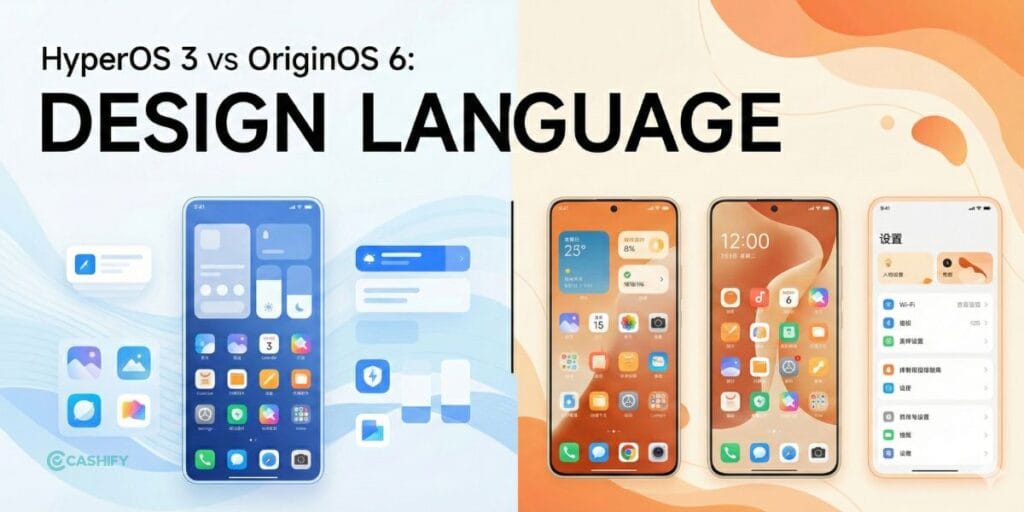
Appearance is most important for any UI. After iOS 26 introduced its liquid glass design, most brands adopted it in full or nearly so. Both HyperOS 3 and Origin OS have a glass-like design, but HyperOS 3 offers cleaner, Google-like, softer animations.
In this UI, you can change you walper quicly in just pressing and holding on the lock screen. For example, if you have added your photo or any subject-based image, then the clock will be behind your image for a cleaner visual.
Same as, OriginOS 6 offers Grid-based, bolder visuals, custom widgets, and more aesthetic depth. Some of the looks are totally copied from Apple, like the thoroughly copied App Dock, but you can turn it off in settings. You can not change the wallpaper by pressing the lock home screen. But in the settings, you can customise the clock, date, and other settings more effectively.
Also Read: Lava Agni 4 Review: A Nationalism Flavour But Still Long Way To Perfection
HyperOS 3 vs OriginOS 6: Performance & Smoothness
HyperOS 3 is more focused on better app optimisation for the latest chipsets, such as Snapdragon 8 Elite gen, 8 Elite 5 gen, and 8 5 gen. It helps to run multiple apps on background and provides the best stability during heavy tasks like gaming and video editing. It keeps UI simple and provides a more practical approach.
While OriginOS 6 is more centric on how users feel during use. Vivo added smoother, better animations with a quick-touch response, and the transitions look amazing.
The app closing and opening, control bar, and settings animations are smooth and aesthetic. Even when raw performance is similar, OriginOS 6 often feels faster thanks to its refined animation handling.
In day-to-day usage, HyperOS 3 manages RAM more aggressively, closing unused apps to maintain performance and battery life. OriginOS 6 keeps more apps alive in memory, which helps with quicker app switching but can use slightly more RAM.
Also Read: Samsung Galaxy S25 FE Review: A Well-Balanced Phone That Nails the Essentials
HyperOS 3 vs OriginOS 6: Battery Consumption
Talking about battery consumption, HyperOS 3 carefully manages background tasks to help keep your device cooler. It reduces unnecessary background activity, limits power-hungry apps, and efficiently allocates system resources.
This thoughtful approach makes your phone more comfortable to use during long sessions, like gaming or switching between multiple apps.
On the other hand, OriginOS 6 features an adaptive power mode that intelligently adjusts performance based on your usage. It provides quick bursts of power when you need them and smoothly scales down to help control heat buildup.
This makes your phone feel more responsive, though it might get a bit warmer during extended heavy use. While HyperOS 3 aims for steady thermal stability, OriginOS 6 focuses on delivering quick response times with smart heat management.
Also Read: OPPO F31 Pro Plus Review: Solid, Sturdy, And Surprisingly Smart
HyperOS 3 vs OriginOS 6: Customisation
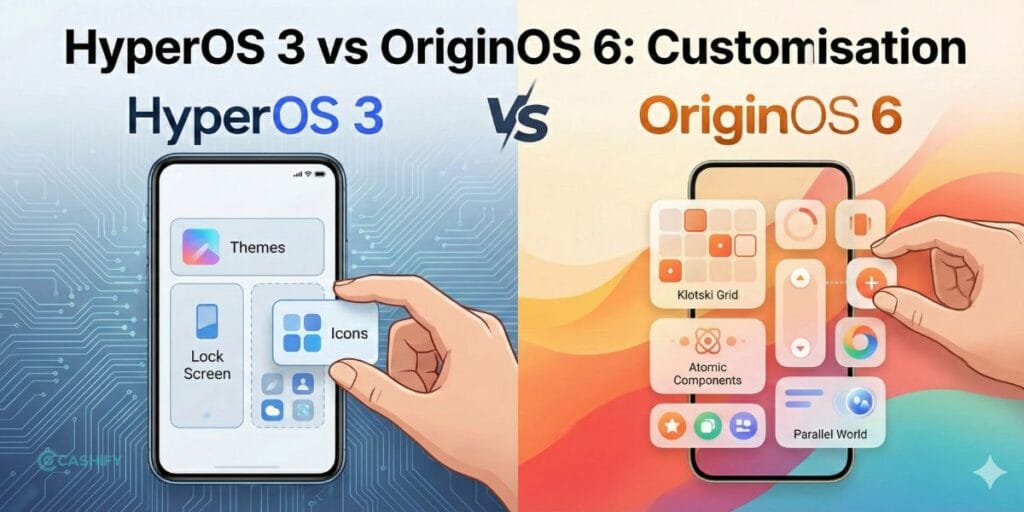
HyperOS 3 offers fewer customisation options than Origin OS 6. At the same time, OriginOS 6 comes with deep customisation like lockscreen, widgets, themes, small windows, and atomic features. From highly detailed lockscreen layouts and interactive widgets to small windows and Vivo’s atomic features, almost every part of the interface can be changed.
It offers far more freedom, though heavy customisation can sometimes feel visually busy. In simple terms, HyperOS 3 keeps things neat and predictable, while OriginOS gives you creative freedom, even if it can lead to a slightly cluttered look when overdone.
Also Read: OPPO Reno 14 Review: Flagship Feel At A Mid-Range Price
AI Features: Xiaomi Intelligence vs Vivo AI
HyperOS 3 comes with several AI features that are more practical in daily life. One of the unique features is the ability to offer AI subtitles during video and audio calls. It helps more when both sides do not talk in same language.
A few AI features, such as AI image editing, help quickly fix photos without third-party apps, and AI search makes it faster to find files and settings. Device linking is also genuinely helpful if you often switch between Xiaomi devices.
OriginOS 6 focuses on contextual AI. AI notes automatically organise content, camera suggestions help optimise shots before you click, and scene recognition adjusts settings based on what you’re shooting.
Vivo’s upgraded Assistant feels smarter but is more situational and less frequently used. In real life, HyperOS 3’s AI tools feel more consistently helpful, while OriginOS 6’s AI shines in specific moments rather than daily tasks.
Also Read: Vivo T4 Pro Review: Flagship Features Without Flagship Price
Ecosystem Experience
HyperOS 3 clearly has the advantage in ecosystem integration. It offers a strong multi-device hub that connects phones, tablets, TVs, wearables, and even electric cars. File sharing, screen casting, and cross-device control feel quick and reliable, making the experience closer to Apple’s ecosystem approach.
OriginOS 6 delivers smooth pairing within Vivo’s ecosystem, especially with tablets, TWS earbuds, and laptops. However, the ecosystem is smaller and less deeply integrated compared to Xiaomi’s broader device range. Overall, HyperOS offers a more Apple-like, seamless ecosystem, while OriginOS is best for those already fully invested in Vivo products.
Also Read: Vivo V60 Review: A Camera Phone That Puts Style First
Conclusion
The HyperOS 3 vs OriginOS 6 debate ultimately comes down to priorities. HyperOS 3 is built for users who want stability, practical AI features, and a truly seamless multi-device ecosystem. OriginOS 6, on the other hand, targets users who love deep customisation, fluid animations, and a visually rich UI experience. If you value consistency and ecosystem strength, HyperOS 3 is the better choice. If personalisation and animation smoothness matter more, OriginOS 6 will feel more exciting.
FAQs
Which UI is smoother: HyperOS 3 or OriginOS 6?
OriginOS 6 feels smoother due to refined animations and faster touch response, even when performance is similar.
Is HyperOS 3 better for gaming?
HyperOS 3 offers better thermal control and stability, making it more reliable for long gaming sessions.
Which OS offers better customisation?
OriginOS 6 provides deeper customisation options, including lockscreen layouts, widgets, and atomic features.
Are AI features more useful on HyperOS 3 or OriginOS 6?
HyperOS 3’s AI tools are more practical for daily use, while OriginOS 6’s AI works best in specific scenarios.
Which UI has a better ecosystem experience?
HyperOS 3 delivers a more Apple-like ecosystem with seamless integration across multiple devices.
Also Read: Samsung Galaxy S25 FE Review: A Well-Balanced Phone That Nails the Essentials
If you’ve just bought a new phone and don’t know what to do with your old phone, then here’s your answer. Sell old mobile to Cashify and get the best price for it. If you are planning to buy a new phone, check out Cashify’s refurbished mobile phones. You can get your favourite phone at almost half price with six-month warranty, 15 days refund and free delivery.