A laptop stops charging. The screen starts flickering. The keyboard won’t type the alphabet you have been pressing for so long. Your first instinct is probably to type “laptop repairing shop near me” and find the closest repair centre.
But there is another option worth knowing about: doorstep laptop repair.
So, which one should you choose? A nearby shop or a technician who comes to your home?
The answer depends on the problem, your convenience, and how quickly you need the laptop back.
Also read: Laptop Fan Making Loud Noise? What It Means And How To Prevent!
laptop Repairing Shop Near Me For Doorstep vs Walk-in Repair: Quick Glance
| Factor | Doorstep Repair | Walk-in Repair |
|---|---|---|
| Travel required | No | Yes |
| Convenience | High | Depends on distance |
| Best for | Minor to moderate issues | Complex repairs |
| Device transport | Not required | Required |
| Technician inspection | At home | At the repair centre |
| Suitable for urgent issues | Often | Depends on shop workload |
| Privacy concerns | Lower device movement | Device stays at centre |
Both options can work well. The right pick depends on your laptop problem.
When Doorstep Laptop Repair Makes Sense?
Some laptop problems do not require you to carry the entire device to a shop.
Think about issues such as:
- Battery replacement
- Keyboard replacement
- Screen replacement
- Charging problems
- Software issues
- Laptop cleaning
- Overheating
- SSD or RAM upgrades
A technician can inspect the laptop at your home and identify the issue. This can save you a trip, particularly if the laptop is large or difficult to carry.
It can also be useful for people who work from home and cannot spend several hours travelling to a repair centre. Cashify has this service for doorstep visit, free of cost.
Also read: Most Common Laptop Problems For Possible Repair Instead Of Replacing The Device!
When A Walk-in Repair Shop Is Better?
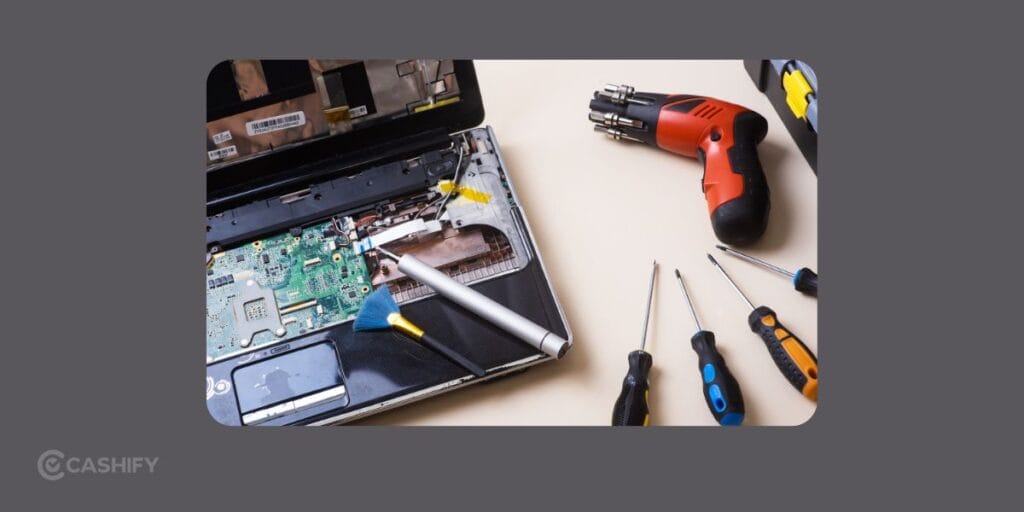
Some repairs need specialised equipment or a controlled repair environment.
Motherboard problems are a good example.
If the laptop does not turn on at all, has liquid damage, or needs board-level repair, a repair centre may be the better choice.
A shop can have specialised tools and equipment needed for detailed diagnostics.
Walk-in repair can also make sense if your laptop needs several repairs at once.
For example, suppose your laptop needs a screen replacement, keyboard repair and internal cleaning. A technician at a repair centre can inspect the entire machine before starting the work.
What to Check Before Choosing a Laptop Repairing Shop Near Me
Typing “laptop repairing shop near me” is only the first step. The closest shop is not automatically the best one. Before handing over your laptop, check a few things.
1. Ask About the Warranty
A repair warranty gives you some protection if the same component develops an issue soon after the repair.
Ask how long the warranty lasts and exactly what it covers.
For example, Cashify lists a three-month warranty on replaced spare parts. Its laptop repair service also lists a six-month warranty on replaced screens.
Always confirm the current warranty terms before booking.
2. Ask Which Parts Will Be Used
A laptop repair can involve original, compatible or refurbished parts.
Ask the technician about the part being installed.
This matters for screens, batteries, keyboards, SSDs and other replacement components.
A cheaper repair is not always a better repair if the replacement part has poor quality.
3. Check Data Security
Your laptop can contain personal photos, documents, work files, saved passwords and other private information.
Ask how your data will be handled during the repair.
You can also create a backup before sending the laptop for service.
For sensitive work devices, data security should be part of your repair decision.
4. Ask for a Cost Estimate
Do not approve a repair blindly.
Ask for the diagnosis and estimated cost first.
If the technician discovers another issue after opening the laptop, ask for the revised estimate before approving extra work.
This keeps the final bill predictable.
Also Read: Do You Lose Data When Replacing LCD Screen?
Doorstep Repair Can Be Easier For Common Problems
Imagine your laptop screen has cracked.
You already know the problem. The laptop turns on, the keyboard works, and everything else seems fine.
Carrying it across the city just to get the screen replaced may feel unnecessary.
A doorstep appointment can be simpler in such cases.
Cashify lists laptop repair at home as one of its service options. Its repair page also mentions trained technicians, certified parts and device and data security.
For a common hardware problem, this type of service can save time and reduce the hassle of transporting your laptop.
But Don’t Choose Doorstep Repair for Every Problem
Doorstep service is convenient, but it is not the right answer for every repair.
A serious motherboard fault may need specialised equipment.
Liquid damage may need detailed internal inspection.
A laptop that refuses to turn on may need extensive diagnostics.
In such cases, ask the service provider if the technician can handle the repair at home. If not, the laptop may need to go to a laptop repair shop near me.
How to Pick the Right Option
Use this simple approach:
Choose doorstep repair if:
- You know the problem.
- The repair is relatively straightforward.
- You want to avoid travelling.
- The laptop is difficult to carry.
- You need the repair done at home.
Choose walk-in repair if:
- The laptop has a serious hardware fault.
- It needs board-level work.
- The problem is difficult to diagnose.
- Specialised repair equipment may be needed.
- The service centre can provide a better diagnosis.
What About Cost?
Doorstep repair does not automatically mean a higher bill.
The final cost depends on the problem, replacement part, labour and service provider.
A walk-in shop may have lower service costs in some cases. A doorstep service may save you travel expenses and time.
So instead of comparing only the service charge, compare the total cost and convenience.
For example, spending Rs. 500 extra for doorstep service may be reasonable if it saves several hours of travel and waiting.
Don’t Forget to Back Up Your Laptop
Before any repair, create a backup of important files. Store important documents, photos and work files on an external drive or a trusted cloud service.
If the laptop needs extensive repair, ask the technician if your data will remain intact.
Also remove sensitive accounts or personal information when practical.
A little preparation can prevent a big headache later.
Also read: 5 Signs Your Laptop Needs Professional Repair Immediately!
So, Should You Choose Doorstep or Walk-in Repair?
If you type “laptop repairing shop near me”, don’t stop at the first result.
First, identify the problem.
A cracked screen, damaged keyboard, weak battery or charging issue may be suitable for doorstep repair.
A dead motherboard, liquid damage or complex hardware fault may need a proper repair centre.
The best option is the one that suits the repair, the laptop and your situation.
And if the problem is simple, you may not need to carry your laptop across town at all. A reliable doorstep repair service can take care of the job right at home, saving you time and unnecessary travel.
If you’ve just bought a new phone and don’t know what to do with your old phone, then here’s your answer. Sell old mobile to Cashify and get the best price for it. If you are planning to buy a new phone, check out Cashify’s refurbished mobile phones. You can get your favourite phone at almost half price with six-month warranty, 15 days refund and free delivery.