

7.3
Score
Microsoft Surface Pro 8 (Core i5 11th Gen/8 GB/128 GB SSD/Windows 11)
Compare
Share:


3.651
Rahmat Ali
45

View All
View All
microsoft-surface-pro-8-core-i5-11th-gen-8-gb-128-gb-ssd-windows-11Mobile41620https://s3n.cashify.in/cashify/product/img/xhdpi/41620.png /microsoft-surface-pro-8-core-i5-11th-gen-8-gb-128-gb-ssd-windows-11-laptop-price-in-india
Microsoft
Intel Core i5
11th Gen, 2.4 GhzIntel Iris Xe
Intel13 Inches
2880 x 1920 PixelsLPDDR4
8 GB128 GB
Detailed Specs
Compare
Brand
Microsoft
Model
Surface Pro 8
Market Status
Available
Price
Rs. 1,04,499
Price Status
Confirmed
Launch Date
20-Jan-22
Weight
0.89 Kg
Dimensions
287 x 208 x 9.3 mm
Color
Black
Operating System
Windows
OS Architecture
64-bit
Series
Surface Pro 8 Series
Display Size
13 Inches
Display Resolution
2880 x 1920 Pixels
Pixel Density
266 ppi
Screen Type
LED
Display Features
PixelSense Flow Display (267 PPI) Up to 120Hz refresh rate Aspect ratio: 3:2 Touch: 10 point multi-touch GPU Ink Acceleration
Display Touchscreen
No
Processor Brand
Intel
Processor Name
Intel Core i5
Processor Generation
11th Gen
Clock Speed
2.4 Ghz
Graphic Processor
Intel Iris Xe
Graphic Brand
Intel
RAM Capacity
8 GB
RAM Type
LPDDR4
Memory Slots
1
Memory Layout
1x8 Gigabyte
SSD Capacity
128 GB
Battery Type
Li-Ion
Wireless LAN
802.11 b/g/n/ax
Bluetooth
Yes
Bluetooth Version
5.1
Headphone Jack
Yes
Microphone Jack
Yes
Web Camera
Yes
Video Recording
1080p HD
Rear Facing Camera
Yes
Speakers
Built-in Speakers
In-built Microphone
Yes
Microphone Type
Dual Far-field Studio Mics
Sound Technologies
2W Stereo Speakers, Dolby Atmos
Optical Drive
No
Pointing Device
Touchpad with Multi-Touch Gestures Enabled
Keyboard
Microsoft Surface Pro Keyboard Compatibility
Fingerprint Scanner
No
Warranty
1 Year
Sales Package
Laptop, Battery, AC Adapter, User Guide
Recent Articles
Check out how to download the OriginOS 7 Beta and access it to get the first look at Vivo's Android 17 touch-up, liquid glass UI, performance upgrades and much more, all inside this article.
14th Nov 2026
Android users, now you can download iPhone ringtone on your smartphone as well. Here, we have shared a few ways how to do so.
14th Nov 2026

Motorola Signature 27 vs iPhone 18 Pro - Does Motorola finally beat Apple's best flagship of this year? Well, the answer is right inside this article where we declare the winner of this comparison. Check it out.
13th Nov 2026

Explore 5 Motorola Signature 27 alternatives in 2026 from Apple, Samsung, OnePlus and Motorola. Compare their key specs, cameras, performance and battery life to find the right phone for your needs.
13th Nov 2026

ColorOS 17 vs HyperOS 4 compares two major Android interfaces, covering their latest AI features, performance upgrades, redesigned UI and ecosystem improvements.
Find out how OPPO and Xiaomi differ and which software offers a better experience for everyday smartphone users.
13th Nov 2026
Follow





New Launches

Apple MacBook Pro (MJ2G4HN/A) PROLED XDR 14.2 (Apple M5 Pro/24 GB/1 TB /MacOS)

Apple MacBook Pro (MJ2W4HN/A) PROLED XDR 16.3 (Apple M5 Pro/24 GB/1 TB/MacOS)

Apple MacBook Pro MHWW4HN/A 14 (Apple M6/16 GB/1 TB SSD/MacOS)
MSI A2WI-1257IN Ultrabook (Ultra 9/32 GB/2 TB SSD/Windows 11/16 GB)
Starting from:
₹5,49,990
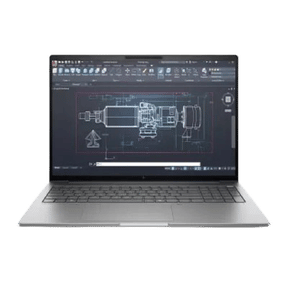
HP ProBook 4 G1iR CC0M1AT (120U/8 GB/512 GB SSD/Windows 11)
Starting from:
₹77,229
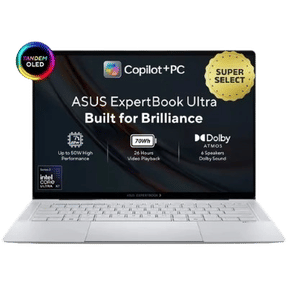
Asus ExpertBook B9406CAA-TH0934WS (Core Ultra X7/64 GB/2 TB SSD/Windows 11)
Starting from:
₹3,52,990
Latest Reviews


HP Victus 16 Review – A Valuable Gaming Choice
22nd Apr 2022


Acer Nitro 5 Review – Monster Of A Gaming Laptop
9th Apr 2022


Related Reviews
Recent Articles
Product QNA
Is the Surface Pro 8 monitor compatible?
USB-C connections are available on both your Surface Pro 8 and your display. Simply connect a USB-C cable to your Surface and the other end to your monitor.
Answered By:DIVYANSH PAL
What is the charging time for the Surface Pro 8?
Charging is also quite quick. With mild Chrome usage, we were?able to charge the gadget to 60% in 50 minutes (it will charge quicker on standby). That was using the Surface Connect charger included in the box.
Answered By:iftikhar
Is there a fan on the Surface Pro 8?
While there are multiple things going in the background process, especially for new devices, the fan on your Surface Pro 8 may vary its fan speed (which will most likely generate sounds) to maintain the temperature of the CPU so it can work as intended.
Answered By:Chetan sonune


