OriginOS 7 has finally confirmed the OriginOS 7 Beta release date and is all set to get in its Beta Avatar. And hearing this, all Vivo fans are braced to catch the first live trial of how the Vivo OriginOS looks and feels in real time on their smartphones. So, as this marvellous feat opens up, we tell you all the steps to download and many more things that are important for you as a Vivo user. So, let us begin.
Vivo's OriginOS 7 Is Landing On 16th Sept: Brings Liquid Glass UI, Faster Performance, AI Specs & More
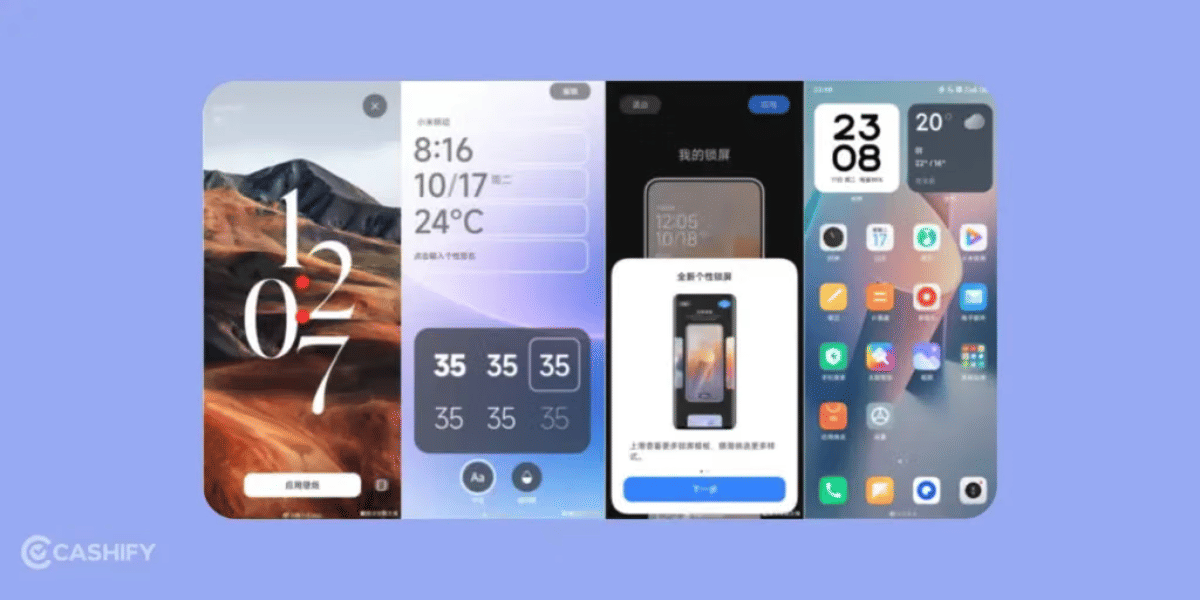
Vivo is officially launching OriginOS 7 on September 16, built atop Android 17. The major visual highlight is the new Liquid Glass UI, introducing sleek translucency, dynamic blur effects, and refined system typography.
Beyond aesthetics, the update significantly boosts performance with enhanced rendering pipelines, faster app launch speeds, and smoother high-refresh-rate navigation. Vivo has also baked in advanced on-device AI capabilities alongside desktop-grade windowed multitasking. Following its mid-September debut, the unified global and Indian rollout will kick off across flagship Vivo and iQOO devices before expanding to mid-range lineups.
Also Read: OriginOS 6 vs OxygenOS 16: Performance, UI, And Every Feature Compared
For a layman Vivo phone user, what he will get is some quicker glances and transitions, new notification panels, redesigned UI effects and widgets, a finer look of icons, and some minor security and performance upgrades which will not be visible on the platter when you use your phone, but in the backend, they will make a huge impact. In terms of funkiness and minimal UI balance, the Vivo has maintained a new template this time. Earlier, Vivo went for 60-40 in favour of funkiness, adding more chunk, more flavour, and more visually appealing effects, but this time Vivo has chosen 60-40 in favour of a more minimal proportion. It has tried to make things more minimal and more towards the premium flagship aesthetic.
Now, it is time to reveal the download procedure for the OriginOS 7 Beta. Let us tell you how to download the OriginOS 7’s latest variant so that you can transform your phone, and later we will also reveal which phones are eligible for this upgrade so you know whether your phone stands in the elite list or not.
OriginOS 7 Beta Download Guide: See How You Can Get The Access Early
Although the public rollout of OriginOS 7 will take time, the Beta version for early access is open now, and here is how you can access it:
- Open Settings > System update, then tap the gear/three-dot icon in the top-right corner.
- Tap on Trial version (or Early Adopter Program) from the menu.
- If beta testing is open for your model, you will see the registration banner outlining slot quotas, preview terms, and known bugs.
- Agree to the testing terms and tap Apply now or Register to claim your beta seat.
- Return to the main update screen and tap Download and install once the package pushes to your device.
- Always back up vital data and maintain above 50% battery before installation.
But now the big question – is my Vivo phone eligible for the OriginOS 7 beta programme? Well, to clarify that, we have made a list of all deserving and eligible phones, so, find out if your phone falls in this tally or not.
Also Read: What’s New In ColorOS 17? Fluid Animations And More!
All Phones Eligible For OriginOS 7 Beta Program: Find If Your Phone Falls In The Tally
Brand | Series | Main Phones Covered |
Vivo | X & Fold | X300, X200, X100 series, plus X Fold 3 Pro, Fold 5 and Fold 6. |
Vivo | V Series | V70, V60, V50 and V40 series, including Pro and e models. |
Vivo | T & Y Series | T5 and T4 series, including Pro, Ultra and X models, along with newer Y400, Y500 and Y600 series phones. |
iQOO | Flagship | iQOO 15 series, including Ultra and R models, along with iQOO 13 and iQOO 12/12 Pro. |
iQOO | Neo | Neo 11, Neo 10, Neo 10R and Neo 9 Pro. |
iQOO | Z Series | Z11 and Z10 series, including Lite, X and R variants. |
What Can You Expect From Beta Version? Top Features
Here are 3 main aspects of key features that you will see in the OriginOS 7 Beta upgrade:
- Liquid Glass UI: The biggest visual change is a more translucent, glass-like interface with dynamic lighting and depth effects across the UI. Vivo is reportedly testing Real, Natural and Soft material styles.
- Smoother animations: Vivo is introducing a new animation/rendering system designed to make transitions feel more fluid and responsive.
- Faster performance: Vivo claims 14% faster graphics rendering, 12% faster app launches and 19% faster page switching compared with the previous generation.
Also Read: Vivo OriginOS 7 Features: Could Bring Glass UI And More
In A Nutshell
That’s it from this guide on the OriginOS 7 Beta. The Beta program is here to give you the early bird ticket to IriginOS, and if you are aware of how powerful your Vivo phone can get with this upgrade, then we suggest you should definitely try out this Beta programme. Keep coming for more such informative guides as we explore more about such topics.
If you’ve just bought a new phone and don’t know what to do with your old phone, then here’s your answer. Sell old mobile to Cashify and get the best price for it. If you are planning to buy a new phone, check out Cashify’s refurbished mobile phones. You can get your favourite phone at almost half price with six-month warranty, 15 days refund and free delivery.