Ever wondered why you’re not able to get the perfect monochromatic portraits or social media-worthy photos even after having those 200MPs, 108MPs, and triple quadruple camera setups? You come back home after a trip and need to add 4-5 filters, then effects, and then also don’t get that ‘desired shade’ in your photos. Well, it is because you haven’t really figured out how to take better photos from your phone. Also, there are some additional gears that help you enhance your shots and reels, but which are the best ones? This article will explain it all. We take you through the guide of settings, hidden camera modes, and the top gear that help you nail your photography and videography. So, let us begin.
Also Read: Best DSLR Camera Settings For Outdoor Photography: Easy Guide
Discover How To Take Better Photos From Your Phone: The Best Camera Settings
To learn how to take better photos from your smartphone, here are some tips and tricks that you must use.
1. Always Clean Up Your Camera And Use Camera Lens
This sounds silly, but it matters a lot. Before taking a photo, wipe the camera lens with a soft cloth or your T-shirt. Fingerprints and dust can make photos look blurry, dull and less sharp.
Use the camera lens cover if required. Phones like the Vivo X300 or Samsung S25 series phones have an additional camera bump, which is vulnerable to dirt and scratches, so use lenses that time.
2. Use Normal Photo Mode With Standard Settings
Don't always jump to Pro or special modes. For everyday photos, start with the normal Photo mode and 1× camera. Modern phones do a lot of processing automatically and can often produce better results this way. Fix your purpose; if you want the best shots in normal circumstances, then go for the normal mode.
3. Set Up Focus Manually
Before pressing the shutter, tap the person or object you want to keep sharp. Then check the brightness. If the sky or a bright light looks completely white, lower the brightness slightly.
- Simple rule: Tap > Check brightness > Shoot.
4. Keep ISO Settings Between 80 and 100
ISO is one of the most underrated camera settings, and hence we have brought it right at the centre of this guide on how to take better photos from your phone. If you're using Pro mode in bright daylight, try ISO 80–100 for cleaner photos. But don't force ISO 100 everywhere. In darker places, allow ISO to increase rather than making the shutter speed extremely slow and getting a blurry photo.
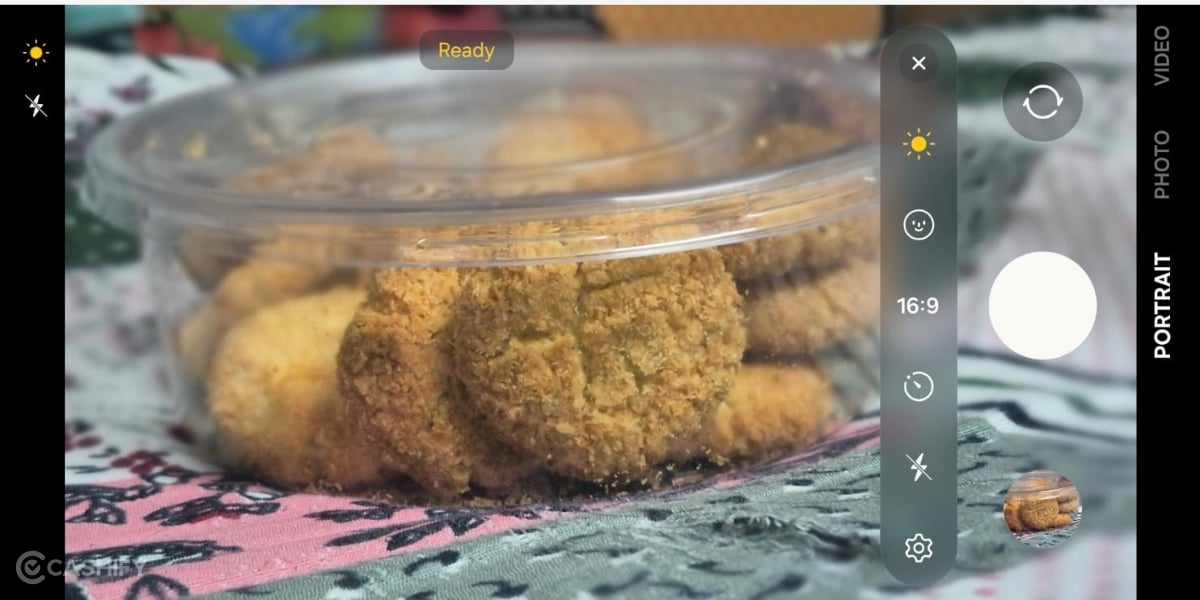
5. Do Not Use Portrait Mode Every Time
Portrait mode is great for people, pets and some simple objects, especially when you want the background blurred.
But don't use it blindly. For landscapes, buildings, food, and complicated objects, normal photo mode is often better.
Also Read: Best Mobile Processors In 2026
6. Lock Brightness While Recording Videos
This is especially useful while travelling. Before recording, set the brightness and, when your phone allows it, lock focus and exposure. This stops the video from suddenly becoming very bright or dark when you move through different areas.
For longer videos, lock white balance too if your phone provides the option.
7. Use Exterior Lighting
Now, the next part of this guide on how to take better photos is exterior lighting. If you want to get those perfect professional monochromatic shots or reels, use lighting from exterior sources. Use ring lights, mobile-attached torches, etc. Good lighting can make an average phone camera look surprisingly good. For people, try morning, evening or soft shade. Avoid putting someone's face directly under harsh midday sunlight. Remember: Better light > more megapixels.
8. Don't Zoom Too Much
Try to stay around 1× or use the phone's optical/telephoto zoom when available. Avoid extreme digital zoom whenever possible. Instead of zooming from far away, move closer if you safely can.
9. Composition Fixture Using Grid
Turn on the grid lines and keep the horizon straight. Before pressing the button, quickly ask yourself:
- What am I actually photographing?
- Is there anything ugly or distracting behind it?
- Is the subject positioned nicely?
Sometimes simply moving one step left or right can improve a photo more than changing camera settings.
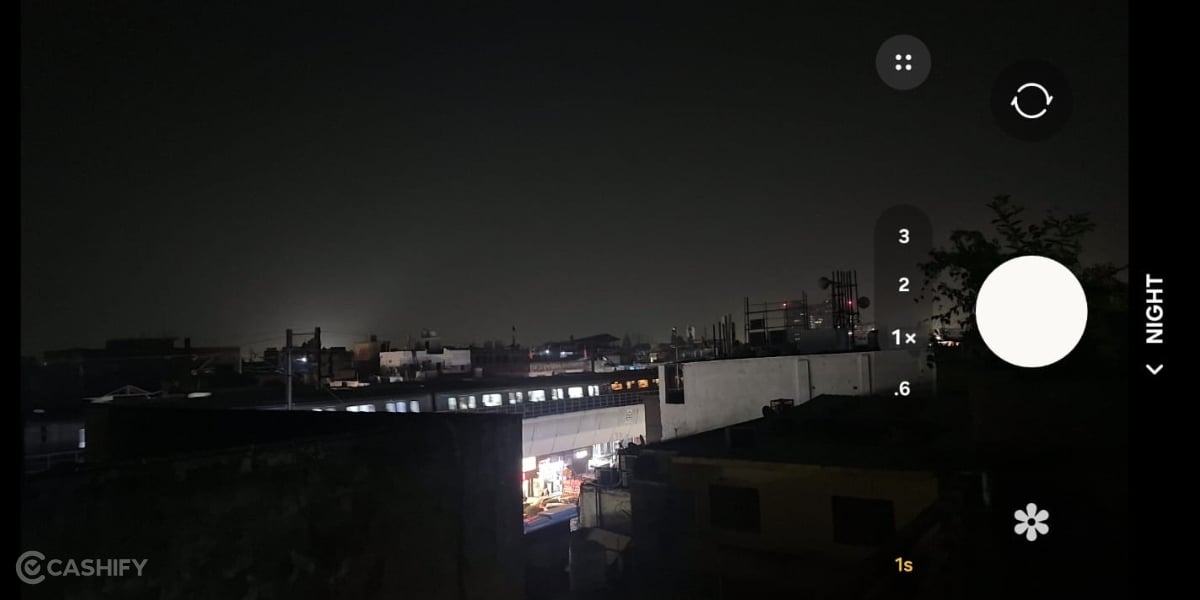
10. For Night Photography: Stay Still And Use Night Mode
Night mode needs time to collect more light. Hold the phone with both hands and stay still while taking the photo. For a static scene, you can even lean against a wall or place the phone on something solid. Don't expect Night Mode to freeze a person who is moving.
Also Read: Best Camera Settings For iPhone 18 Pro
Gear Guide on How To Take Better Photos: The Best Add-ons That Your Phone Needs
Now, it’s time to come to the additional support that your phone needs in the face of gear. Yes, the equipment, the gadgets – they are not here to make you a less trustworthy photographer or videographer; that’s a myth. Instead, these gears help you to get the best out of your phone’s camera. Tripods, ring lights, and other such gear enhance your photos and give you the results you could never imagine. So, we have prepared a list of the top gear that you can purchase to make your phone photography a proper party!
Gear | Key Benefit |
Wireless Lavalier Microphone | Captures clear, focused dialogue while reducing wind and background noise. |
Adjustable Tripod / Selfie Stick | Provides stable static shots and extra reach for walking vlogs and selfies. |
3-Axis Smartphone Gimbal | Reduces hand shake and delivers smooth, steady footage while walking or panning. |
Bi-Color Ring Light / Mini LED | Provides even lighting, reduces harsh shadows, and improves faces in low-light settings. |
Clip-On Wide-Angle Lens | Expands the field of view, helping capture more of the scene in tight spaces. |
Fast-Charging Power Bank | Keeps your phone powered during long outdoor shoots and intensive 4K recording. |
MagSafe / Cold Shoe Phone Mount | Holds your phone securely while allowing you to attach accessories such as microphones and lights. |
Variable ND Filter | Controls excessive outdoor light, helping maintain natural-looking motion blur for cinematic video. |
End Note
That’s it from this guide on how to take better photos from your mobile. These gears and camera settings are independent of which phone you have: an iPhone, a Redmi phone or a Samsung phone. These are neutral settings which work for every brand, every budget category, and every camera type. So, utilise these camera settings and get the best out of your phone’s camera right away!
Also Read: Google FitBit Air India Launch: All You Need To Know
Are you still browsing through your broken screen? Don’t worry! Book at-home mobile phone screen repair with Cashify—an affordable and one-stop destination for all your mobile phone needs. In case you break your screen within 1 month of repair, we will replace your screen again—for FREE.