HP Pavilion 15 Review: Price in India, and Availability
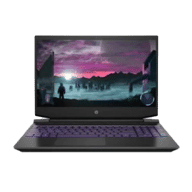
I evaluated the HP Pavilion 15 with a 1080p 60Hz display, an AMD Ryzen 7 processor, a dedicated NVIDIA GeForce GTX 1650 GPU, 8GB of RAM, and a 512GB SSD for the review. The HP Pavilion 15, is a member of one of the HP Pavilion 15 family, and as such, it commands one of HP’s mid-range line’s highest pricing.
Other variants available:
| CPU |
|
|---|---|
| GPU |
|
| RAM |
|
| Storage |
|
The HP Pavilion 15 is available for ₹49,990. You can purchase the laptop via HP Exclusive online and offline stores, Croma, Flipkart, and Amazon. That isn’t to argue that it isn’t pricey. When shopping for a mid-range computer, saving money on storage is a good idea. However, I recommend you go for 16GB RAM if you can.
HP Pavilion 15 Review: Specs at a glance
Before I get into the intricacies of the laptop, let’s have a look at the on-paper specifications:
- Display: 15.6-inch 1920 x 1080-pixels FHD IPS anti-glare micro-edge WLED- backlit display
- Processor: AMD Quad Core Ryzen 7
- Graphics: NVIDIA Geforce GTX 1660
- RAM: 8GB DDR4
- Memory: 256GB SSD | 1TB HDD
- Software: Windows 10 Home
- Weight: 2.19Kg
- Dimensions: 360 x 257 x 235 mm
HP Pavilion 15 Review: Design and Build
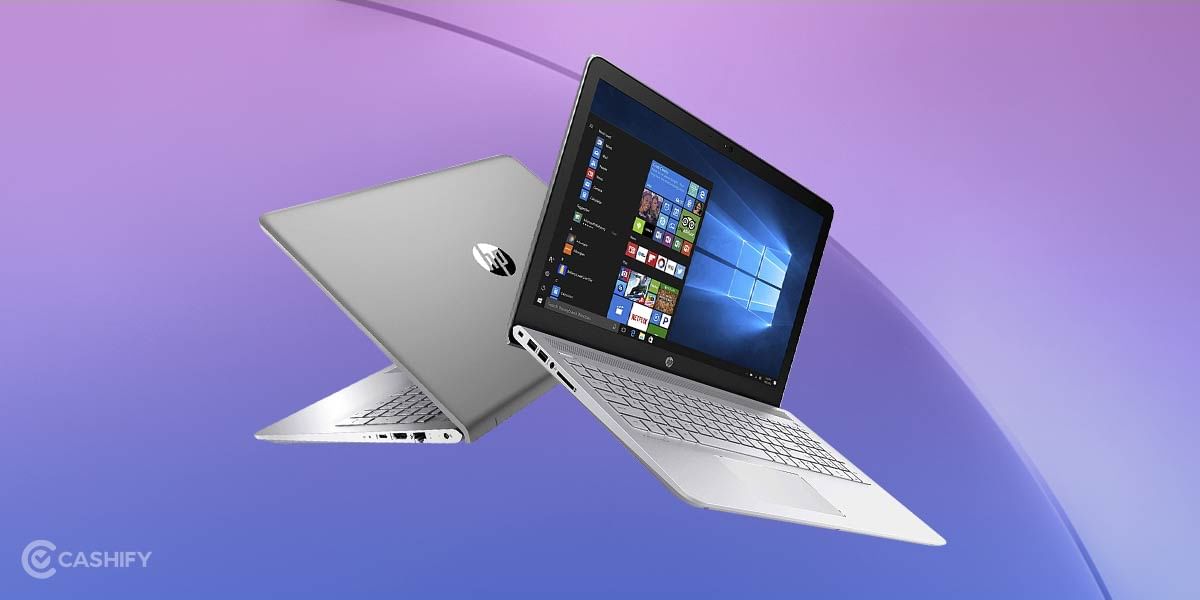
One of the first things I noticed about the HP Pavilion 15 during the review is that it doesn’t appear like a typical mid-range business laptop. With its sharp edges and stylish silver appearance, you’d believe it was created for gamers without the RGB bling. It has an appealing, modest appearance, with a modern, pleasingly thin bezel that still manages to house a 720p webcam for all of your video conferencing needs. The build quality is solid, with the majority of the device being made of aluminium to ensure it can resist a fall.
The build quality of the HP Pavilion Gaming Laptop is excellent. Although it’s totally composed of plastic, it’s sturdy and scratch-resistant. When twisted, the keyboard deck and rear shell flex, and the screen flex, also; when closed, the laptop feels exceptionally robust. When put on a flat surface, it features rubber feet that help keep the laptop stable.
With a weight of 2.19kg, the Pavilion 15 is notably heavier than the rest of its competitors, yet it’s still light enough to sling in a backpack and carry around.
HP Pavilion 15 Review: Display
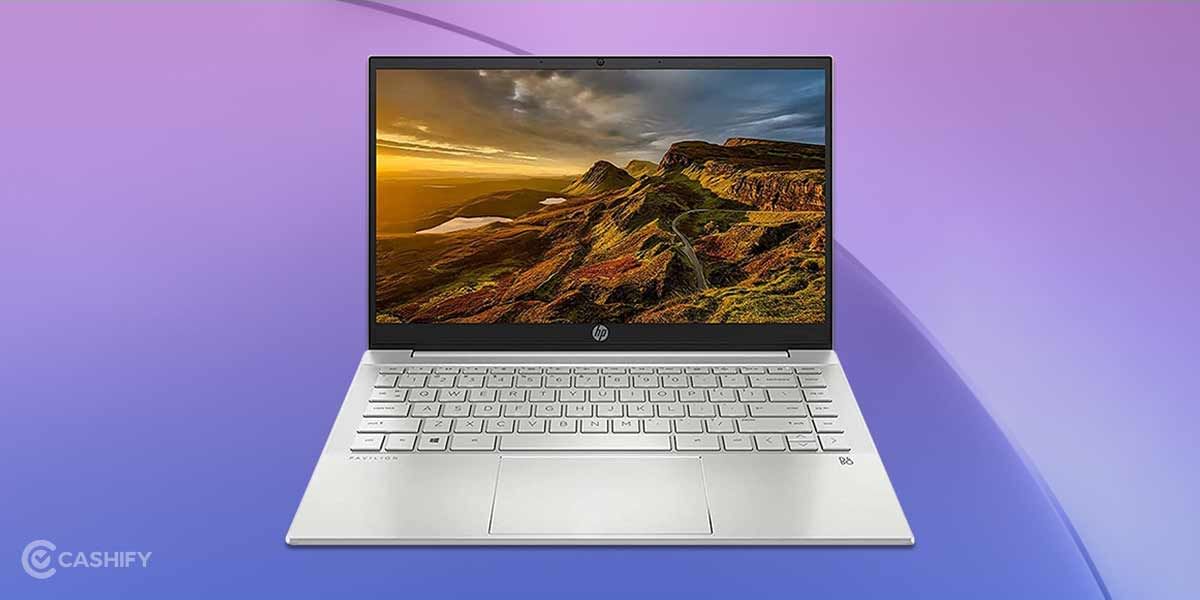
The Pavilion’s 1080p IPS display is sharp for a 15-inch monitor, and its 1593:1 contrast ratio is above average—but the rest of the panel is pretty mediocre. The maximum brightness of the HP Pavilion 15 laptop with the claimed panel of 250cd/m2 is below average. In brightly light environments, it doesn’t get bright enough to overcome glare, much less when working outside. However, even at its lowest brightness setting, it gets dark enough to provide a comfortable dark room watching experience. There are models with a brighter, 300cd/m2-rated panel, which I expect to perform much better in bright environments but are still not suitable for outdoor use.
Furthermore, the display only covers around 67.6 per cent of the sRGB colour space, which is used by the majority of applications and websites. Compared to more high-end screens, everything will appear washed out, and colours will be far from true in our assessments, thanks to a gamma of only 1.78 (2.2 usually is optimum). That implies that when the computer sends a precise shade to the screen, it may display a shade that is slightly “off” from the intended colour. This isn’t a big deal if you don’t do photo or video editing, but it’s something to consider.
HP Pavilion 15 Review: Performance
Throughout the review, the HP Pavilion 15’s performance stands out. For the system, HP has included an Nvidia GeForce GTX 1660 with 6GB VRAM, but only for graphically heavy applications. The storage needs are met with a 1TB 5400RPM HDD and a 256GB NVMe SSD. With these specifications, a PC can easily play all of the latest games, however with some tradeoffs.
The Ryzen 7 is a fantastic processor that, like its predecessors, can easily handle all of today’s games. It didn’t stutter when browsing, even with a slew of Chrome tabs open, and it’s clearly up to the challenge of tearing through any schoolwork or meeting any pressing deadlines. There’s even the possibility of some light gaming – but don’t expect to get too carried away. It works well in less-demanding games like Minecraft, but loading up a large Football Manager database proved too much.
Also checkout:Recycle your old laptop and get rewarded for it!
The screen is nice but not outstanding. It has a resolution of 1920 x 1080, which provides enough pixel density to prevent things from seeming grainy to the naked eye. It is highly reflective, which helps to offset the IPS panel’s somewhat disappointing contrast, but also means it’s not enjoyable to use with a window behind you. Although I’ve seen many fingerprint magnets, if you’re poking at this display on a regular basis, it’ll be helpful to have a microfiber cloth on hand.
When you’re not gaming, the Pavilion 15 makes it simple to get things done. HP is known for producing some of the best laptop keyboards, and this one is no exception. The keys have a lot of space and are spread out. There’s very little key ghosting, so typing long papers is a breeze. A full-size Numpad is also included. The trackpad is accurate, although HP still has some work to do to improve it.
HP Pavilion 15 Review: Keyboard and trackpad
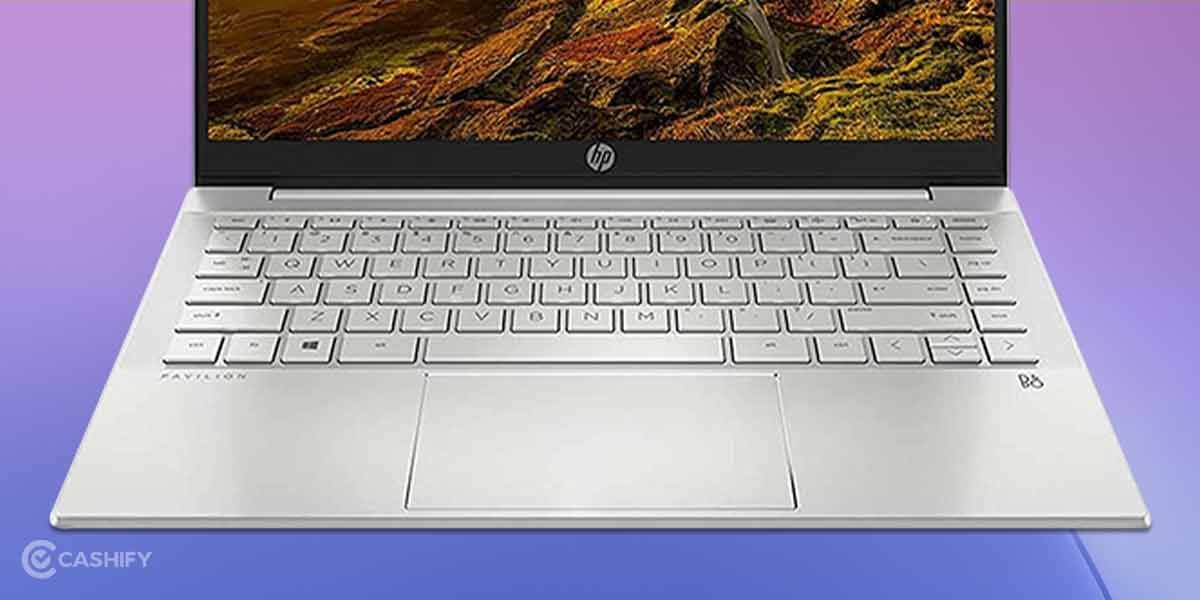
When you purchase a midrange laptop like this, you’re taking a chance on crucial system components. For example, the keyboard and trackpad are frequently degraded, with keys that don’t always function correctly or a trackpad that bounces the cursor around the screen.
During the review, I found the keyboard on the HP Pavilion 15 to be excellent. It’s comfortable to type on, with rather sturdy keys built of low-cost plastic. Due to its lengthy travel distance and moderate tactile bump, it does not create tiredness over long periods of time. The keys are well-spaced, although the arrow keys and several special function keys have a unique layout that may take some getting accustomed to. A Numpad is included, which can be useful if you need to assign extra keys in some games or frequently enter numbers in spreadsheets. Backlighting with adjustable brightness is available on some models, including ours, but the colour can’t be changed, therefore it’s confined to Acid Green or Ghost White. If backlighting isn’t crucial to you, you can have it.
Also read: MSI Modern 14 Review – The Mid-Range Ryzen Beast!
The touchpad on the HP Pavilion 15 is rather good. It’s on the small side, yet it correctly monitors movements without stuttering. However, it occasionally has difficulty with multi-touch gestures, which means you can have trouble choosing numerous icons or items in a list by dragging them together. Since there’s a Numpad, the touchpad is pushed to the left side of the keyboard deck to maintain it centred under the primary area of the keyboard, which some users may find annoying.
HP Pavilion 15 Review: Battery life
After my HP Pavilion 15 review, there’s no denying that the HP Pavilion 15’s battery life is a major letdown. Given its size, I expected the battery to be large enough to last at least a full day’s work; as it stands, you’d have your work cut out for you to squeeze eight hours out of it. Our PCMark’s battery test lasted a half-hour longer.
Obviously, it’s not the worst – some gaming laptops’ inadequate batteries can die after a couple of hours, and this is significantly better – but it’s more indication that HP may have run out of space inside the HP Pavilion 15’s chassis or at the very least cut one too many corners. It does, however, quickly charge, reaching half capacity in around half an hour.
Also Checkout: Recycle your old laptop and get rewarded for it!
HP Pavilion 15 Review: Audio, Webcam and Ports
In my HP Pavilion 15 Review, I found that the speakers are merely adequate. They fire upwards, close to the screen, from above the keyboard, with minimal compression at maximum volume. However, because they don’t get very loud, they’re not ideal for deep listening when watching movies or playing video games. Mid- and treble-heavy frequency response with a tiny bump to accentuate vocals. This means that the speakers deliver a satisfying listening experience in speech-heavy content such as podcasts, but diversified information does not sound as rich. Check out the HP Victus 16 if you want a gaming laptop with excellent speakers.
Also read: HP Victus 16 Review – A Valuable Gaming Choice.
The webcam and microphone on the HP Pavilion 15 are sufficient. Unfortunately, during the review, we found that the webcam image is slightly overexposed and lacks fine details. It’s also heavily cropped, giving in a minimal field of view. Fortunately, the colours appear to be natural in general. On the other hand, the microphone records muted, bad-sounding audio, and voices come off as nasal.
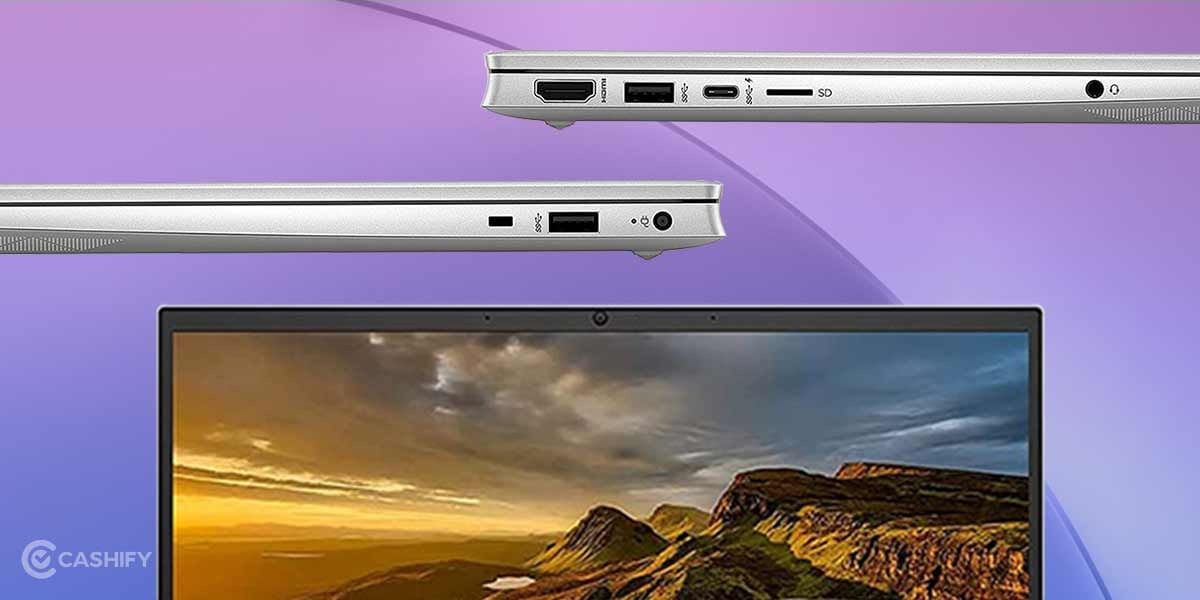
In my HP Pavilion 15 review, we found the laptop with a good selection of ports. One USB-A port on either side supports the USB 3.2 Gen 1 data transfer protocol (up to 5Gbps), while the other supports USB 2.0 (up to 480Mbps) and HP Sleep and Charge, which lets you charge devices more rapidly even when the laptop is in sleep mode. Although the USB-C port supports USB 3.2 Gen 1 and video output, it is not capable of charging the laptop. If you need to output to an external monitor, an HDMI 2.0 port is available.
When it comes to testing moderate budget computers, I’m usually sceptical. The HP Pavilion is a strong, well-built laptop for the price, with clumsy keyboards, jumpy trackpads, and brittle hinges. You get quick speed, a springy keyboard that’s a joy to type on, an accurate trackpad with very minor flaws, and a build quality that belies its price tag. And, despite its 15-inch size, it’s very portable.
The HP Pavilion Gaming Laptop is great at this price point. In our HP Pavilion 15 review, it scores amazingly well in benchmarks and is very well suited for running 3D rendering tasks, making it a compelling option for people who work in 3D modelling or animation. Additionally, there’s very little throttling over time, so the laptop stays near its full performance during extended rendering or computational workloads.
It boasts a sturdy, well-built chassis, a nice keyboard that doesn’t get tedious to text on over time, and a responsive touchpad. It also comes with lightning-fast AMD CPUs and specialised NVIDIA GPUs, making it ideal for students who edit video or work with 3D renders. Unfortunately, it’s bigger and heavier than most, making it a little tough to transport. You’ll also need to carry its dedicated barrel-plug charger because you can’t charge it over USB-C. Its screen isn’t bright enough for outside use, and its microphone records squeaky sounds.
Modern AAA games work smoothly on its MD Ryzen CPUs and dedicated NVIDIA GPUs, however you’ll need the more powerful GPUs if you want smoother gameplay at maximum graphics settings. It scarcely throttles, allowing you to play at top speed for extended periods of time. All of your devices should be able to connect to the ports, which include a dedicated HDMI 2.0 connector for output to an external display. You can also upgrade the RAM and the 2.5-inch storage drive. Unfortunately, when loaded, it becomes hot and noisy.
HP has created a well-balanced, relatively slim laptop for gaming and business or academics that does not come at a high price or with spectacular appearance. However, if you want more game-specific capabilities, there are plenty of gaming laptop options available.