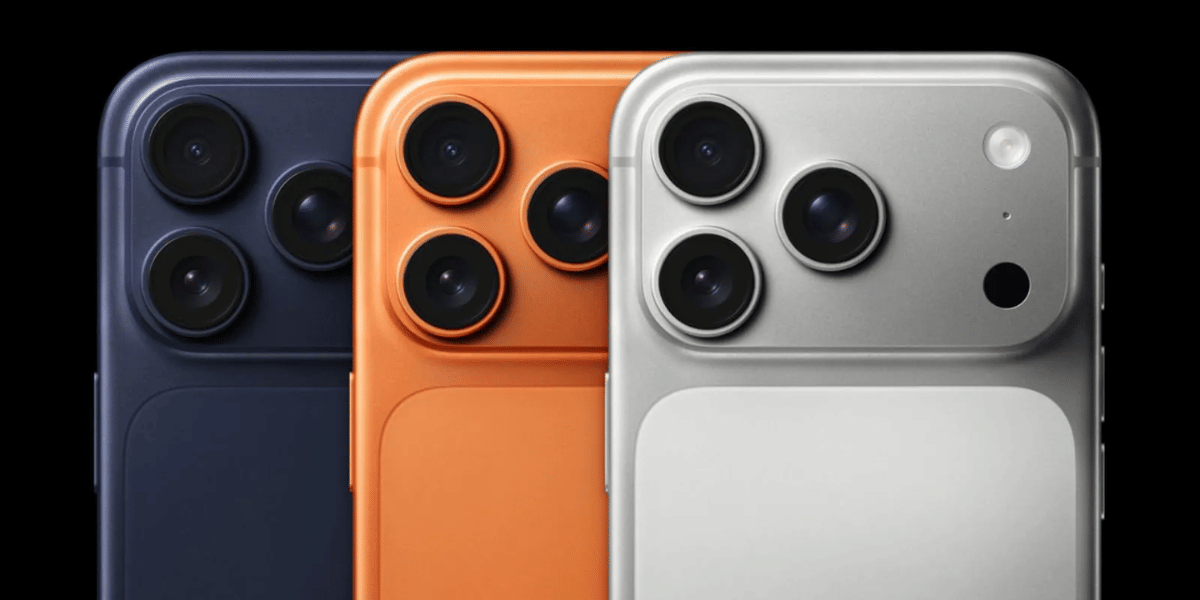
The Oppo Find X9 is one of those phones that can make almost anyone look like a good photographer. However, you need to know the Oppo Find X9 best camera settings to capture the best shots.
While the camera hardware is powerful, the Hasselblad tuning adds a premium touch. And you get access to advanced features like Master Mode, XPAN, Hi-Res photography, and professional-grade video recording.
But here’s the thing. Most people never use half of these features.
They stick to the default Photo mode, take a quick picture, and move on. While that works, you’re leaving a lot of image quality on the table. A few small changes in your camera settings can help you capture sharper portraits, more detailed landscapes, cleaner night shots, and smoother videos.
If you’ve recently bought the Oppo Find X9 or simply want to get better results from its cameras, this blog will show you exactly which settings to use and when to use them.
Let’s get started with our tips on the Oppo Find X9 best camera settings.
Also Read: 5 Best Video Downloader Apps For Android (2026): Fast And Free Picks
What Are The Camera SpecsOf Oppo Find X9?
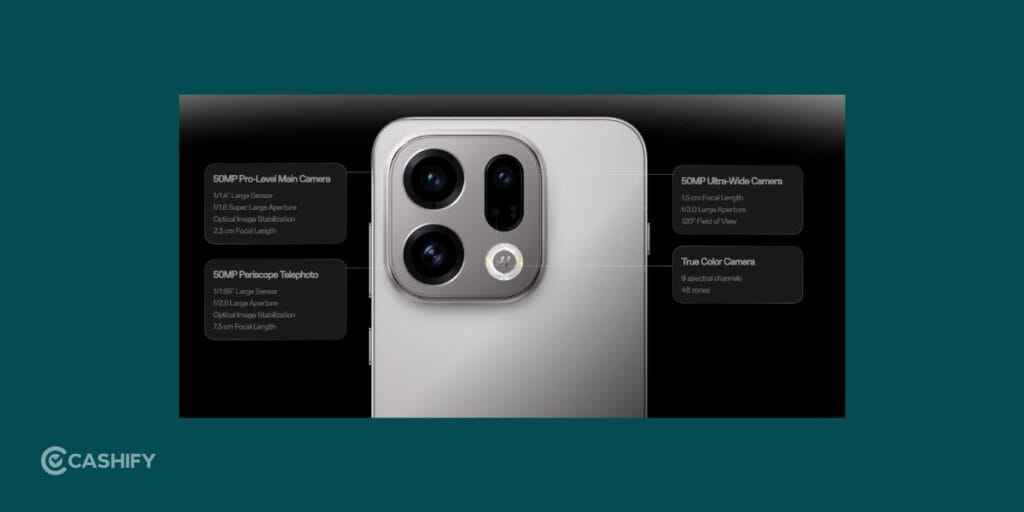
The Oppo Find X9 comes with a versatile camera system designed to handle almost every type of photography. Take a look at the camera specs of the Oppo Find X9:
Oppo Find X9 Camera Specifications
| Category | Details |
| Rear Camera Setup | 50MP Ultra-Wide Camera (f/2.0, 120° FOV, AF)50MP Main Camera (f/1.6, OIS, AF)50MP Telephoto Camera (f/2.6, OIS, AF)2MP Monochrome Camera (f/2.4) |
| Front Camera | 32MP Selfie Camera (f/2.4, 90° FOV) |
| Rear Camera Modes | Photo, Portrait, Night, PANO, Pro Video, SLO-MO, Long Exposure, Dual-View Video, Time-Lapse, XPAN, Hasselblad Hi-Res, Google Lens, Underwater, Master Mode, Text Scanner, Doc Scanner |
| Front Camera Modes | Photo, Video, Portrait, Night, PANO, Dual-View Video, Time-Lapse, Sticker |
Oppo Find X9 Video Specifications
| Feature | Details |
| Rear Video Recording | 4K at 120fps, 60fps, 30fps1080p at 120fps, 60fps, 30fps720p at 30fps |
| Rear Slow Motion | 4K at 120fps1080p at 240fps and 120fps720p at 480fps and 240fps |
| Rear Time-Lapse | 4K at 30fps1080p at 30fps |
| Front Video Recording | 4K at 60fps and 30fps1080p at 60fps and 30fps720p at 30fps |
| Front Time-Lapse | 4K at 30fps1080p at 30fps |
| Video Features | Pro Video Mode, HDR Video Recording, Video Anti-Shake, Dual-View Video, Video Zoom Support |
| Zoom Capability | Up to 3X Optical ZoomUp to 18X Digital Zoom |
Now let’s get to the Oppo Find X9 best camera settings that actually make a difference.
Use the Right Lens Instead Of Zooming

One of the biggest mistakes people make is relying on Zoom instead of switching lenses. And is why this Oppo Find X9 best camera settings matter.
The Find X9 gives you three useful cameras for different situations. The main camera is your go-to option for everyday photography. It captures the best balance of detail, colour, and dynamic range.
The ultra-wide camera is perfect for landscapes and travel photos, while the telephoto camera is ideal for portraits and distant subjects.
Before pinching to zoom, check if another lens can do the job better. You’ll almost always get a sharper and cleaner image.
For Portraits, Use the Telephoto Camera

If you’re photographing people, don’t just stay at 1x.
Switch to the telephoto lens and then enable Portrait Mode. This combination creates a more natural look because the longer focal length reduces facial distortion. Faces appear more flattering, and the background blur looks more realistic.
You’ll notice the difference immediately, especially when photographing friends, family members, or pets.
A simple trick is to step back slightly rather than move closer. Let the telephoto camera do the work.
Also Read: 5 Best Messaging Apps For Android And iPhone For Secure Chats (2026)
Turn to Hasselblad Hi-Res When Detail Matters

Not every photo needs maximum resolution. But when you’re standing in front of a beautiful landscape, famous monument, or city skyline, it’s worth switching to Hasselblad Hi-Res mode.
This Oppo Find X9 best camera settings capture significantly more detail than standard Photo mode. When you zoom into the image later, you’ll notice sharper textures, cleaner edges, and better overall clarity.
Travel photographers will probably get the most value from this feature. It’s especially useful when you’re visiting places you’ll only photograph once.
XPAN Mode Is More Useful Than You Think
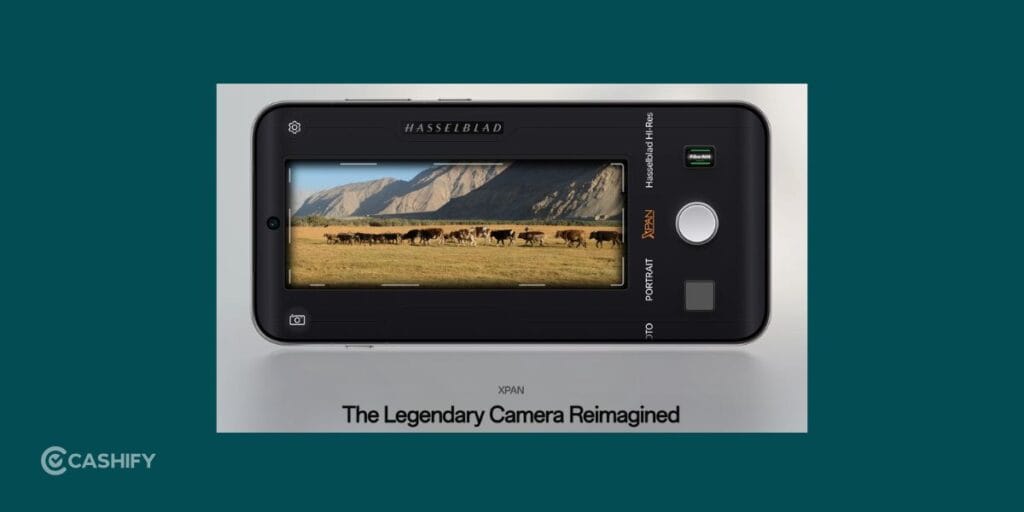
Many users see XPAN mode and ignore it because they aren’t sure what it does.
That’s a mistake. You must know how to utilize this Oppo Find X9 best camera settings.
XPAN creates ultra-wide cinematic photos inspired by classic Hasselblad cameras. Instead of looking like a typical smartphone photo, your images instantly feel more dramatic and immersive.
The mode works beautifully for mountain roads, beaches, architecture, city streets, and scenic viewpoints. Whenever you want a photo to tell a story rather than simply document a scene, XPAN is worth trying.
Don’t Ignore Master Mode
Most smartphone owners never open Pro Mode or Master Mode.
If that’s you, the Oppo Find X9 might change your mind.
Master Mode gives you manual control over ISO, shutter speed, focus, white balance, and exposure. At first, it can seem intimidating. But you don’t need to adjust everything.

Even small tweaks can make a huge difference.
For example, lowering ISO during daylight can produce cleaner photos. Increasing shutter speed can help freeze motion. A slower shutter speed can create beautiful light trails at night.
Think of Master Mode as the Oppo Find X9 best camera setting that unlocks the full potential of the camera.
Also Read: 17 Ways To Fix Play Store Won’t Download Or Install Apps Issue
Use Night Mode Earlier Than You Think
A lot of people wait until it’s completely dark before switching to Night Mode.
You don’t have to.
As soon as the lighting starts to drop at sunset or in the early evening, Night Mode can improve your photos. It brightens shadows, reduces noise, and preserves more detail in darker areas.
The result is a cleaner image without the overly processed look that some night modes produce.
If you’re shooting city lights, restaurants, street scenes, or evening landscapes, Night Mode should become your best friend.
RAW Max Vs JPG Max
The Find X9 gives you two powerful capture options: RAW Max and JPG Max.
If you simply want to take a photo and share it on Instagram, WhatsApp, or Facebook, JPG Max is the better choice. The images are processed, ready to use, and take up less storage.
RAW Max is different.
It captures much more information from the sensor. The photo may look flat at first, but it gives you far more flexibility when editing.
If you enjoy editing photos in Lightroom or Snapseed, RAW Max is the format you should use.
Best Settings For Travel Photography
When you’re travelling, conditions change constantly. One minute you’re shooting a temple. The next minute you’re photographing food or a sunset.
Instead of constantly changing Oppo Find X9 best camera settings, use this simple setup:
- Main Camera for everyday shots
- Ultra-Wide for landscapes and architecture
- Telephoto for portraits and details
- Hi-Res mode for landmarks
- XPAN for scenic views
- Night Mode after sunset
This combination covers almost every travel photography scenario.
Best Video Settings For Most People
The Find X9 is just as impressive for video as it is for photography.
For everyday recording, 4K at 60fps is the sweet spot. The footage looks detailed, motion appears smooth, and the quality is more than enough for YouTube, Instagram, and personal memories.
Unless you have a specific reason to shoot at a different frame rate, 4K 60fps should be your default setting.
Also Read: 10 Best Mobile Phones Under 25000: June 2026 List
When To Use 4K 120fps

The Find X9 supports 4K recording at up to 120fps, which is something many phones still don’t offer.
This Oppo Find X9 best camera setting is designed for action.
Use it when filming sports, moving vehicles, running subjects, pets, or anything fast-paced. The extra frames allow you to create incredibly smooth slow-motion footage during editing.
For normal videos, stick with 4K 60fps. For action, switch to 4K 120fps.
Keep Stabilization Enabled
Nothing ruins a good video faster than shaky footage.
Fortunately, the Find X9 includes excellent anti-shake technology. Unless you’re using a tripod, keep stabilization turned on.
This is particularly important when you’re walking, recording while travelling, or shooting handheld content for social media.
The difference in smoothness is immediately noticeable.
Common Mistakes That Reduce Photo Quality
Even with a flagship camera system, a few bad habits can hurt your results.
Avoid relying heavily on digital zoom. Clean your camera lenses regularly. Don’t use the ultra-wide camera for portraits. Avoid maximum beauty filters if you want natural-looking skin tones.
Most importantly, don’t ignore the special modes Oppo has included. Features like Hi-Res, XPAN, Master Mode, and Night Mode exist for a reason. They can often produce dramatically better results than standard Photo mode.
Final Thoughts
That’s all from our end on the Oppo Find X9 best camera settings. The smartphone isn’t a phone that rewards lazy photography. The more you explore its camera features, the more impressive the results become.
For everyday photos, stick with the main camera. For portraits, switch to the telephoto lens. Use Hi-Res mode when detail matters, XPAN when you want a cinematic look, and Night Mode whenever the light starts fading.
Once you get comfortable with these Oppo Find X9 best camera settings, you’ll start noticing something interesting. You’re not just taking better photos. You’re making full use of one of the most capable smartphone camera systems Oppo has ever created.
Also Read: Android 17 Eligible Devices List In 2026: Is Your Phone Compatible?
Frequently Asked Questions
How to make Oppo camera quality better?
To improve camera quality on the Oppo Find X9, use the main 50MP camera for most shots, switch to Night Mode in low light, enable Hasselblad Hi-Res for detailed photos, keep lenses clean, and use the telephoto lens for portraits instead of digital zoom.
What is the camera quality of OPPO Find X9?
The OPPO Find X9 offers flagship-level camera quality with a triple 50MP rear camera system, Hasselblad imaging features, optical image stabilization, advanced zoom capabilities, and 4K video recording up to 120fps. It delivers excellent detail, colours, dynamic range, and low-light performance.
What is the camera setup of OPPO Find X9?
The OPPO Find X9 features a 50MP main camera with OIS, a 50MP ultra-wide camera, a 50MP telephoto camera with OIS, and a 2MP monochrome sensor on the rear. On the front, it includes a 32MP selfie camera for photos and videos.
If you’ve just bought a new phone and don’t know what to do with your old phone, then here’s your answer. Sell old mobile to Cashify and get the best price for it. If you are planning to buy a new phone, check out Cashify’s refurbished mobile phones. You can get your favourite phone at almost half price with six-month warranty, 15 days refund and free delivery.