You don’t realise how much you rely on every inch of your screen. Until it stops working. Imagine the Samsung Galaxy Note 10 Lite screen touch not responding in the corners that you use for typing, swiping, and closing apps. If you are dealing with something similar, particularly around the edges, it can be a problem. Then begins the loop of a small annoyance to doses of frustration.
The good news? This is a pretty common problem among users, and in many cases, it’s not as serious as it seems. Before you think about replacing your screen or spending money on repairs, there are a few simple things you can try yourself that often fix the issue completely
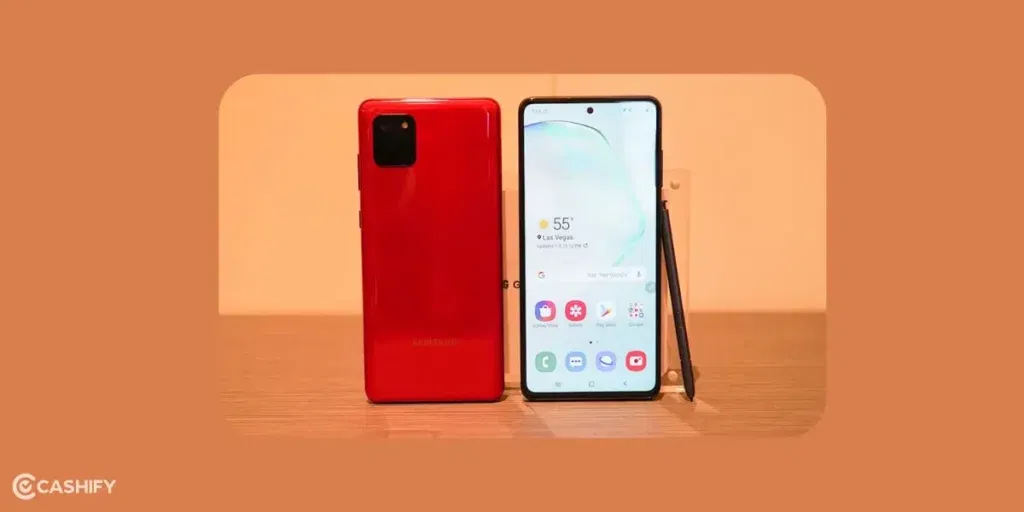
Before you try anything: Always back up your important data first (photos, contacts, etc.) using Samsung Cloud or Google Drive. Work in a clean, well-lit area, and if you’re not comfortable with any step, stop and seek professional help.
Also read: Speaker Not Working On Samsung Galaxy A04s? Here’s How To Get the Sound Back!
1. Let’s Do The Easiest One First- Quick Restart
A simple reboot often clears temporary glitches. The Samsung Galaxy Note 10 Lite screen touch, which is not responding, might be causing corner touch problems.
- Press and hold the Power button (side) + Volume Down button together for 7-10 seconds until the screen turns off and restarts.
- Let the phone boot up fully and test the corners by tapping and swiping.
This fixes many software-related unresponsive areas. Try it first!
2. Next, Remove Case, Screen Protector, and Accessories
Sometimes, a thick case or tempered glass screen protector interferes with edge/corner sensitivity.
- Take off your case and any screen protector.
- Clean the screen gently with a microfiber cloth (no liquids if possible).
- Test touch in the corners again.
If it works better now, your accessory was the culprit. Consider a thinner protector or one designed for edge sensitivity.
Also read: Samsung Galaxy M34 Battery Replacement: Signs, Cost & Best Fix Options!
3. Check for Software Updates and Enable Touch Sensitivity
Outdated software or low sensitivity settings can cause edge issues.
- Go to Settings > Software update > Download and install. Update if available.
- In Settings, search for “Touch sensitivity” and turn it ON. (This helps with gloves or protectors, but can improve general response.)
4. Restart The Phone And Test
Also, disable gesture navigation temporarily:
- Go to Settings > Display > Navigation bar > Switch to “Buttons” instead of gestures.
- Test corners. If better, the gestures might be conflicting.
Also read: Samsung Phone Bluetooth Not Connecting? Quick Fixes You Can Try!
5. Run Touchscreen Diagnostics
Samsung has a built-in tool to check exactly where the touch isn’t responding.
- Open the Phone app (dialer).
- Type `*#0*#` (star hash zero star hash) – it should open the diagnostic menu automatically.
- Tap Touch or Touchscreen test.
- Use your finger to draw lines across the entire screen, including all four corners. Watch for red or missing areas.
If corners show problems here, note it down. Exit by pressing the back button or restarting.
6. Safe Mode to Rule Out Apps
A bad third-party app can interfere with touch. Find out the culprit with this method.
- Press and hold the Power button until the power menu appears.
- Long-press the “Power off” option until “Safe mode” pops up > Tap OK to restart in Safe mode.
- In Safe mode, test the screen corners.
- If it works perfectly, the downloaded app is the problem. Restart normally and uninstall recent apps one by one (start with launchers, keyboards, or screen-related apps).
- To exit Safe mode, just restart normally.
Also read: Best Solution For Stylus Not Working In Samsung Galaxy Note 10 Lite!
7. WACOM Firmware Update (Great for Note Series with S Pen)
The Samsung Galaxy Note 10 Lite uses WACOM technology for touch and S Pen. Updating its firmware often fixes partial touch issues, even if the S Pen still works.
- Open the Phone dialer app.
- Type `*#2663#`.
- Tap WACOM FW (or similar button for firmware).
- Update all available options- one will likely reboot the phone.
- After reboot, test the corners thoroughly.
Many users report that this instantly fixes corner/edge unresponsiveness!
How Cashify Helps Samsung Galaxy Note 10 Lite Screen Touch Not Responding
Cashify has an established system when it comes to mobile repair of all kinds. Reach out to Cashify’s service, and you will be connected with an experienced technician who knows the Samsung Galaxy Note 10 Lite screen well.
You can expect:
- Proper diagnosis
- Highly compatible screen replacement parts
- Skilled technicians
- Warranty up to 6 months plus one month extra replacement screen breakage warranty*
- 7-refund if not satisfied with the repair
- Fastest repair service with almost instant repairs in some cases.
- Free doorstep pickups and drop-offs.
- Occasional discount
Just book a phone repair service from Cashify’s website or app. Select phone model, screen issue and then the slot you are comfortable with. Choose the address you want the technician to visit. Now relax, and watch the professionals do their magic. You don’t need to worry about anything else. Your Samsung Galaxy Note 10 Lite screen will be back to normal in no time.
(*Repair warranties are subject to discretion based on Cashify’s terms and conditions. Please refer to our warranty policy for detailed information.)
Also read: Oops! Samsung Galaxy A14 Camera Lens Cracked: Fix Now!
In The End
First, try out the troubleshooting tricks and check whether the screen corners are still malfunctioning. If yes, do not hesitate to teach it to a professional mobile phone repair centre. Cashify gives you the ease and peace of mind for Samsung phone repair. Enjoy a quick service and talk to proactive customer care for any queries.
Check out these coupon codes while booking your repair service via Cashify online:
RPR50: Get up to 50 per cent off on a minimum order value of Rs. 1000
TECH25: Discount of up to Rs. 300 by using the code on the minimum order value of Rs. 2499.
Are you still browsing through your broken screen? Don’t worry! Book at-home mobile phone screen repair with Cashify, an affordable and one-stop destination for all your mobile phone needs. In case you break your screen within 1 month of repair, we will replace your screen again for FREE.