If you use an Android phone, the September Android Feature Drop brings five new features designed to make everyday tasks a little easier. Instead of introducing one major change, Google is adding smaller tools that can help you remember where you kept something, use your phone more comfortably while travelling, understand your surroundings and personalize your conversations.
The September Android update also brings new ways to use Gemini and Google apps together. Some features are rolling out now, while others are coming soon and may depend on your Android version, device and country.
Here’s a look at all the new features included in the September Android Feature Drop.
Also Read: What Is WhatsApp Scam Alert Feature And How To Enable It?
September Android Feature Drop: Quick Look
| New feature | What it does |
| Remember items with Gemini | Helps you remember where you kept important items |
| Motion Assist | Helps reduce motion sickness while using your phone in a moving vehicle |
| Guided vision | Uses Gemini Live and your camera to describe what is around you |
| Google Keep in Messages | Lets you create and edit shared notes inside chats |
| Custom chat themes | Lets you change chat backgrounds, colours and themes |
Now, let’s look at each feature in more detail.
1. Gemini Can Remember Where You Put Things
One of the most useful additions in the September Android Feature Drop is a new way to remember where you left important items.
You’ve probably had that moment when you put your passport, spare key or another important item somewhere “safe” and then completely forget where that safe place was.
Google is making Gemini useful for exactly this situation.
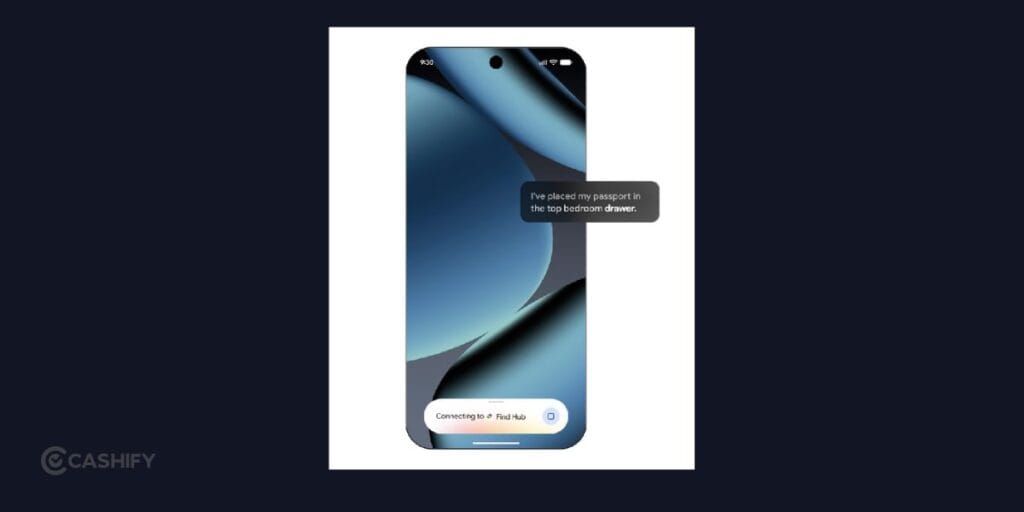
You’ll be able to tell Gemini where you put an item, and it can save that information in Find Hub. For example, you can say, “Hey Google, remember in Find Hub that I put my passport in my bedroom drawer.”
You can also add a photo to help identify the item later.
When you need it again, you can simply ask Gemini where you kept the item or check the remembered items section in Find Hub.
This is particularly useful for things that you don’t normally attach a tracker to. You can use it for items such as passports, spare keys or other objects that tend to disappear around your home.
The feature works on Android 16 and newer devices in countries where Gemini and Find Hub are supported. Google says the feature is coming soon, so availability may vary depending on your location and device.
Also Read: Google Pixel 11 Camera Settings: Best Settings For Photos And Video
2. Motion Assist Can Help With Motion Sickness
Do you feel uncomfortable looking at your phone while sitting in a moving car?
Google is addressing that problem with Motion Assist, another new feature in the September Android update.
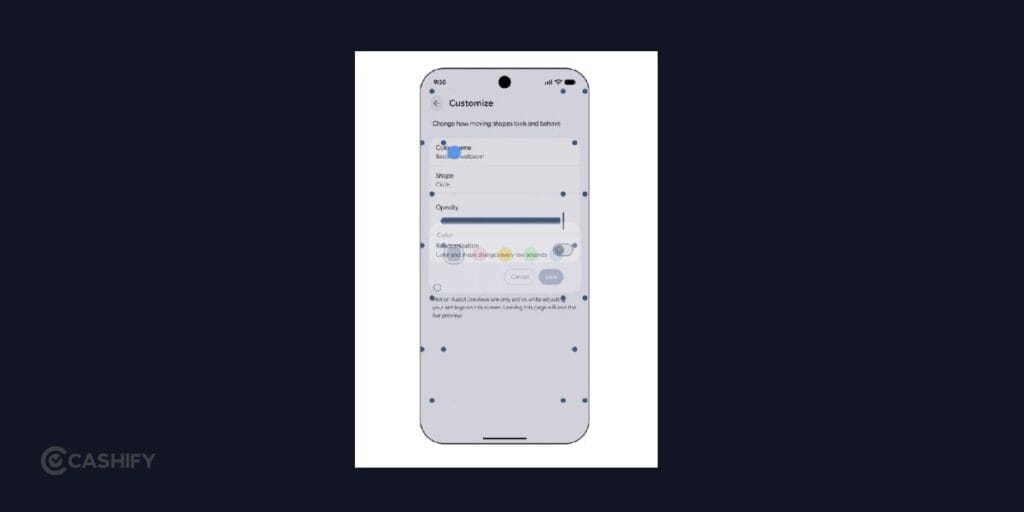
Motion Assist adds a subtle bubble overlay to your phone’s screen. The bubbles move along with the movement of the vehicle, giving your eyes an additional visual reference while you’re using your phone.
The idea is to reduce the disconnect between what your eyes see on the screen and the movement your body feels inside the vehicle. This can potentially make it easier to read, browse or watch something from the passenger seat.
You can also customise Motion Assist. The feature allows you to adjust the bubble’s shape, colour and opacity.
For easier access, you can add Motion Assist to Quick Settings or set it to activate automatically.
There is one important limitation: Google says Motion Assist is available on phones running Android 17.
So, if you regularly get motion sickness when using your phone in a car, this could be one of the more noticeable additions in this Android Feature Drop.
3. Guided Vision Uses Gemini To Describe Your Surroundings
The September Android Feature Drop also adds a new accessibility-focused feature called Guided vision.
It works through Gemini Live and your phone’s camera. You can share what your camera sees and receive descriptions of objects and surroundings through Gemini.
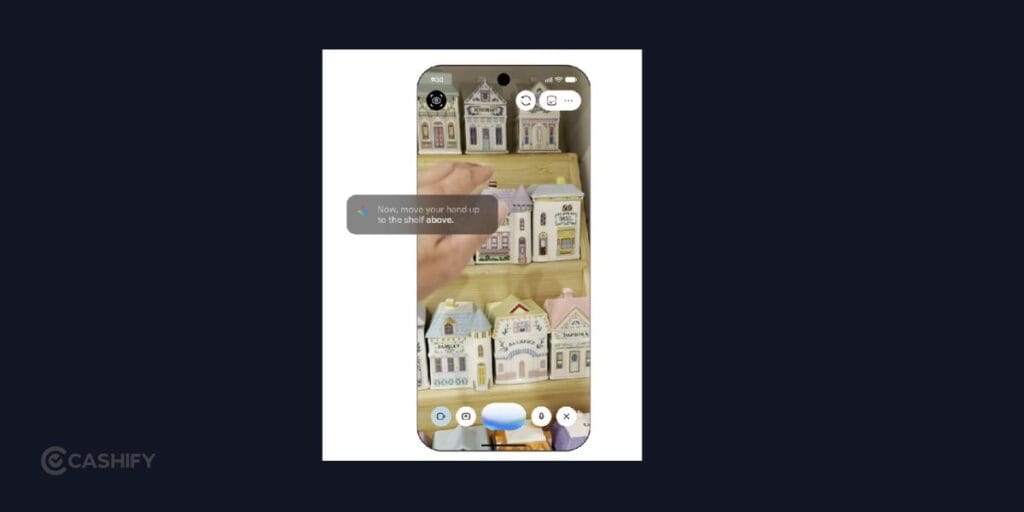
For example, you could use it to read small text on a food package, understand a menu in a dimly lit restaurant or identify an object around your home.
The feature can also provide voice guidance if your camera isn’t positioned correctly. It can tell you when you need to reframe the camera, move it across an area or centre an object.
Google says Guided vision was designed with blind and low-vision communities in mind.
You can access it through Accessibility shortcuts, the TalkBack menu or Gemini app settings.
Unlike Motion Assist, Guided vision is coming to phones running Android 9 and newer, although availability will depend on countries where Gemini is supported.
It’s an example of how Google’s newer AI features aren’t only about generating text or answering questions. Your camera can increasingly become a way to understand what’s physically around you.
Also Read: How To Check Oppo Phone Model Number: 3 Easy Methods
4. Google Keep Comes To Google Messages
The September Android update also makes group planning easier by bringing Google Keep into Google Messages.
Instead of leaving your conversation to create a grocery list or vacation plan, you can now bring a Keep note directly into your chat.
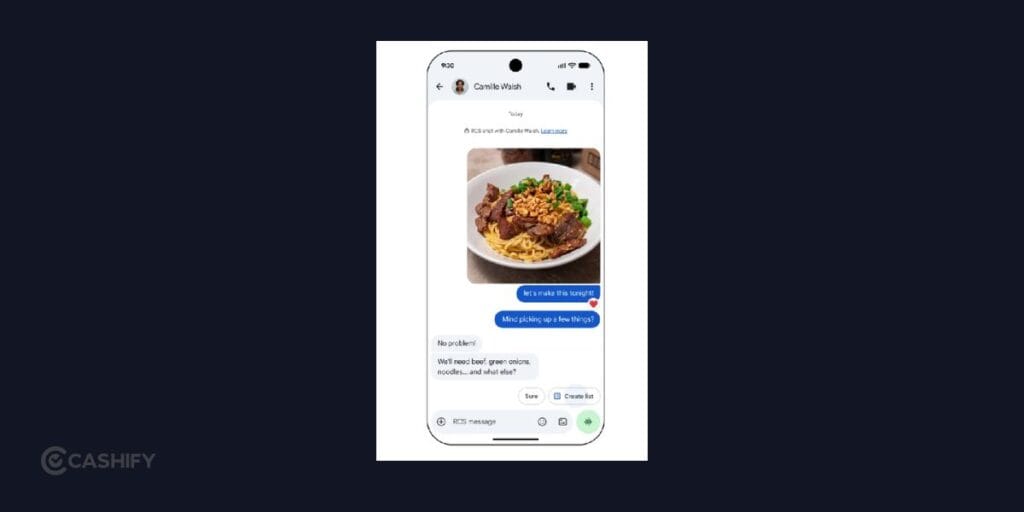
For example, if you’re planning a trip with friends, you can create a shared note and add places you want to visit. Everyone in the conversation can view, edit and add ideas.
You could also use it for something much simpler, such as a shared grocery list.
To use the feature, tap the + icon in Google Messages and bring Google Keep into the conversation. Google says the rollout starts today.
The main advantage is convenience. You don’t have to keep switching between Messages and Keep every time someone wants to add something to the list.
It also makes group conversations more useful because the information you are discussing can stay connected to the chat itself.
5. You Can Finally Give Each Google Messages Chat Its Own Look
If you like customising your phone, the new Chat theme feature in Google Messages may be the most fun addition.
You can now customise individual conversations with different backgrounds and colours.
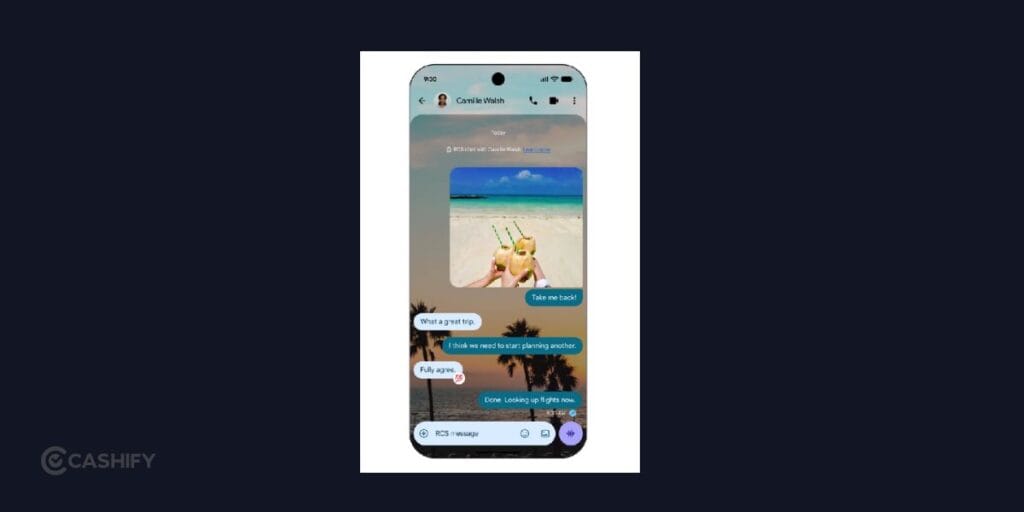
You can choose from available wallpapers or use your own photo. Your message bubbles can automatically match the selected background, or you can change the colours yourself.
That means you can give different conversations completely different looks.
For example, you could use a travel photo for a holiday group chat or choose a different theme for a conversation with a friend.
The important part is that the customisation happens on a per-chat basis, so you aren’t limited to one appearance across all your conversations.
Google says Chat theme is available now in Google Messages.
Which Phones Will Get the September Android Features?
Not every feature in the September Android Feature Drop works on every Android phone.
Google’s rollout depends on the feature, Android version, device and country.
For example, Motion Assist requires a phone running Android 17, while Guided vision is coming to Android 9 and newer devices in supported Gemini markets. The Gemini-powered item memory feature requires Android 16 or newer and support for Gemini and Find Hub.
Some features are also rolling out gradually, so you may not see everything immediately after updating your phone.
If you have a supported Android device, it’s worth checking your Google apps and system updates over the coming days and weeks.
Also Read: Smartphone Price Hike In India: These Popular Phones Just Got Costlier
How To Get The New Android Features
You don’t necessarily need to wait for a major operating system upgrade to see every feature.
Start by checking whether your phone has the latest available Android update. You should also make sure apps such as Google Messages and Gemini are updated through the Play Store.
However, updating your phone doesn’t guarantee that every feature will immediately appear.
Google is rolling out several features at different times and in different regions. Some are also limited to specific Android versions or supported countries.
So, if you don’t see a particular feature yet, it doesn’t necessarily mean your phone won’t receive it.
Final Thoughts
The September Android Feature Drop isn’t about dramatically changing your phone. Instead, Google is focusing on those small frustrations you deal with regularly.
You can use Gemini to remember where you put something, Motion Assist to make using your phone in a moving car more comfortable, and Guided vision to get more useful information from your camera. Meanwhile, Google Messages is becoming more flexible with shared Keep notes and custom chat themes.
The interesting part is how many of these features are built around context. Your phone isn’t just giving you another app to open; it’s increasingly trying to understand what you’re doing and make that moment easier.
That makes the September Android update less about adding flashy features and more about making Android fit naturally into your everyday routine.
If you’ve just bought a new phone and don’t know what to do with your old phone, then here’s your answer. Sell old mobile to Cashify and get the best price for it. If you are planning to buy a new phone, check out Cashify’s refurbished mobile phones. You can get your favourite phone at almost half price with six-month warranty, 15 days refund and free delivery.