WhatsApp Scam Alert is a new security feature that can warn you when a message from an unknown contact appears to match patterns commonly linked to scams. It uses an on-device AI model to analyse suspicious messages, meaning the detection happens on your phone rather than automatically sending message content to WhatsApp for classification.
The feature is currently being tested with a limited number of Android beta users and is switched off by default. If it is available on your account, you can find it under WhatsApp > Settings > Account > Scam Alert.
But what exactly does WhatsApp Scam Alert detect, how does its AI work, and what should you do if you don’t see the option? Here’s everything you need to know.
Also Read: Google Pixel 11 Camera Settings: Best Settings For Photos And Video
WhatsApp Scam Alert At A Glance
| Feature | Details |
| What is it? | A warning system for potentially fraudulent messages |
| How does it work? | Uses an on-device machine learning model |
| Messages analysed | Messages from unknown contacts |
| Availability | Limited Android beta testing |
| Enabled by default? | No |
| Detection | Happens on your device |
| After a warning | You can block, report, continue or trust the chat |
What Is WhatsApp Scam Alert Feature?
WhatsApp Scam Alert feature is designed to give you an early warning when a conversation could be fraudulent.
Instead of relying entirely on you to recognise a suspicious message, the feature uses machine learning to look for patterns commonly associated with scam conversations. It focuses on messages from people who aren’t already saved in your contacts.
If WhatsApp’s system identifies a conversation as potentially suspicious, it can display a scam warning inside the chat.
You can then decide what to do. You may block or report the sender, continue the conversation if you believe it is legitimate, or mark the chat as trusted.
The idea is simple: give you an extra moment to stop and think before clicking a link, sending money or sharing personal information.
How Does WhatsApp Scam Alert Work?
The WhatsApp Scam Alert feature uses a lightweight machine learning model that runs directly on your device.
Once enabled, the model can analyse incoming messages from unknown contacts and look for patterns that may indicate fraudulent behaviour. This is different from simply searching for specific scam words or blocking messages containing particular links.
Scammers often change their wording, so looking at broader conversational patterns can help identify suspicious behaviour that may otherwise appear normal at first.
If the model detects a likely scam, WhatsApp can show a warning in the conversation.
You can then:
- Block the sender
- Report the chat
- Continue the conversation
- Mark the chat as trusted
The feature is intended to assist your decision-making rather than make the decision for you.
Also Read: How To Check Oppo Phone Model Number: 3 Easy Methods
Does WhatsApp Scam Alert Read Your Messages?
Privacy is one of the most important parts of the WhatsApp Scam Alert feature.
The detection model runs on your device, so the message content used for classification doesn’t automatically have to leave your phone. Your messages aren’t automatically sent to WhatsApp or Meta simply because Scam Alert analyses them.
This approach allows WhatsApp to introduce AI-based scam detection while keeping the processing closer to the device.
There is one exception worth understanding. If a conversation is incorrectly flagged and you choose to mark it as trusted, WhatsApp can give you the option to share the last five messages to help improve its detection. This is an optional action, not something that happens automatically.
How To Enable WhatsApp Scam Alert
If your Android account has access to the feature, you can enable WhatsApp Scam Alert from the app’s settings.
Follow these steps:
- Open WhatsApp on your Android phone.
- Tap the three-dot menu.
- Select Settings.
- Tap Account.
- Look for Scam Alert.
- Turn the feature on.
That’s it.
However, don’t worry if you don’t find the option. WhatsApp Scam Alert is currently being rolled out to a limited group of Android beta testers, so having an updated app doesn’t necessarily mean you’ll get the feature immediately.
Why Can’t I See WhatsApp Scam Alert?
If the WhatsApp Scam Alert settings aren’t appearing on your phone, it doesn’t necessarily mean there’s a problem with your WhatsApp account.
The feature is still being tested, and access is being provided gradually. Some beta users may receive it while others using the same version may not.
You may not see WhatsApp Scam Alert feature because:
- You’re using the stable version of WhatsApp.
- Your account hasn’t received the beta rollout.
- The feature isn’t enabled for your account yet.
- WhatsApp is still testing the feature in a limited group of users.
In other words, updating WhatsApp alone may not make the Scam Alert option appear.
It’s also better to wait for an official rollout rather than installing unofficial versions of WhatsApp just to access the feature.
Also Read: OneUI 9 Brings Motion Photo Wallpaper: How Is It Different From Normal Wallpaper
What Happens When WhatsApp Detects A Scam?
When the system believes a conversation could be fraudulent, you’ll see a warning inside the chat.
The purpose of the WhatsApp scam warning isn’t necessarily to stop the conversation automatically. Instead, it gives you more context before you decide what to do next.
For example, you might receive a message from an unknown number offering a job, asking you to invest money, or claiming that you’ve won a prize.
Rather than immediately responding, the warning gives you a reason to stop and verify the claim.
You can then block and report the sender if the conversation looks suspicious. If you know the person and believe the warning is incorrect, you can continue the conversation or mark it as trusted.
What Types Of Scams Can WhatsApp Scam Alert Detect?
The feature is designed to recognise patterns associated with scam conversations, rather than focusing on one specific type of fraud.
These patterns could appear in scams involving:
- Fake job offers
- Payment requests
- Impersonation
- Investment schemes
- Fake prizes or giveaways
- Suspicious sales offers
- Malicious links
- Social-engineering attempts
This is important because modern scams don’t always look like obvious scams.
A fraudster may first start a normal conversation, establish trust and only later ask you to transfer money or provide sensitive information.
That’s why AI-based analysis of conversation patterns can potentially provide an additional layer of protection.
Can WhatsApp Scam Alert Detect Every Scam?
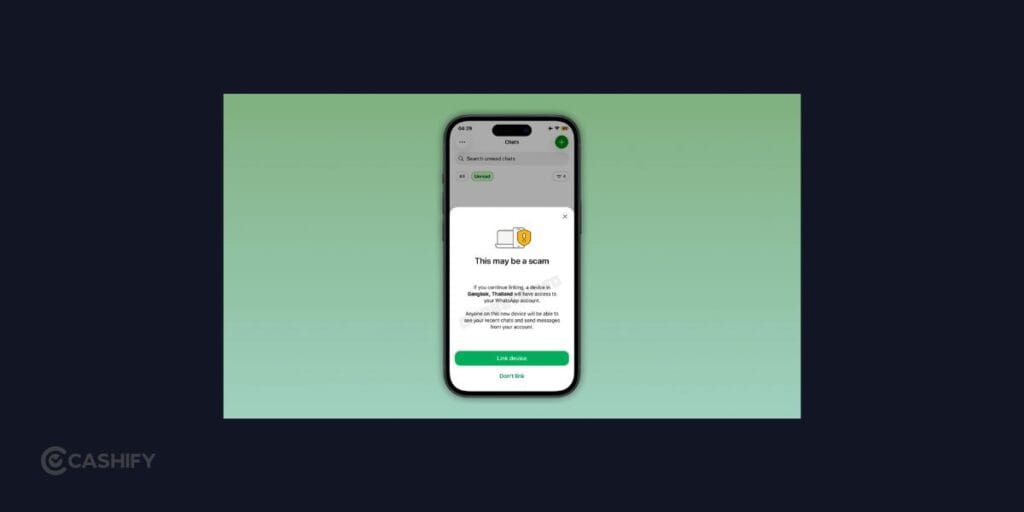
No. You shouldn’t treat WhatsApp Scam Alert feature as a guarantee that a message is safe.
Scammers constantly change their tactics, wording and techniques. A new scam may not match the patterns the model recognises, while a legitimate conversation could occasionally trigger a warning.
The same rule applies in reverse: no warning doesn’t automatically mean a message is safe.
If someone you don’t know asks for an OTP, password, payment or sensitive information, verify the request independently.
Similarly, if WhatsApp displays a warning, don’t assume that the system has made a final judgement. Use it as a signal to slow down and investigate.
Is WhatsApp Scam Alert Available On iPhone?
At the moment, WhatsApp Scam Alert feature is being tested with selected Android beta users.
There is no confirmed public rollout date for all Android users, and there isn’t a confirmed iPhone release available yet.
So if you’re using WhatsApp on an iPhone and can’t find the Scam Alert setting, that is expected for now.
WhatsApp could expand the feature to more users and platforms in the future, but its current availability remains limited.
WhatsApp Scam Alert: What You Should Still Do
Even after enabling WhatsApp AI scam detection, you shouldn’t rely entirely on automated warnings.
You can reduce your risk by following a few simple habits:
- Don’t click unfamiliar links immediately.
- Never share OTPs, passwords, or authentication codes.
- Be careful with unexpected payment requests.
- Verify job, investment, and giveaway claims independently.
- Don’t install apps sent by unknown contacts.
- Block and report suspicious accounts.
- Check the sender’s identity before continuing an unexpected conversation.
The biggest advantage of Scam Alert is that it can give you another signal before you act. Your own judgement remains the final layer of protection.
Final Thoughts
WhatsApp Scam Alert feature shows how scam protection is moving from simply blocking known threats to spotting suspicious behaviour earlier. That extra layer can be useful as scams become more convincing, but your own judgement still matters.
Think of the warning as a reason to pause and verify- not as a guarantee that a message is safe or dangerous.
Also Read: Smartphone Price Hike In India: These Popular Phones Just Got Costlier
Frequently Asked Questions
Is WhatsApp Scam Alert free?
Yes. Scam Alert is being introduced as an optional WhatsApp security feature and isn’t a separate paid service.
Is WhatsApp Scam Alert enabled automatically?
No. The feature is optional and is turned off by default. If your account has access, you can enable it from Settings > Account > Scam Alert.
Does WhatsApp Scam Alert send my messages to WhatsApp?
The detection process is designed to run on your device. Message content used for classification isn’t automatically sent to WhatsApp or Meta for detection.
Why is WhatsApp Scam Alert not showing on my phone?
The feature is currently being tested with a limited number of Android beta users. Your account may not have received access even if you’re using a compatible beta version.
Can I turn WhatsApp Scam Alert off?
Yes. Since the feature is optional, you can disable it from the Scam Alert settings if you no longer want to use it.
Will WhatsApp Scam Alert come to iPhone?
There is currently no confirmed public release date for an iPhone version. The ongoing test is focused on selected Android beta users.
If you’ve just bought a new phone and don’t know what to do with your old phone, then here’s your answer. Sell old mobile to Cashify and get the best price for it. If you are planning to buy a new phone, check out Cashify’s refurbished mobile phones. You can get your favourite phone at almost half price with six-month warranty, 15 days refund and free delivery.