Motion Photo wallpaper in One UI 9 lets you use a Motion Photo as a moving wallpaper instead of keeping it as a regular still image. So, rather than seeing only one frozen frame every time you look at your lock screen, you can see a short moment of movement from the original photo.
It sounds like a small change, but it makes your personal photos feel more alive. You can use a Motion Photo of your pet, a holiday moment, moving water or even a family memory and turn it into something more dynamic on your Galaxy phone.
But there is one important catch: Motion Photo wallpaper is not available on every One UI 9 phone yet.
Here’s what the feature does, how it differs from a normal wallpaper, and which Samsung phones currently support it.
Also Read: Smartphone Price Hike In India: These Popular Phones Just Got Costlier
What Is Motion Photo Wallpaper In One UI 9?
A Motion Photo is more than a regular photograph.
When you capture a photo with Motion Photo enabled, your Galaxy phone also records a short moment around the shot. This gives you a little bit of movement instead of just one still frame.
With Motion Photo wallpaper in One UI 9, Samsung lets you use that Motion Photo as your wallpaper on supported devices.
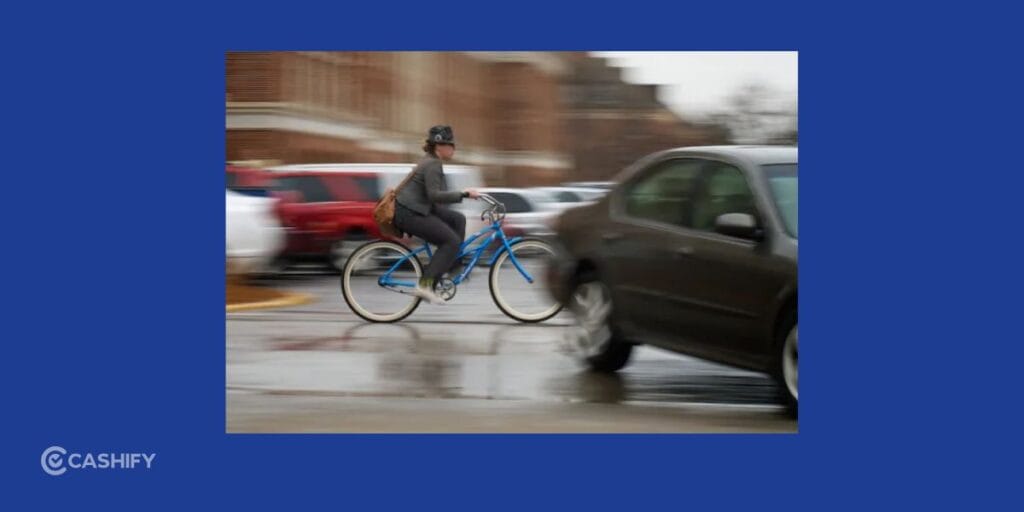
For example, imagine you take a Motion Photo of waves at the beach. A normal wallpaper would show one frame of the waves. A Motion Photo wallpaper can show the short movement captured when you took the picture.
The same works with photos of pets, children, celebrations, cars, nature or anything else where a little movement makes the picture more interesting.
You can also preview the motion before applying the wallpaper and choose whether you want the animation enabled.
The key difference is that Samsung isn’t turning an ordinary photo into a video. The movement comes from the Motion Photo that was captured when you took the original picture.
Motion Photo Wallpaper Vs Normal Wallpaper
The difference becomes easier to understand when you put the two side by side.
With Motion Photo wallpaper in One UI 9, your compatible Motion Photo can show a short moving moment. A normal wallpaper, on the other hand, remains completely static.
| Feature | Normal Wallpaper | Motion Photo Wallpaper |
| Image type | Still image | Motion Photo |
| Movement | No | Yes |
| Personal photos | Yes | Yes |
| Animation | No | Short animation |
| Requires Motion Photo | No | Yes |
| Customization | Basic | More dynamic |
If you like keeping your home screen clean and simple, a normal wallpaper is still perfectly fine.
But if you have a Motion Photo that captures a memorable moment, the new option gives you another way to use it.
The feature is also different from simply using a video as your wallpaper. A video can contain much longer footage, while a Motion Photo is designed around a single photograph with a short amount of movement attached to it.
Also Read: Jio Prime Membership Price And How To Activate It In 2026
Which Phones Support Motion Photo Wallpaper in One UI 9?
This is probably the most important thing to check if you’re waiting to try Motion Photo wallpaper in One UI 9.
At launch, the feature is available on select Samsung Galaxy devices rather than every phone running One UI 9.
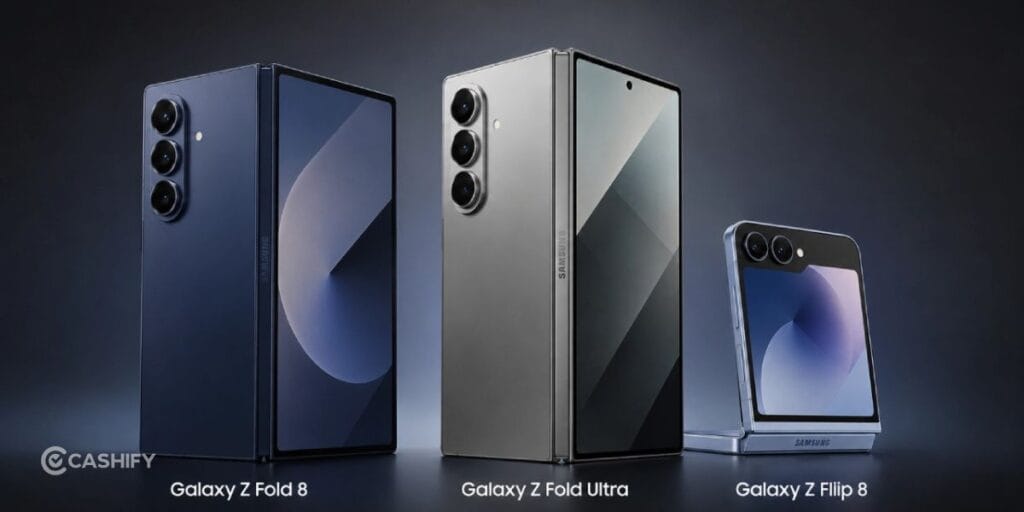
Currently, the feature has been reported on:
- Samsung Galaxy Z Fold8
- Samsung Galaxy Z Fold8 Ultra
- Samsung Galaxy Z Flip8
The feature has not been spotted on Galaxy S26 devices running the One UI 9 beta at the time of the initial reports.
Samsung is gradually expanding One UI 9 to more Galaxy devices, so availability could change as the rollout continues. Features can also vary depending on the phone model and region.
So, if you have an older Galaxy phone or a device that has received One UI 9 but doesn’t show the Motion Photo wallpaper option, that doesn’t necessarily mean something is wrong with your phone.
Samsung may simply not have enabled the feature for that particular model yet.
How Does Motion Photo Wallpaper Work?
The easiest way to understand Motion Photo wallpaper in One UI 9 is to think of it as a regular photo with a short piece of movement attached to it.
First, you need a Motion Photo captured using a compatible Galaxy phone. If you open a standard photograph from your Gallery, you won’t suddenly get the option to add movement to it.
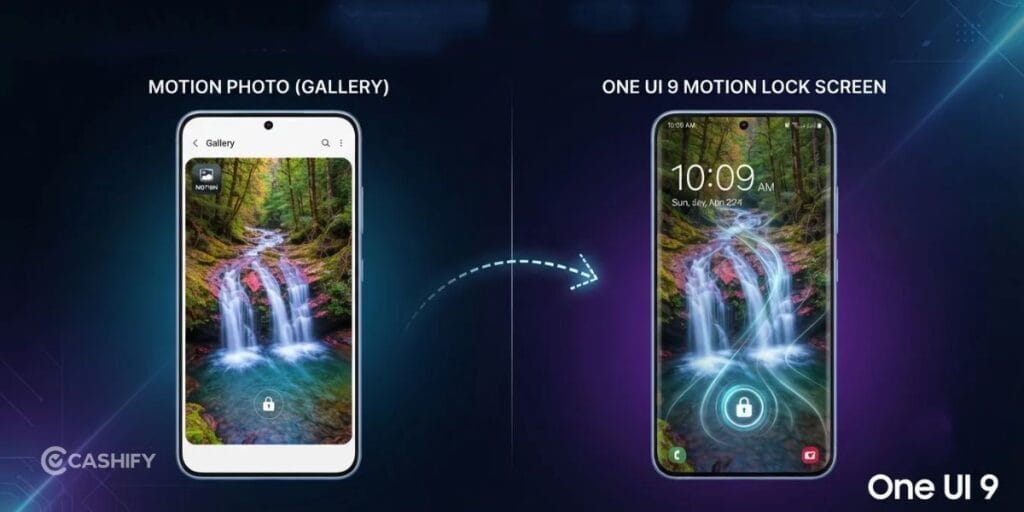
Once you have a compatible Motion Photo, you can select it while setting up your wallpaper.
The wallpaper preview lets you see the movement before you apply it. You can then decide whether you want the motion effect enabled.
This makes the process fairly straightforward because you don’t need a separate video-editing app or another wallpaper application.
Your own photo becomes the source of the animation.
Can You Use Any Photo as a Motion Photo Wallpaper?
No.
This is an important limitation to remember.
A standard photo only contains a single still image. A Motion Photo contains additional motion captured around the moment the picture was taken.
So, if you have an old favourite photograph sitting in your Gallery, you cannot simply select it and expect One UI 9 to add natural movement to it.
If you want to create Motion Photos for future wallpapers, you need to capture them with Motion Photo enabled in the camera on a supported Galaxy device.
This also means you don’t have to turn every photograph into a Motion Photo. You can save the feature for moments where movement actually adds something to the picture.
Also Read: 13 Best Mobile Phones Under 25000: August 2026 List
How Is It Different From Samsung’s Other Dynamic Wallpapers?
Samsung already has several wallpaper options that go beyond a basic still image, which can make Motion Photo wallpaper in One UI 9 slightly confusing.
Motion Photo Wallpaper
This uses the short movement captured alongside a Motion Photo.
Video Wallpaper
A video wallpaper uses video footage instead of a still photograph. You can use a longer recording and, on supported Galaxy devices, select and trim the video before applying it as a wallpaper.
Generative Wallpaper
Samsung’s Generative Wallpaper uses AI to create wallpaper variations based on your chosen prompts and options.
Photo Ambient
Photo Ambient uses your photo and adds effects based on factors such as the time and weather.
Motion Photo wallpaper sits somewhere in between a normal photo and a video. It keeps the original photograph at the centre while adding a short amount of natural movement captured with it.
That’s what makes it different.
Will Motion Photo Wallpaper Use More Battery?
It is natural to wonder about battery life when you use Motion Photo wallpaper in One UI 9, especially if you already pay attention to your phone’s battery consumption.
A normal wallpaper is simply a still image, while a Motion Photo wallpaper has an animation component. That means there is some additional activity involved when the motion plays.
However, there isn’t enough information to say that the feature will cause significant battery drain across all supported Galaxy phones.
If battery life is your priority, you can continue using a normal static wallpaper.
And if you like the Motion Photo effect, you can reserve it for the lock screen rather than using moving content everywhere.
How To Set A Motion Photo As Your Wallpaper
If the feature is available on your supported Galaxy phone, setting it up is relatively simple.
- Open your Gallery and select a Motion Photo.
- Choose the option to set it as wallpaper.
- Preview the Motion Photo animation.
- Enable or disable the motion effect.
- Select where you want to use it.
- Apply the wallpaper.
The exact options can vary depending on your Galaxy model and software version.
If you don’t see the Motion Photo option, check whether your phone supports the feature and whether you’re running the required version of One UI.
Also Read: Flipkart Freedom Sale 2026: Top 5 Mobile Phone Deals To Watch Out For
Is Motion Photo Wallpaper Worth Trying?
If you already use Motion Photos, Motion Photo wallpaper in One UI 9 is one of those features that’s easy to appreciate.
You don’t need to download another app, search for animated wallpapers or create a video specifically for your lock screen. You can simply take a photo you already captured with Motion Photo and use it as your wallpaper.
The feature makes the most sense for photos where movement adds to the memory.
A sunset doesn’t necessarily need animation. A moving wave, a running pet or a candid family moment might.
So, rather than treating Motion Photo wallpaper as a replacement for normal wallpapers, think of it as another personalisation option.
Final Thoughts
Motion Photo wallpaper in One UI 9 takes Samsung’s existing Motion Photo feature and gives it another use.
Instead of keeping your Motion Photo as something you only watch in the Gallery, you can turn it into a short animated wallpaper on supported Galaxy phones.
The biggest difference from a normal wallpaper is straightforward: a normal wallpaper stays still, while a Motion Photo wallpaper brings a short part of your captured moment to life.
For now, support is limited to select devices, including the Galaxy Z Fold8, Galaxy Z Fold8 Ultra and Galaxy Z Flip8, while availability on other One UI 9 phones may expand later.
If your Galaxy phone supports it, the feature is worth trying- especially if you have a few Motion Photos that are too good to leave sitting quietly in your Gallery.
FAQs
What is Motion Photo wallpaper in One UI 9?
It is a new wallpaper option that lets you use a compatible Samsung Motion Photo as a short animated wallpaper instead of displaying it as a static image.
Which phones support Motion Photo wallpaper?
The feature is currently available on the Galaxy Z Fold8, Galaxy Z Fold8 Ultra and Galaxy Z Flip8. Support for additional Galaxy devices may expand with future One UI 9 updates.
Is Motion Photo wallpaper available on Galaxy S26?
It has not been spotted on Galaxy S26 devices running the One UI 9 beta at the time of the initial reports. Availability can change as Samsung continues the One UI 9 rollout.
Can you turn a normal photo into a Motion Photo wallpaper?
No. You need a compatible Motion Photo that contains the additional motion captured when the photograph was taken.
Is Motion Photo wallpaper the same as video wallpaper?
No. Video wallpaper uses video footage, while Motion Photo wallpaper uses the short motion captured alongside a still photograph.
Does Motion Photo wallpaper drain battery?
It can involve more activity than a completely static wallpaper because it includes motion. However, the actual battery impact can vary depending on the device and how the feature is implemented.
If you’ve just bought a new phone and don’t know what to do with your old phone, then here’s your answer. Sell old mobile to Cashify and get the best price for it. If you are planning to buy a new phone, check out Cashify’s refurbished mobile phones. You can get your favourite phone at almost half price with six-month warranty, 15 days refund and free delivery.