Want to know how to access PM-WANI Wi-Fi? Here’s a simple guide to help you connect to government-backed public Wi-Fi hotspots. These hotspots are secure and easy to use on the go.
The GOI has a large and growing network of PM-WANI hotspots across India. It comes with a significant number of users nationwide. PM-WANI is helping expand internet accessibility. This is especially true for Tier-2 and Tier-3 cities as well as rural areas. PM-WANI can be a practical alternative worth trying out. Let’s get started:
Also Read: How To Download Aadhaar Card On WhatsApp: Simple Steps
PM WANI: Affordable And Portable Internet
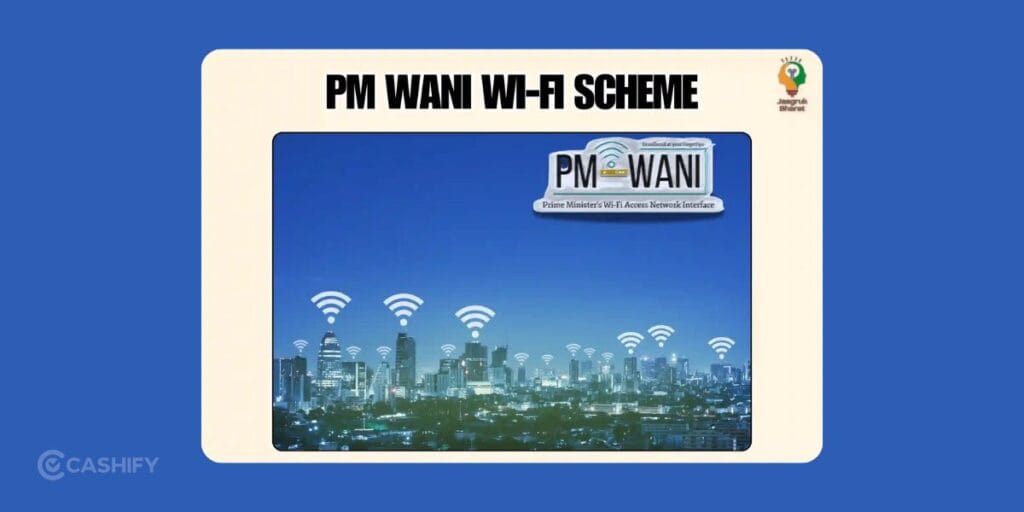
The GOI rolled out PM-WANI to make broadband more widely available through public Wi-Fi hotspots.
Traditional private providers usually come with heavy setup costs and monthly plans. PM-WANI simplifies access. It does that by enabling an open ecosystem. Here, small businesses can set up public Wi-Fi hotspots without needing a telecom license or paying government spectrum fees.
The idea is to make internet access more affordable, flexible, and widely available. Users can connect through dedicated apps. Local business owners (Public Data Offices) handle the last-mile connectivity using their existing broadband connections.
If you compare it to private fibre providers like Jio or Airtel, PM-WANI spreads connectivity through thousands of small hotspots across the country. It’s also supported by policies like the TRAI tariff order. That helps keep prices reasonable for everyday users.
Also Read: Jio AirFiber Plans: All The Offers And Details
How To Get PM Wani Wifi Connection? Easiest Ways
Getting on PM-WANI Wi-Fi is actually pretty quick and easy. Here’s how you can do it:
- Download a PM-WANI compatible app from the Play Store or App Store. Some popular ones include Nanovise PMWANI Lets Connect, UdayaWANI by Inventum, and Data PMWANI. You can also search “PM-WANI” as there are many certified apps available through approved providers.
- Sign up using your mobile number and verify it with an OTP.
- Turn on your location services so the app can find nearby hotspots.
- Open the app and look for available PM-WANI hotspots.
- Pick the closest one and connect.
- Choose a data plan and pay via UPI or vouchers. Some hotspots may also offer limited free or low-cost trial access.
Note that pricing depends on the local provider (PDO/PDOA), so it can vary by location. Typically, small prepaid “sachet” packs are available at low cost. Larger data packs may be priced higher depending on usage and provider. There is no fixed nationwide monthly plan, and pricing remains flexible.
PM-WANI Plans: What Is The Cost Of Using Wifi?
PM-WANI has a “pay-as-you-need” approach instead of expensive monthly plans. Most users opt for small sachet-style packs, which are generally low-cost and vary by provider and location.
Prices are not fixed nationwide and depend on the local Public Data Office (PDO) or aggregator (PDOA). The goal is to keep internet access affordable and flexible so users only pay for what they use.
Data usage under PM-WANI has already crossed 58+ petabytes. It shows more and more people are starting to rely on it for everyday internet access.
Also Read: Best Smartphones: Our Top Picks Across All Budgets
Get PM Wani Wifi Connection Installed At Your Place? The PDO Scheme
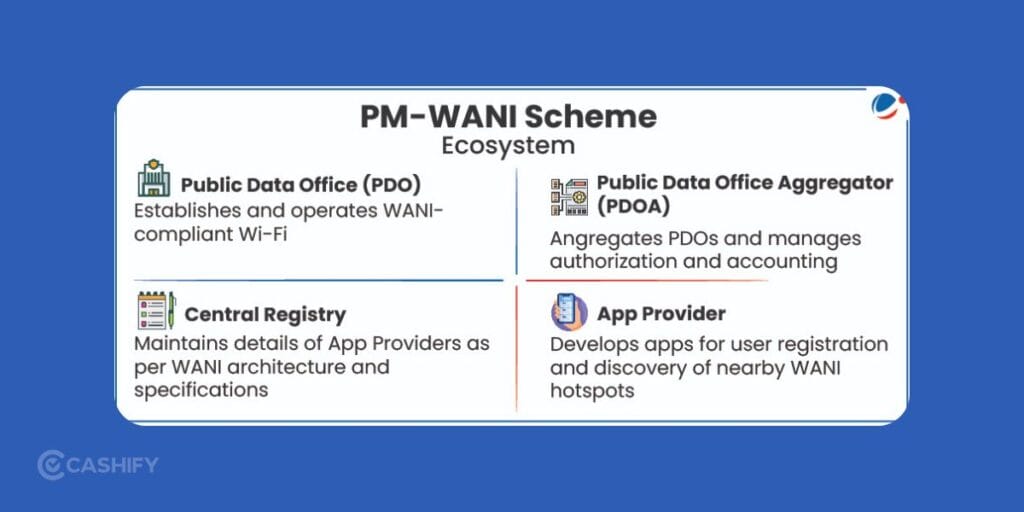
If you’re thinking of setting up a PM-WANI hotspot at your home, café, shop, or office, you’ll need to become a Public Data Office (PDO). The government doesn’t install Wi-Fi at your place for you. You use your own broadband connection and share it publicly through the PM-WANI system.
How To Become A PDO? Quick Steps
Get a solid broadband connection
A reliable fiber (FTTH) connection is recommended. Options include Jio, Airtel, BSNL, or local ISPs.
Register on the official portal
Go to the PM-WANI Central Registry and complete the PDO registration process by submitting basic details such as name, mobile number, and location.
Partner with a PDO Aggregator (PDOA)
PDOAs handle backend functions like authentication, app integration, billing, and compliance. You can choose from multiple registered PDOAs listed on the official registry.
Set up a compatible Wi-Fi access point
You’ll need a PM-WANI compliant router. Usually, your PDOA will guide you or provide one.
Complete KYC (if required)
This may include Aadhaar, PAN, address proof, and bank details.
Once everything is approved and synced with the central registry, your hotspot becomes visible across all PM-WANI apps. After this, users nearby can start connecting.
There’s no license fee or government charge to become a PDO. Many small business owners are already using PM-WANI to bring in more customers and earn extra income.
Also Read: Arattai vs WhatsApp Features Compared: Which App Should You Use?
Best Apps To Get PM Wani Wifi
Here are the best portals to get PM Wani Wifi connection.
- PMWANI Lets Connect by Nanovise.
- Data PM-Wani by WaniWifi.
- Xceednet PM-WANI App.
- UdayaWANI by Inventum.
- Linescan Service PDOA PMWANI.
FAQs
How do I connect to PM-WANI Wi-Fi?
Download a PM-WANI app, then sign up using your mobile number and verify OTP. Turn on location, open the app, pick a nearby hotspot, choose a data plan, then complete payment using UPI or a voucher.
Which apps work for PM-WANI Wi-Fi access?
Some common apps include Nanovise PMWANI Lets Connect, UdayaWANI by Inventum, Data PM-Wani, Xceednet PM-WANI App, and Linescan Service PDOA PMWANI. You can also find more certified apps on app stores.
What is the cost of PM-WANI internet?
Pricing is low and depends on the local provider and area. People usually pick small pay-per-use plans. There is no fixed monthly charge across India.
Can I set up PM-WANI Wi-Fi at my shop or home?
Yes, you need to become a Public Data Office. Use a broadband connection, register on the PM-WANI Central Registry, connect through a PDOA partner, and install a compatible router. KYC may be needed during setup.
Is PM-WANI Wi-Fi safe and useful?
PM-WANI hotspots use app-based access and OTP verification for users. It helps people get internet access in areas where regular broadband is limited.
End Note
That’s pretty much everything you need to know about accessing or setting up a PM-WANI Wi-Fi connection in 2026. It is growing fast, with new hotspots popping up regularly and policies. This makes it easier for both users and small providers to get involved.
Just know that the plans, availability, and features can vary depending on your location and the PDO you’re connecting through. For the most accurate and up-to-date info, it’s always best to check the official PM-WANI Central Registry or the app you’re using.
Also Read: Cashify Data Wipe Process: What You Must Do & What We Do Internally
If you’ve just bought a new phone and don’t know what to do with your old phone, then here’s your answer. Sell old mobile to Cashify and get the best price for it. If you are planning to buy a new phone, check out Cashify’s refurbished mobile phones. You can get your favourite phone at almost half price with six-month warranty, 15 days refund and free delivery.