If you are an Airtel user and recently upgraded your phone or are planning to switch to a new device, you might be wondering how to transfer your Airtel eSIM from one phone to another. Don’t worry, this process is easier than it sounds. In this guide, I’ll walk you step by step through transferring your Airtel eSIM, what you need to know, and some helpful tips to avoid mistakes.
Also Read: MacBook Air M5 Release Date, Specs, Price And More
What Is An Airtel eSIM?
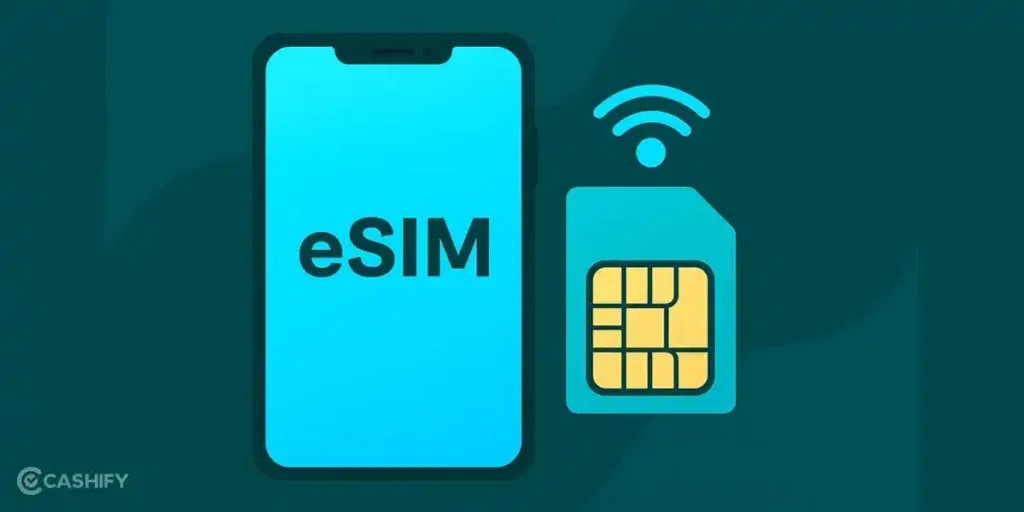
Before we talk about the process to transfer Airtel eSIM, let’s quickly understand what an eSIM is. Unlike a traditional SIM card, an eSIM is embedded directly into your phone. You don’t need a physical card to use your mobile number. eSIMs make life easier because you can activate mobile services digitally, switch numbers between phones, and even manage multiple connections on a single device.
If your phone supports eSIM, you get a clutter-free experience and faster activations without worrying about losing a SIM card.
What You Need To Know Before Transferring Your Airtel eSIM?
Before you start to transfer Airtel eSIM, make sure you have the following ready:
- A compatible phone: Your new phone must support eSIM. Most iPhones (XS and above), Samsung Galaxy devices, and Google Pixels support eSIM.
- Active Airtel eSIM: Your Airtel number should be active and working on your old phone.
- Internet connection: You need internet access for activation, either via Wi-Fi or mobile data.
- Airtel Thanks app (optional): Having the app can simplify the process and let you track your eSIM transfer.
Once these are ready, you’re good to start.
Also Read: Refurbished iPhone 13 Mini Test: Real-World Gaming, Streaming & Battery
How To Transfer Airtel eSIM From One Phone To Another?
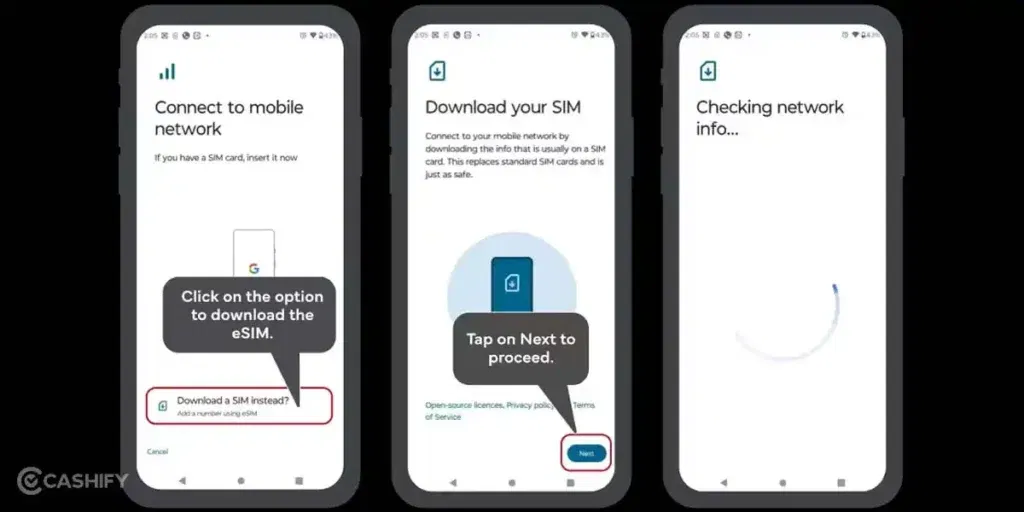
Transferring Airtel eSIM is easy if you follow the official steps carefully. Here, we’ll cover the detailed steps using the official SMS and QR code method that works for all phones.
Step 1: Initiate The Request
On your current (old) phone, send an SMS to 121 in this format:
eSIM <space> your registered email ID
For example, if your registered email is example@email.com, type:
eSIM example@email.com
This will notify Airtel that you want to transfer your eSIM to a new device. Make sure you use the email linked to your Airtel account so you receive all details correctly.
Step 2: Confirm The Request
Once Airtel receives your SMS, you’ll get a confirmation SMS from 121. This message will ask you to confirm the request. Simply reply with ‘1’ within 60 seconds to move to the next step. Timing is important, so reply promptly to avoid restarting the process.
Step 3: Provide Consent Via Call
After confirming via SMS, you will receive a call from 121. Answer the call and provide consent for the eSIM transfer. This ensures that you are authorizing the movement of your eSIM from the old phone to the new one.
Step 4: Scan The QR Code
Once the consent call is completed, Airtel will email you a new QR code. This QR code is used to activate your eSIM on the new device. Make sure you have access to your email on the new phone or another device to retrieve the QR code.
Step 5: Activate On Your New Phone
On your new phone, go to Settings > Mobile Data/Cellular > Add eSIM / Add Data Plan (the exact path may vary depending on your phone). Scan the QR code provided by Airtel. Within a few minutes, your Airtel eSIM will be active on your new phone, and your mobile number will be fully functional.
Step 6: Test Your Connection
Once the eSIM is activated, make a test call or use mobile data to ensure that everything is working correctly. Your old phone’s eSIM will automatically deactivate, so you don’t have to worry about duplicate connections.
Also Read: 5 Best iQOO 15R Alternatives That Offer More Value For Your Money
Tips for a Smooth eSIM Transfer
Transferring an Airtel eSIM is usually hassle-free, but these tips can help you avoid common issues:
- Check phone compatibility: Not all phones support eSIM, so make sure your new device is compatible.
- Keep your old phone active: Ensure your old eSIM is working before starting the transfer.
- Use a stable internet connection: A weak connection can delay activation.
- Only use official QR codes: Avoid third-party codes to prevent errors or fraud.
- Have Airtel details handy: Keep your mobile number and registered email ready in case customer care is needed.
- Be patient: Sometimes it takes a few minutes for the network to recognize the new eSIM.
Final Thoughts
Transferring your Airtel eSIM from one phone to another is a simple, step-by-step process if you follow the official steps. Hopefully, with the above-mentioned steps, you can move your number safely without losing service.
With Airtel eSIM, upgrading your phone has never been easier. You get instant activation, no physical SIM handling, and a seamless transition to your new device. Next time you get a new phone, follow these steps, and your Airtel eSIM will be ready in minutes, quick, safe, and convenient.
Also Read: 13 Best Mobile Phones Under 25000 To Buy In 2026 (Top Picks)
Frequently Asked Questions (FAQs)
Can I transfer my Airtel eSIM multiple times?
Yes, you can transfer your Airtel eSIM multiple times. However, only one device can have an active eSIM at any given moment. This ensures your number works correctly and prevents network conflicts. Each transfer requires following the proper steps to securely activate the eSIM on your new phone.
Will my mobile number change after the transfer?
No, your mobile number will remain the same after transferring your Airtel eSIM. Only the eSIM profile moves from your old phone to the new device. This allows you to continue using your number without interruption, keeping all your contacts, messages, and services linked to the same number.
How long does activation take?
Activation usually takes just a few minutes once you scan the new eSIM QR code. In some cases, it may take up to an hour for the network to fully recognize the eSIM on your new device. Patience during this period ensures a smooth and successful activation.
Is there a charge for transferring Airtel eSIM?
In most cases, transferring your Airtel eSIM from one device to another is free. However, if Airtel needs to issue a completely new eSIM instead of transferring the existing one, a small fee may apply. Always check with Airtel customer care if unsure about charges.
Can I use both eSIM and physical SIM together?
Yes, if your phone supports dual SIM functionality, you can use both a physical SIM and an eSIM simultaneously. This is useful for managing work and personal numbers on a single device or using multiple carriers without swapping SIM cards, providing flexibility and convenience.
If you’ve just bought a new phone and don’t know what to do with your old phone, then here’s your answer. Sell old mobile to Cashify and get the best price for it. If you are planning to buy a new phone, check out Cashify’s refurbished mobile phones. You can get your favourite phone at almost half price with six-month warranty, 15 days refund and free delivery.