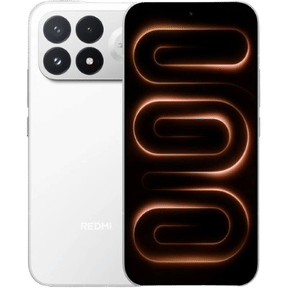
Planning to switch from your Oppo Reno 10 but unsure what to do with the old phone? Selling your current device presents cash in your hand and helps lessen electronic waste. Cashify provides a trusted and easy way to sell used devices swiftly and safely. Here’s a full guide on getting your Oppo Reno 10 ready for sale, focusing on Oppo Reno 10 data transfer and boosting your device’s resale worth.
Also Read: Is The iPhone 13 Worth The Price? Everything You Need To Know
Why Sell Your Oppo Reno 10?
The Oppo Reno 10 has great features, but technology always changes. If you want to switch to a new model or need extra money, selling your Oppo Reno 10 is a smart decision Services like Cashify help the process feel easy, rewarding and good for the environment. Selling your old phone helps you get value back while supporting green practices.
Benefits of Selling Your Oppo Reno 10 with Cashify

- Quick Payment – Cashify gives fast payment, so you probably won’t need to wait long to receive money after selling your Oppo Reno 10.
- Easy Process – Cashify keeps the selling journey smooth and simple. You just complete a few steps, and they handle everything else.
- Helping the Planet – Selling your old phone lessens electronic waste, which really matters in our tech-driven world. Recycling with Cashify aids in a more eco-friendly future.
- Clear Pricing – Cashify offers a fair and correct check of your Oppo Reno 10 based on its current state, so you obtain the best price.
Preparing Your Oppo Reno 10 for Sale: Steps for a Smooth Data Transfer
Before selling your Oppo Reno 10, handle data transfer carefully. Here’s how
- Backup Your Data – Protect your personal information, photos and files by backing up your Oppo Reno 10. Use cloud tools like Google Drive or Oppo’s backup service. Also, send data to your new phone directly with Oppo’s transfer tools.
- Factory Reset – After moving your data, do a factory reset on your Oppo Reno 10. This action removes all personal information from the device. Go to Settings > Additional Settings > Backup & Reset > Erase All Data to finish this step.
- Remove Accounts and Unlink Services – Log out and remove any accounts on the device. This includes your Google account, social media apps and other third-party apps.
- Remove Your SIM and SD Card – Before giving away your Oppo Reno 10, remember to take out your SIM card and any microSD card inside. This protects your personal data and sets up the phone for its new owner.
Also Read: Samsung Galaxy S22 Series, Everything You Need To Know About it
Steps to Sell Your Oppo Reno 10 on Cashify
If you wish to sell your old Oppo Reno 10, follow these easy steps
- Go to the Cashify Website or App – Look for them online.
- Tap “Sell Old Phone” – Pick this choice in the menu.
- Search for Your Device – Find and choose Oppo Reno 10 from the list.
- Share Details About Damage – Clearly tell them about any issues with your phone.
- Obtain an Instant Quote – Get a quick price based on the details you shared.
- Plan a Free Pickup – Set a time for Cashify to collect your phone.
- Receive Payment Fast – Once they check the phone, you get money quickly in your way.
This simple method helps you sell your old phone without problems.
Additional Tips to Maximize Your Oppo Reno 10’s Resale Value
- Keep the Box and Accessories – Having the original packaging, charger and other items that came with your Oppo Reno 10 might raise its worth.
- Fix or Upgrade if Needed – If there are small problems, think about repairing them to raise the resale value. A phone in good condition gets a higher price.
- Clean Your Device – Wipe the screen and body of your Oppo Reno 10 to remove dust, fingerprints and smudges. A clean phone probably helps in getting a better price.
Final Verdict
Selling your Oppo Reno 10 via Cashify is a smart, eco-friendly decision, bringing fast cash. Use earned money for the newest Oppo model or any device you choose. Cashify’s simple steps, from getting the device ready to the final pickup, make your switch to a new device easy.
Want a new device? Turn your Oppo Reno 10 into cash now by selling on Cashify!
Also Read: 5 Quick Tips for Selling Your Old Chromebook In Minutes
If you’ve just bought a new phone and don’t know what to do with your old phone, then here’s your answer. Sell old mobile to Cashify and get the best price for it. If you are planning to buy a new phone, check out Cashify’s refurbished mobile phones. You can get your favourite phone at almost half price with six-month warranty, 15 days refund and free delivery.