A slow laptop can test anyone’s patience. It takes forever to boot, apps freeze without warning, and even opening a browser can feel like a task. You are dealing with a slow laptop that might need repair. Yes, you don’t always need to replace your laptop.
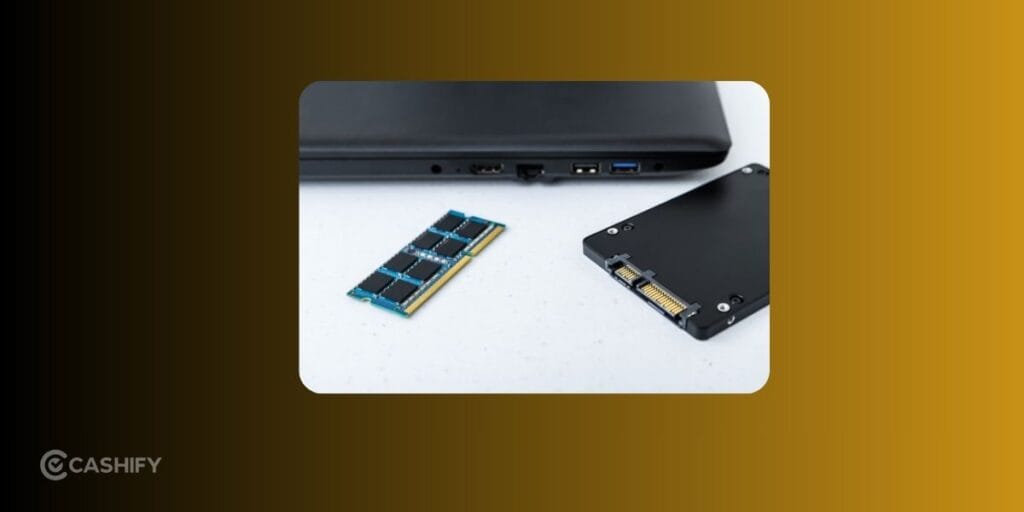
Many performance issues can be solved with the right slow laptop repair, a RAM upgrade, an SSD upgrade, or sometimes a combination of all three. The challenge is figuring out which one your laptop actually needs.
We are going to explore why a laptop may slow down. Also, how you can resolve it. Lastly, how to decide if repairing or upgrading is the smarter investment.
Also read: Laptop Repair Near Me: Things To Check Before Choosing A Repair Service!
Why Has Your Laptop Become Slow?
A laptop rarely becomes slow overnight. Performance usually drops gradually because of hardware wear or software issues.
Here are some common reasons.
- Too many startup programs
- Low available RAM
- Old mechanical hard drive (HDD)
- Nearly full storage
- Malware or unwanted software
- Windows updates running in the background
- Overheating caused by dust
- Aging hardware
The first step to repair slow laptop is identifying what’s actually causing the slowdown.
Is RAM Causing the Problem?
RAM stores the data your laptop actively uses. If your laptop slows down while multitasking, RAM could be the bottleneck.
Signs You Need More RAM
- Browser slows with many tabs open
- Video meetings lag
- Apps freeze while switching between them
- Photo or video editing feels sluggish
- High memory usage in Task Manager
If you regularly use multiple applications together, upgrading RAM often provides an immediate improvement. This is the best repair for slow laptop due to RAM issues.
Also read: 5 Signs Your Laptop Needs Professional Repair Immediately!
Is Your Hard Drive The Real Problem?
Many older laptops still use traditional HDDs. These drives are significantly slower than SSDs.
General symptoms include:
- Windows taking several minutes to start
- Long loading screens
- Programs opening very slowly
- Slow file transfers
- Constant disk usage near 100 percent
In these situations, replacing an HDD with an SSD often provides the biggest performance boost.
When Does Your Laptop Need Repair Instead?
Not every slow laptop benefits from new hardware.
You may need laptop repair if you notice:
- Frequent blue screen errors
- Random shutdowns
- Laptop overheating constantly
- Battery swelling
- Motherboard issues
- Damaged storage drive
- Broken cooling fan
- Charging problems
Hardware failures cannot be fixed with RAM or SSD upgrades alone.
Also read: Screen Repair Vs Screen Glass Repair: Know The Whole Truth!
Can You Upgrade RAM and SSD Yourself?
Some laptops allow simple upgrades, while newer ultrabooks often have soldered RAM or difficult-to-access components.
If you decide to upgrade yourself:
- Check your laptop model’s compatibility.
- Buy the correct RAM generation.
- Back up important files.
- Use anti-static precautions.
- Install the SSD carefully.
- Reinstall Windows if replacing the main drive.
If you’re unsure at any stage, it’s safer to get professional help than risk damaging internal components.
When Is It Better To Repair Instead Of Upgrade?
Consider to repair slow laptop instead of upgrading if:
- Your laptop is less than five years old.
- Performance suddenly dropped.
- You hear unusual clicking sounds.
- The fan runs loudly all the time.
- Your laptop overheats frequently.
- Programs crash randomly.
- The SSD or HDD shows signs of failure.
A proper diagnosis helps avoid spending money on upgrades that won’t solve the underlying issue. Cashify laptop repair service can help you navigate to the decision better.
Also read: 5 Signs Your Laptop Needs Professional Repair Immediately!
Benefits Of Choosing Cashify For Your Laptop Repair
If you’ve been searching for a laptop repair near me, you need more than just the closest service center.
- Quality-tested replacement parts for reliable and long-lasting repairs.
- Doorstep repair and pickup & drop service for added convenience, along with repairs at Cashify stores.
- Skilled technicians trained to diagnose and fix a wide range of laptop issues.
- Transparent pricing with no hidden charges before the repair begins.
- Safe repair process that prioritises your laptop and data security.
- Up to 6-month warranty on screen replacements and 3-month warranty on replaced spare parts for added peace of mind.
- Support for major laptop brands, including Apple, Dell, HP, Lenovo, ASUS, Acer, and more.
- Repairs for common issues like screen damage, keyboard faults, battery problems, charging issues, hinge repairs, motherboard faults, and more.
Many people looking for a laptop repair shop near me choose Cashify because of its reliable service and flexible repair options.
Final Thoughts
A slow laptop doesn’t automatically mean you need a new device. In many cases, the right slow laptop repair, a RAM upgrade, or switching from an HDD to an SSD can dramatically improve everyday performance.
Start with simple troubleshooting to rule out software issues. If your laptop still struggles, identify whether memory, storage, or failing hardware is causing the slowdown. When the issue goes beyond basic fixes, a professional diagnosis can save both time and unnecessary expenses.
With expert technicians, quality-tested replacement parts, and convenient repair options, Cashify makes it easier to restore your laptop’s performance and extend its lifespan without replacing the entire device.
Also Read: Do You Lose Data When Replacing LCD Screen?
If you’ve just bought a new phone and don’t know what to do with your old phone, then here’s your answer. Sell your old mobile to Cashify and get the best price for it. If you are planning to buy a new phone, check out Cashify’s refurbished mobile phones. You can get your favourite phone at almost half price with a six-month warranty, 15-day refund and free delivery.