Android 17 officially came out on June 16, 2026. Google first released it for Pixel 6 and newer phones, along with the June 2026 Feature Drop. At the same time, Google also shared the Android 17 code with the Android Open Source Project (AOSP) so other phone companies can start working on their own updates.
This new version of Android focuses on making phones easier to use in daily life. It improves multitasking, adds better security, boosts performance, and gives useful tools for creators and regular users. Let us talk about the Android 17 features and more here.
Android 17 Features And Updates: Codename, Key Specs And More
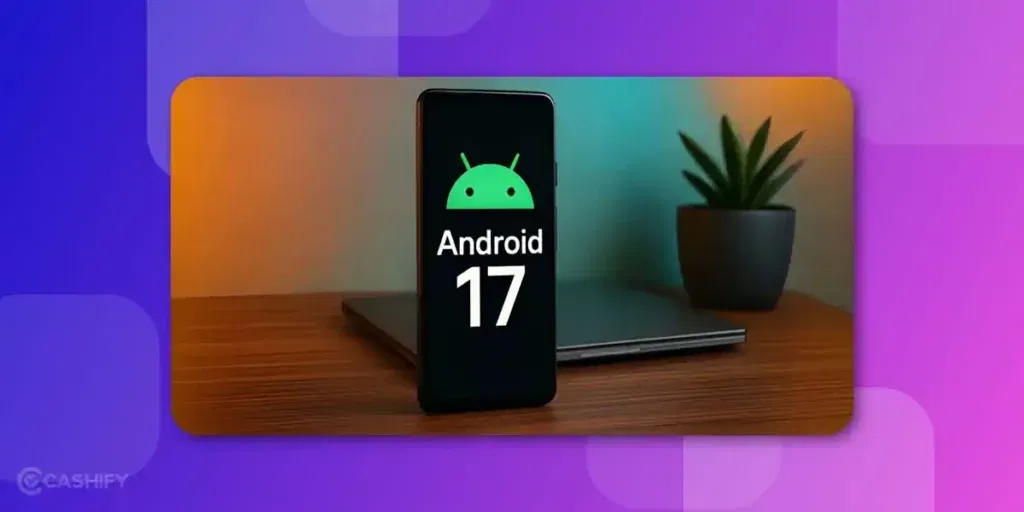
In the recent stream of updates, Android 17 is trending due to a significant revelation about its code name. Yes, code names, the special tags that Android versions get. And recently, the codename or the dessert name for Android 17 has also been revealed.
What Is The Codename For Android 17?
Well, just like Android 15 was named Vanilla Ice Cream, Android 16 was named Baklava, and the code name or dessert name for Android 17 is Cinnamon Bun. A sweet and gorgeous name for a power-packed and fun, and interactive OS, that’s what Android 17 has got under the hood.
Here’s a glance back at the codenames of earlier Android versions
| Android 11 | Red Velvet Cake |
| Android 12 | Snow Cone |
| Android 13 | Tiramisu |
| Android 14 | Upside Down Cake |
| Android 15 | Vanilla Ice Cream |
| Android 16 | Baklava |
| Android 17 | Cinnamon Bun |
But what will be the features of Android 17?
Well, here’s a list of exciting updates and features that this new Android brings:
- Material 3 Expressive UI upgrade.
- Privacy features.
- Funky UI.
- Widgets and UI upgrades inspired by iOS.
- Better security upgrades.
- Long-lasting OS features.
- Developer enhancements.
- Enhanced API.
- AI integration.
- Better battery and power-efficient features.
We shall discuss these points in detail later inside this article, but first, let us know when will this OS come.
Android 17 Release Date: When Will It Launch?
- Canary Builds: Began rolling out in January 2026 for early testing and internal validation.
- Beta 1: Released on February 13/14, 2026 for supported Pixel devices.
- Platform Stability (Beta 3): Achieved on March 28, 2026, meaning APIs and app behaviors were finalized for developers.
- Final Beta (Beta 4): Rolled out in April 2026 for final refinements and bug fixes.
- Stable Release: June 16, 2026 for Pixel devices.
Also Read: All The Motorola Phones That Will Get The Android 16 Update
All Features Of Android 17: Interesting Details
Android 17, codenamed Cinnamon Bun is to be one of Google’s biggest Android upgrades in recent years. The update focuses on multitasking, AI integration, cross-device continuity, privacy, and performance improvements.
Material 3 Expressive UI
Android 17 expands Google’s new Material 3 Expressive design language through a major visual overhaul. You can get:
- Translucent “Liquid Glass” blur effects
- Playful and dynamic app icons
- Responsive and interactive widgets
- Wallpaper-themed layouts
- Smoother animations across the UI
Google is also adding deeper home-screen customisation options. People will see:
- Removal of app labels for a cleaner appearance
- A customisable search bar
- Shortcut replacement options for Google Lens or Gemini
Native Bubbles
Android 17 introduces upgraded multitasking bubbles that allow apps to open in floating windows. This update improves multitasking on large-screen devices and foldables. These windows can:
- Stack together
- Minimise quickly
- Resize dynamically
- Improve app switching and productivity
Desktop Mode
Google is also improving Android’s Desktop Mode to compete more directly against desktop operating systems.
The revamped desktop interface allows users to:
- Connect phones to larger displays
- Use a taskbar-style interface
- Open apps in resizable windows
- Navigate through mouse and keyboard controls
- Improve productivity workflows across devices
Desktop Mode may become one of Android 17’s biggest productivity upgrades.
Handoff API
Android 17 introduces a new Handoff API designed to improve continuity between Android devices. This update brings Android closer to Apple-style ecosystem continuity.
This system allows users to:
- Start activities on one Android device
- Continue them on another nearby Android device
- Synchronise workflows across phones, tablets, and foldables
App Lock
Android 17 may include a built-in App Lock system. It allows users to secure specific apps without third-party applications.
Granular Permissions
A new Privacy-preserving Contacts Picker allows apps to access only selected contacts instead of the entire contact list.
This change improves:
- Personal data control
- Transparency
- App-level privacy
Android 17 continues Google’s push toward tighter permission management and stronger user security.
Mandatory Adaptivity
Android 17 introduces mandatory adaptive app resizing.
Apps can no longer opt out of resizing behaviour when it comes to Foldables, tablets, and large screen Android devices. This change improves consistency and usability across Android hardware.
Battery Optimisation
Google is also introducing:
- Priority Charging
- System-level lag reduction
- Better background process management
- Improved power efficiency
These enhancements aim to deliver smoother performance and longer battery life.
API Enhancements And AI Integration
Android 17 expands Android’s AI ecosystem and developer APIs.
Expected upgrades include:
- Better Gemini integration
- Faster authentication systems
- Enhanced credential management
- Improved file integrity tools
- Refined developer APIs
- Better foldable and tablet optimisation
Built-in Screen Reactions for Videos
Android 17 could make content creation much easier. A new Screen Reactions feature lets you record your screen and your face at the same time using the built-in screen recorder.
Once enabled, your selfie camera appears in a small floating window. The screen recording continues in the background. This is useful for recording gameplay, app tutorials, product demos, or reaction videos without downloading extra screen recording apps.
For anyone who posts regularly on YouTube or Instagram, this could save both time and storage.
Better Gaming On Foldable Phones
Android 17 is also expected to improve gaming on foldable and large-screen devices.
Instead of stretching games across the entire display, the software can split the screen into two sections. The upper half displays the game, while the lower half becomes a virtual game controller with customisable controls.
Google is also reportedly improving memory management. It will keep background apps from consuming too much RAM. That should help reduce lag and random frame drops during longer gaming sessions.
Also Read: Android 16 Vs iOS 26: Which OS Has The Better UI ?
From Android 16 To Android 17: What Will The Users See?
Users upgrading from Android 16 to Android 17 may notice:
- A more fluid and expressive interface
- Better multitasking capabilities
- Smarter widgets and floating apps
- Improved desktop productivity
- Stronger privacy protections
- Better large-screen app support
- Seamless device continuity
5 Reasons Why Android 17 Is Worth Your Wait
We think that Android 17 is definitely worth the wait. With the recent updates and the hype of phones reaching new heights, the Android 17 release will definitely excite fans a lot.
Here are five reasons why Android 17 is worth the wait
- Reason 1: One of the Best UI upgrades
- Reason 2: It will come in the most premium flagship Android devices.
- Reason 3: The security upgrades and AI integration are exciting.
- Reason 4: The number of Android users is increasing.
- Reason 5: Faster upgrades and better warranty of smooth functions.
Also Read: What Is OpenAI GPT-OSS 20B And How Is It Different?
Android 17 Supported Devices
All Pixel devices – Pixel 6 to the latest Pixel 10 series will get the latest Android. Here are a few Android 17-supported devices.
- Pixel 10 Series: Pixel 10, Pixel 10 Pro, Pixel 10 Pro XL, Pixel 10 Pro Fold
- Pixel 9 Series: Pixel 9, Pixel 9 Pro, Pixel 9 Pro XL, Pixel 9 Pro Fold, Pixel 9a
- Pixel 8 Series: Pixel 8, Pixel 8 Pro, Pixel 8a, Pixel 7, Pixel 7 Pro, Pixel Fold, Pixel 7a
- Pixel 6 Series: Pixel 6, Pixel 6 Pro, Pixel 6a
Google extended its support for Pixel 6, Pixel 7, and Pixel Fold for two years.
How To Install Android 17 Beta on Google Pixel?
Are you planning to install the Android 17 Beta on your Pixel devices? If yes, ensure to take a backup of the crucial apps, media, and documents, so if anything goes wrong during installation, your data remains safe.
Here are the steps that you need to follow.
- Visit the Android Beta Programme website.
- Sign in with your Google Account.
- Open the Settings app -> go to the Software Update
- If an update is available, the device will fetch it from the server and prompt you to download it.
- Go ahead and download and install the update.
In A Nutshell
Android 17 is not an update that tries to impress users with flashy design changes. Instead, it focuses on improving real daily usage in a quiet but meaningful way. The system feels more stable when switching between apps, more flexible when multitasking, and more controlled when it comes to privacy settings.
What makes this release stand out is how naturally these improvements fit into regular phone usage. Over time, as manufacturers roll out their customized versions, Android 17 is expected to become a stable foundation for more advanced features in future updates.
Also Read: Chatgpt 5 vs Grok 4: Which Is The Smarter AI?
If you’ve just bought a new phone and don’t know what to do with your old phone, then here’s your answer. Sell old mobile to Cashify and get the best price for it. If you are planning to buy a new phone, check out Cashify’s refurbished mobile phones. You can get your favourite phone at almost half price with six-month warranty, 15 days refund and free delivery.