Losing your phone or SIM card is something most people dread, and for good reason. Your mobile number today is not just for calls or messages. It is linked to your bank accounts, UPI apps, social media profiles, emails, and even important government services. If someone gets access to your SIM, they can potentially misuse your identity or gain access to sensitive information. That being said, if you have an Airtel number and are looking for ways to block Airtel SIM, we have got you covered in this blog. So, let’s begin.
Also Read: Best Camera Settings For Samsung Galaxy S23 Ultra- Shoot Like A Pro
Why Blocking Your Airtel SIM Immediately Is Important?
Before we jump into the methods the block Airtel SIM, it’s important to understand why you should not delay blocking your SIM.
When your SIM card is active, anyone who has it can:
- Receive OTPs for banking and UPI transactions
- Access your WhatsApp or other apps
- Make calls or send messages using your number
- Attempt identity fraud
In many cases, SIM misuse happens within hours of losing a phone. That’s why blocking your Airtel SIM should be your first priority.
5 Methods To Block Airtel SIM
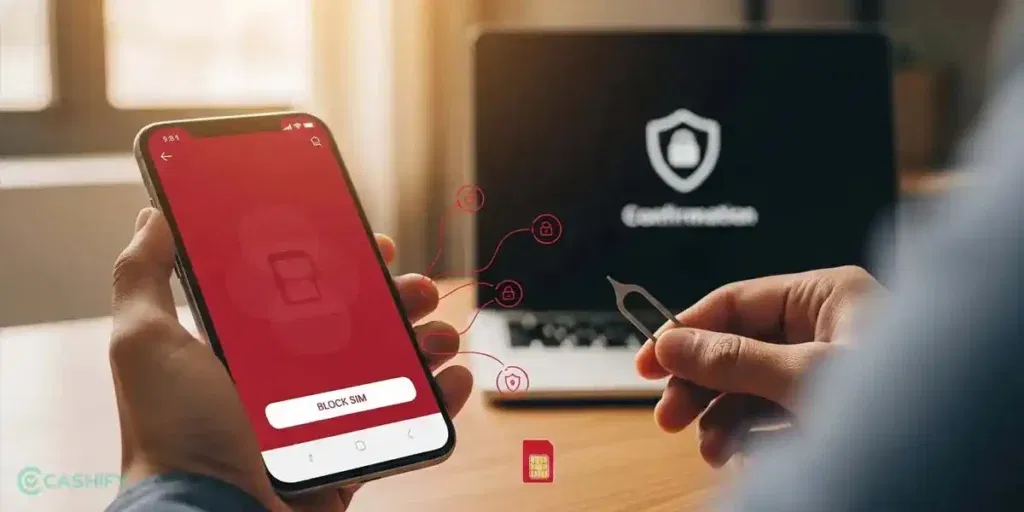
Airtel provides several ways to block your SIM, depending on your situation. Here, have a look at the most effective ones:
1. Block Airtel SIM Via Customer Care
This is the quickest and most recommended method to block Airtel SIM.
From Another Airtel Number:
- Dial 121 or 198
- Follow the IVR options for lost SIM or customer support
- Connect with a customer care executive
From a Non-Airtel Number:
- Call 9810098100
Once connected, inform the executive that your SIM is lost or stolen and request immediate blocking.
Verification Process:
To ensure security, Airtel will verify your identity. You may be asked:
- Your full name
- Date of birth
- Mother’s name
- Last recharge amount
- Address details
After successful verification, your SIM will be blocked instantly.
Pro Tip: Save Airtel customer care numbers somewhere safe so you can access them quickly in emergencies.
Also Read: Poco X8 Pro Max Vs OnePlus 15R: Which Is A Better Buy In 2026?
2. Block SIM Using Airtel Thanks App
You can use the Airtel Thanks app to block the SIM:
- Open the Airtel Thanks app app
- Go to the Help or Support section
- Start a live chat
- Request SIM blocking
This method to block Airtel SIM is convenient and avoids waiting on calls. However, it only works if you still have access to your Airtel account.
3. Visit the Nearest Airtel Store
If you prefer a direct and reliable method to block Airtel SIM, visiting an Airtel store is a great option.
What You Need:
- Valid ID proof (Aadhaar, PAN, etc.)
What Happens:
- Request SIM blocking
- Your SIM will be deactivated immediately
- You can also request a duplicate SIM on the spot
This method is especially useful if you want to recover your number quickly.
4. Block Airtel SIM Via Email
If you cannot call or visit a store, email is another option to block Airtel SIM.
Send email to: 121@in.airtel.com
You must attach the following with your email:
- Your registered mobile number
- Your name and account details
- A clear request to block your SIM
While this method works, it may take longer compared to calling customer care.
5. For Corporate SIM Users
If your Airtel SIM is provided by your company:
- Inform your company’s IT/admin team immediately
- Or contact Airtel Business customer care
Corporate SIMs often have additional controls, so reporting through your organization ensures faster action.
Also Read: Apple iPhone 18 Pro Max Price, Release Date, Specs
What Happens After You Block Your Airtel SIM?
Once your request is processed:
- Your SIM is permanently deactivated
- No calls, SMS, or OTPs can be received
- You may receive confirmation from Airtel
Important: Your mobile number is NOT deleted. It is simply blocked to prevent misuse.
This means you can still recover your number later.
How To Get a Duplicate Airtel SIM (Same Number)
After blocking your SIM, the next step is to get a replacement.
- Visit the nearest Airtel store
- Provide ID proof
- Request a duplicate SIM
- Complete verification
Activation Time:
- Usually within a few hours
- Sometimes up to 24 hours
What You Retain:
- Same phone number
- Existing plan and validity
- Remaining balance (in most cases)
Common Reasons Why People Need To Block SIM
Understanding common scenarios can help you act faster:
- Lost phone in public place
- Phone theft
- SIM card damage or misplacement
- Suspicious activity on your number
In all these cases, blocking your SIM is the safest first step to remain secure.
Also Read: Samsung Galaxy Z Fold 8 Ultra Release Date, Price, Specs And More
Important Safety Tips After Losing Your SIM
Blocking your SIM is just one part of staying secure. You should also take additional precautions.
- Block UPI and Banking Access: Immediately disable UPI apps like Google Pay, PhonePe, or Paytm and inform your bank to prevent unauthorized transactions.
- Secure Your Email & Social Media: Change passwords for all important accounts and enable two-factor authentication (2FA) to add an extra layer of security.
- Logout From All Devices: Use account settings (Google, Facebook, Instagram, etc.) to log out from all active devices and remove any unknown sessions.
- Inform Important Contacts: Let your friends, family, and colleagues know your SIM is lost so they can ignore any suspicious calls or messages from your number.
How To Prevent SIM Misuse in Future?
Prevention is always better than cure. Here are some simple steps that you can follow to keep your SIM safe:
- Set a SIM lock PIN
- Avoid sharing OTPs
- Use screen lock on your phone
- Keep a backup of important contacts
- Enable “Find My Device” tracking
Final Thoughts
Losing your SIM card can feel stressful, but the solution is simple, act quickly. When you choose to block your Airtel SIM, you are making sure, no one else can misuse it. Hopefully, the above mentioned steps and tips would have helped you find what you were looking for. Do you have any more questions or suggestions? Drop them in the comments section below.
Also Read: Oppo Find N6 Launch Date, Specs, Price, And More
Frequently Asked Questions
1. Can I block my Airtel SIM without visiting a store?
Yes, you can easily block your Airtel SIM without visiting a store by calling customer care from another number or using the Airtel Thanks app. Both methods allow quick verification and immediate blocking to prevent misuse of your number.
2. Is blocking Airtel SIM free?
Yes, blocking your Airtel SIM is completely free of cost. Airtel does not charge any fee for deactivating a lost or stolen SIM, making it easy for users to secure their number quickly without worrying about additional charges.
3. How long does it take to block the SIM?
Blocking an Airtel SIM usually happens instantly once your identity verification is completed. In most cases, the process takes just a few minutes, ensuring your number is secured quickly and cannot be used for calls, messages, or OTP access.
4. Can I reactivate my old SIM?
No, once your Airtel SIM is blocked, it cannot be reactivated. However, you can easily get a duplicate SIM with the same number from an Airtel store, ensuring you continue using your existing number and services without any major interruption.
5. Will my data be lost?
Yes, data stored on the SIM card, such as contacts or messages, may be lost after blocking. However, your mobile number, active plan, and balance usually remain safe and can be restored when you get a replacement SIM.
If you’ve just bought a new phone and don’t know what to do with your old phone, then here’s your answer. Sell old mobile to Cashify and get the best price for it. If you are planning to buy a new phone, check out Cashify’s refurbished mobile phones. You can get your favourite phone at almost half price with six-month warranty, 15 days refund and free delivery.