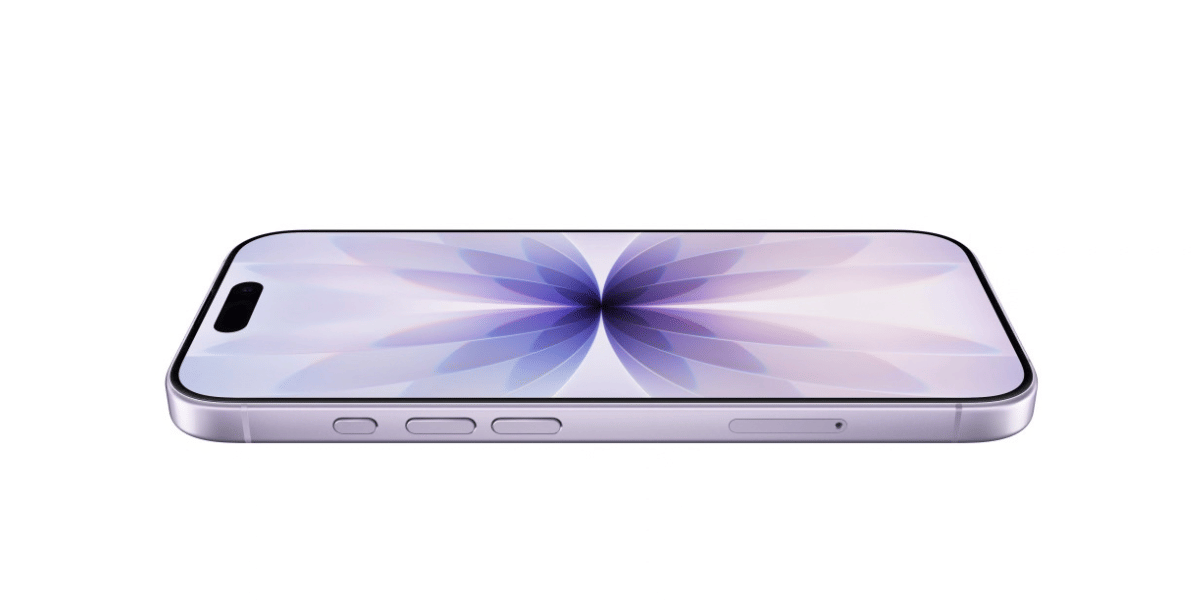
So you’ve got the Samsung Galaxy S26 Ultra, and you’re thinking: “Can I use AirDrop on this?” Well, not exactly the Apple version. Samsung has made something that works almost the same. AirDrop is an Apple-only feature. It only works on iPhones, iPads, and Macs.
But Samsung added a new update to Quick Share. Now your phone can send files to Apple devices too. Let’s check out all the details:
Before you try anything, just check a few basic things. Your phone should be updated to the latest software. The other device should be an iPhone or iPad with a recent version. Both devices need Bluetooth and Wi-Fi turned on. Lastly, keep both devices nearby.
Let’s get started:
Also Read: How To Delete Contact From WhatsApp: Quick & Easy Steps!
How To Turn On AirDrop On Samsung Galaxy S26 Ultra?
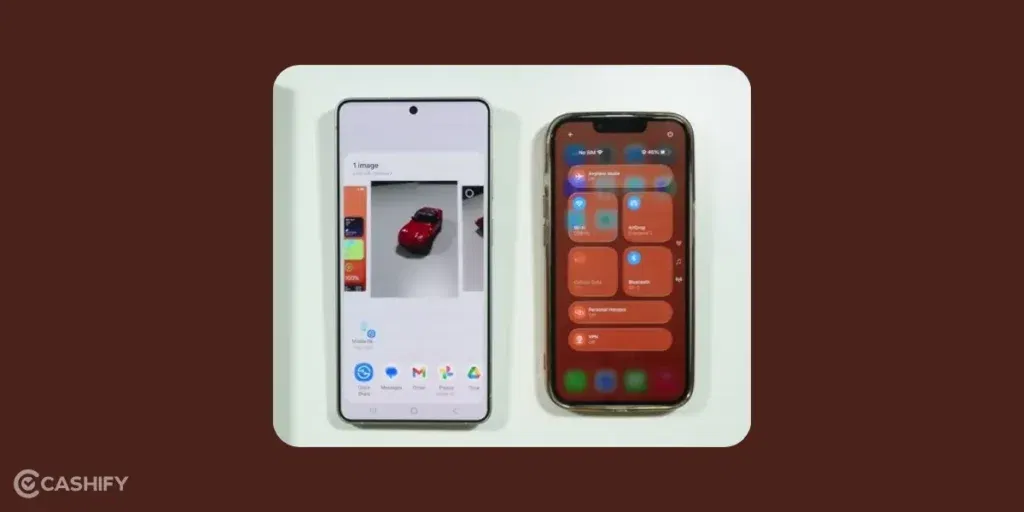
- Swipe down from the top of your screen (do it twice), and you’ll see the Quick Settings panel.
- Now find Quick Share and press and hold it.
- Inside, you’ll see an option like “Share with Apple devices.” Make sure that’s turned on.
Set your visibility to “Everyone for 10 minutes.”
What About iPhone?
Okay, so your Samsung is ready… but the iPhone also needs a small setup. On the iPhone, you need to turn on AirDrop and make sure it’s visible to everyone. If you skip this part, your Samsung phone won’t be able to find it.
Here’s how to do it step by step:
- First, swipe down from the top-right corner of the iPhone screen to open the Control Center.
- Now, press and hold the section where you see Wi-Fi, Bluetooth, and mobile data.
- A bigger panel will pop up. In that, you’ll see AirDrop. Tap on it, and choose “Everyone for 10 minutes.”
That’s it. Simple.
The “10 minutes” part is just for privacy. After 10 minutes, it turns off automatically so random devices can’t keep seeing your phone.
Once both devices (Samsung and iPhone) are set to “Everyone,” they can finally detect each other. So when you open Quick Share on your Samsung, the iPhone’s name will appear in the list.
And from there, sharing files becomes really easy.
Also Read: How To Record Screen In Windows 11: Quick Ways!
How To Send Files: AirDrop On Samsung Galaxy S26 Ultra
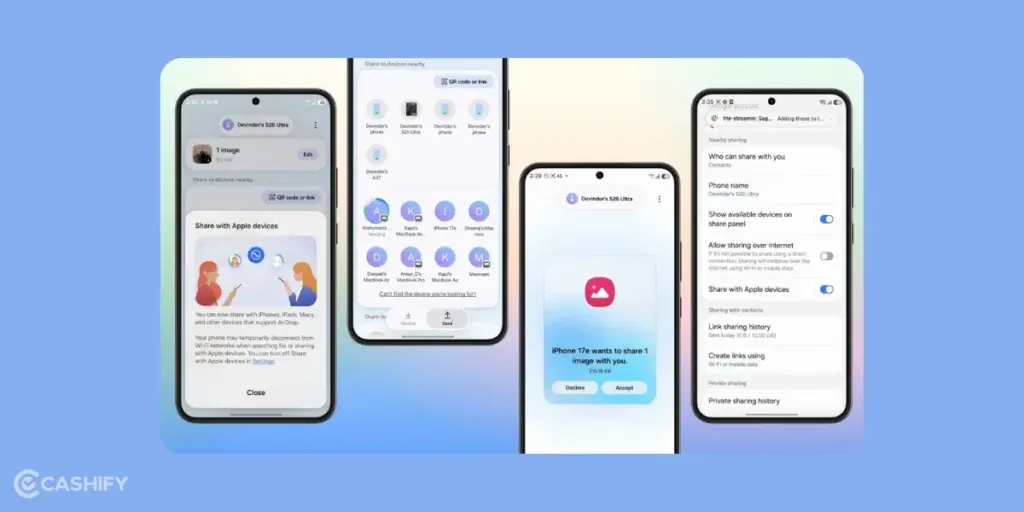
Let’s say you want to send a photo.
- Open the photo, tap the share button, and choose Quick Share.
- After a second or two, nearby devices will show up including the iPhone. Tap it.
- On the iPhone, a small popup comes up. Just tap “Accept”… and voila! The file is sent.
You don’t need any cables or apps.
How To Receive Files Through AirDrop On Samsung Galaxy S26 Ultra?
If someone with an iPhone sends you something, your phone will show a notification.
Just tap Accept, and the file gets saved automatically. It is as simple as that.
Also Read: How To Raise A UPI Complaint: Step By Step Guide
AirDrop On Samsung Galaxy S26 Ultra: Troubleshooting Steps
If it doesn’t work, just try these quick fixes:
- Move the devices closer
- Turn Wi-Fi and Bluetooth off and back on
- Make sure both are set to “Everyone”
- Restart if needed
Usually, one of these fixes it.
FAQs
Can I use AirDrop on the Samsung Galaxy S26 Ultra?
Not exactly. AirDrop is an Apple-only feature, but Samsung’s Quick Share now works in a very similar way and lets you send files to iPhones and iPads.
Do I need to install any app to share files with iPhone?
No, you don’t need any extra app. The feature is built into Quick Share after the latest software update.
Why can’t my Samsung detect the iPhone?
This usually happens if AirDrop is not set to “Everyone” on the iPhone or if Bluetooth/Wi-Fi is off. Make sure both devices are visible and close to each other.
How do I send files from Samsung to iPhone?
Open the file, tap Share, select Quick Share, and choose the iPhone from the list. The iPhone user just needs to tap Accept.
Can I receive files from iPhone on my Samsung?
Yes, you can. When someone sends a file via AirDrop, your phone will show a notification. Just tap Accept, and the file will be saved automatically.
Does this feature need internet?
No, it doesn’t require internet. It uses Bluetooth and Wi-Fi for direct transfer.
Is it safe to use “Everyone for 10 minutes”?
Yes, it’s safe. The setting turns off automatically after 10 minutes to protect your privacy.
Can I share all types of files?
You can share most files like photos, videos, and documents easily. Very large files may take more time or use alternative methods.
Final Thoughts
Honestly, even though it’s not “real” AirDrop, this feature on the Samsung Galaxy S26 Ultra makes things way easier than before. You can now share files between Samsung and iPhone. What do you think about this feature? Let me know in the comment section below. I would love to hear you out.
Also Read: How To Report Fraudulent Mobile Connections With Sanchar Saathi?
If you’ve just bought a new phone and don’t know what to do with your old phone, then here’s your answer. Sell old mobile to Cashify and get the best price for it. If you are planning to buy a new phone, check out Cashify’s refurbished mobile phones. You can get your favourite phone at almost half price with six-month warranty, 15 days refund and free delivery.