The moment your Nothing Phone falls into water, a lot of questions start running through your mind. Should you turn it off? Is the damage already done? Or is there still a chance to save it? While some phones can survive a small splash, water inside the device can cause problems that may not be visible right away. Let’s look at what you should do after Nothing Phone water damage and the steps that may help prevent more serious issues.
Also read: Pixel 6A Detected Water In USB Port? Get Your Best Fix Today!
What Happens After Nothing Phone Water Damage?
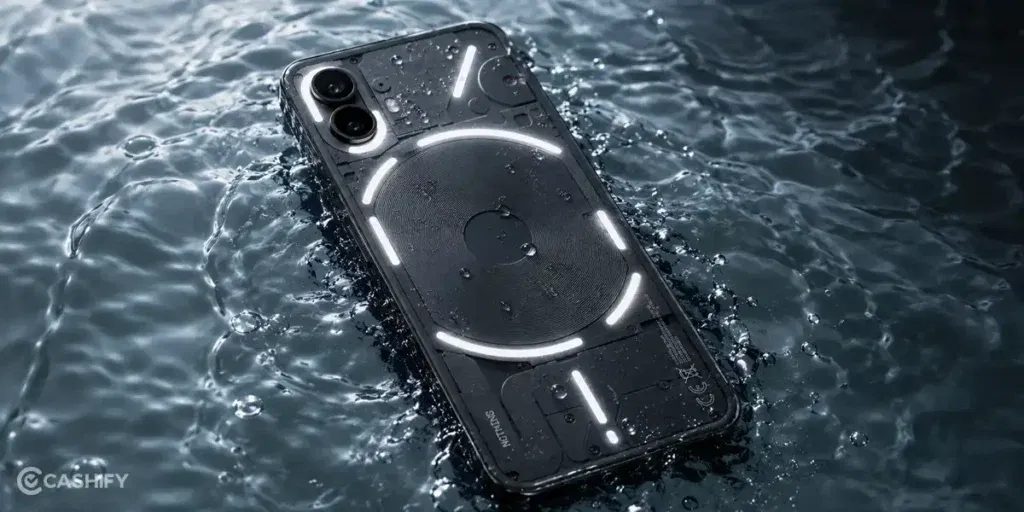
Before you do anything else, let’s first look at what happens after Nothing Phone water damage:
Water Starts Moving Beyond The Entry Point
The spot where water enters is not always where the problem appears. Moisture can travel through small gaps around buttons, speakers, or the charging port. As it moves, it may reach parts that were not affected at first.
Connectors Can Lose Stable Contact
Inside the phone, many components are connected through tiny contact points. Even a small amount of moisture can interfere with these connections. This may lead to issues that appear and disappear without warning.
Corrosion Can Continue After The Phone Looks Dry
A phone may look completely dry from the outside, but moisture can remain trapped inside. Over time, this moisture can react with metal parts and slowly cause damage. That is why some problems show up days after the phone falls into water.
Speakers And Charging Ports Are Often Affected First
Openings such as the speaker grills and charging port are common paths for water. The sound may become muffled, or charging may become unreliable. In many cases, these are the first signs that water has reached the inside of the device.
Damage May Not Appear Immediately
One of the most confusing things about water damage is that the phone may continue working normally for a while. This can create the impression that everything is fine. However, the effects of trapped moisture can take time to become noticeable.
Also Read: Do You Lose Data When Replacing LCD Screen?
Things You Should Do Right After The Phone Gets Wet
Now, here are some important things you can try if your phone has come in contact with water:
Turn The Phone Off
If the phone is still on, switch it off as soon as possible. This is one of the first things you should do after the phone comes in contact with water.
Remove The Case
Take the phone out of its case right away. Water can get trapped between the phone and the case, making it harder for moisture to dry out.
Wipe The Phone With A Dry Cloth
Use a soft, dry cloth to remove water from the surface. This is one of the simplest things you can do after Nothing Phone water damage, especially around the buttons, camera area, and charging port.
Keep The Charging Port Facing Down
Place the phone so the charging port faces downward. This can help any water near the opening move out more easily.
Let The Phone Sit In A Dry Place
Keep the phone in a dry and well-ventilated area. A room with good airflow is usually a better choice than a closed space.
Wait Before Charging The Phone
Avoid plugging in the charger immediately. Give the phone enough time to dry before connecting any cable or accessory.
Also Read:What Is The Difference Between Screen Repair And Screen Replacement?
Signs Your Nothing Phone Needs Professional Repair
If you have already tried the steps above but the phone is still not working properly, it may be time for a professional repair. Some water-related issues do not go away on their own. In some cases, moisture can affect internal parts that need proper inspection and repair.
If you’re looking for a reliable solution for Nothing Phone water damage, Cashify can help identify the problem and restore your device. Here are some benefits you get:
Repair At Home Without Visiting A Service Centre
Once water damage reaches internal components, getting the phone checked quickly becomes important. Cashify lets you book a mobile repair service from home, saving you the trouble of visiting multiple repair shops.
Careful Inspection Before Any Repair Work
Water can affect different parts of the phone, and the actual cause of the problem is not always obvious. Cashify technicians inspect the device thoroughly before starting the mobile phone repair process.
Clear Repair Cost Before You Proceed
Before any phone repair begins, you are informed about the expected repair cost. This gives you a clear idea of the charges involved. You only pay after the repair is completed.
High-Quality Compatible Parts When Replacement Is Required
If water damage has affected a component beyond repair, replacement may be necessary. Cashify uses high-quality compatible parts during the Nothing mobile repair process to help restore proper functionality.
Also read: How To Fix Vivo V11 Pro Screen Issues? Replace It Affordably!
Final Thoughts On Nothing Phone Water Damage
To sum up, Nothing Phone water damage does not always cause immediate problems, but it is important to act quickly once the phone comes in contact with water. The steps we shared above may help reduce further damage and improve the chances of saving your device.
If the phone is still not working properly after drying and basic troubleshooting, professional repair may be the better option. Cashify can help with mobile phone repair through trained technicians, doorstep service, clear pricing, and high-quality compatible parts.
If you still have any questions, feel free to leave a comment below.
Use code: TECH25 to avail of a discount of up to Rs. 300 by using the (on the minimum order value of Rs. 2499).
Use code: RPR50 to avail up to 50 percent off on a minimum spend value of Rs. 1000 (limited offer)
Are you still browsing through your broken screen? Don’t worry! Book at-home mobile phone screen repair with Cashify, an affordable and one-stop destination for all your mobile phone needs. In case you break your screen within 1 month of repair, we will replace your screen again for FREE.