A damaged screen on your Redmi Note 12S often leaves you with one question. Should you replace it right away, or is there something you can try first? The answer depends on what’s actually causing the problem, and a quick check can often help you decide the next step. Let’s look at the checks you should try first and when it’s time for a Redmi Note 12S screen replacement.
Also read: 8 Signs That Your Android Phone Motherboard Needs Repair!
What Causes Redmi Note 12S Screen Problems?
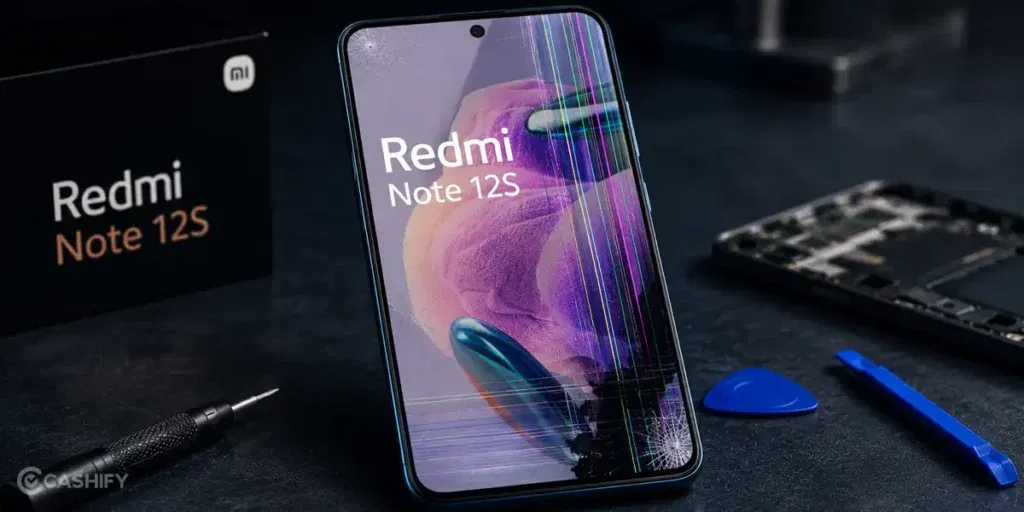
Before you consider a Redmi Note 12S screen replacement, it’s important to understand the reasons behind the problem. Here are the most common ones:
Accidental Drops And Physical Impact
A sudden drop is one of the most common reasons behind screen damage. Even if the glass doesn’t crack immediately, the impact can damage the display panel underneath. It can also affect the touch digitizer. This may lead to flickering, black spots, an unresponsive touch, or visible cracks. In some cases, the damage becomes worse with regular use.
Pressure Damage
Keeping your Redmi Note 12S in a tight pocket can put pressure on the display. The same can happen if you place heavy objects on it or accidentally sit on the phone. Unlike impact damage, pressure often causes internal display issues. You may not notice any obvious cracks on the glass. Instead, you may see coloured lines, ink-like patches, or parts of the screen that no longer respond to touch.
Exposure To Water Or Moisture
A few drops of water may not cause immediate damage. However, prolonged exposure to moisture can affect the screen and internal display connectors. The display may start flickering or develop ghost touches. In some cases, it may go completely black. If this happens after contact with water, moisture damage could be the reason.
Display Connector Issues
A loose or damaged display connector can also create screen problems. This often happens if the phone has been dropped or repaired before. The display may turn black, flicker randomly, or stop responding. This can happen even when the screen itself isn’t physically damaged. A technician usually needs to inspect the internal connection to confirm the cause.
Software Or System Glitches
Not every screen problem points to hardware damage. A software bug, a failed update, or an app conflict can make the display freeze or become unresponsive. It may also behave unexpectedly. Restarting the device, booting into Safe Mode, or updating the software may resolve the issue. If the problem persists, you may need a screen replacement.
Also read: Vivo Y83 Pro Aux Jack Not Working? Repair It Fast With Cashify
Things To Try Before A Redmi Note 12S Screen Replacement
Now that you know the possible causes, let’s look at a few things you can try first:
Restart Your Redmi Note 12S
Start with a simple restart. If the screen has frozen or the touch isn’t responding properly, restarting the phone can refresh the system and restore normal operation. After the phone turns back on, use it for a few minutes to check whether the issue returns.
Remove The Screen Protector
Take off the screen protector and test the display again. A cracked, low-quality, or poorly aligned protector can reduce touch sensitivity or make parts of the screen feel unresponsive. If the display works normally after removing it, replace it with a new protector.
Boot Into Safe Mode
Restart the phone in Safe Mode and check whether the screen behaves normally. If the problem disappears, uninstall any recently installed apps one by one until you identify the one causing the issue. Once removed, restart the phone normally.
Install The Latest Software Update
Go to Settings > About Phone > System Update and install any available update. Once the installation is complete, use the phone as you normally would and check if the display issue has been resolved.
Test Every Area Of The Screen
Open the keyboard or a drawing app and touch every part of the display. If taps or swipes stop working in specific areas while the rest of the screen responds normally, the display may no longer register touch input correctly.
Back Up Your Data
If the screen still works well enough to navigate, back up your photos, contacts, and other important files. This protects your data in case the display stops working completely during the repair process.
Also read: Pixel 6A Detected Water In USB Port? Get Your Best Fix Today!
How To Book Redmi Note 12S Screen Replacement With Cashify?
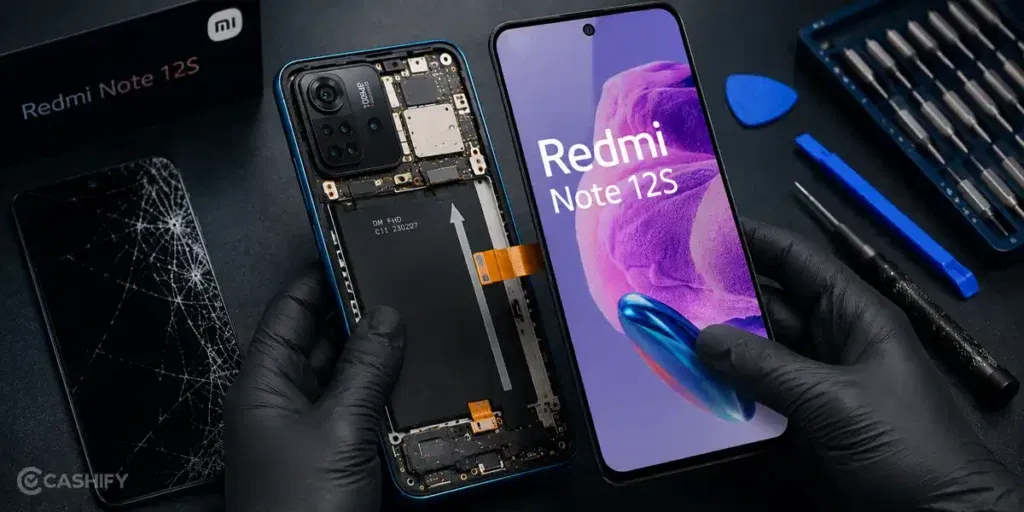
If none of the fixes worked, it’s probably time for a Redmi Note 12S screen replacement. Not sure where to get it repaired? Cashify can be the right choice. Here’s why.
We Check Your Phone First
Before replacing the screen, our technician inspects your Redmi Note 12S. This helps identify the problem and ensures the right mobile repair is carried out.
Know The Repair Cost Before You Book
Nobody likes unexpected charges. That’s why you’ll see the Redmi Note 12S screen replacement cost before the repair begins. You’ll know exactly what you’re paying for.
Get High-Quality Compatible Parts
Your Redmi Note 12S screen is replaced with a tested, high-quality compatible display. Once the phone repair is complete, the screen looks clear and responds properly to your touch.
Pay Only After You’re Satisfied
There’s no need to pay in advance. Once the repair is complete, you can inspect your Redmi Note 12S yourself. Pay only after you’re satisfied with the service.
Repair Backed By Warranty
Every Redmi Note 12S screen replacement comes with a six-month warranty*. You also get a one-month complimentary screen breakage replacement. If you’re not satisfied with the repair, Cashify also offers a 7-day refund policy on screen repairs.
Repair Your Phone The Way You Prefer
Need the mobile phone repair at home? Book a doorstep service, and a trained technician will visit your location. If you’d rather visit a store, you can choose from 200+ Cashify service centres across India. Pick the option that’s most convenient for you.
(*Repair warranties are subject to discretion based on Cashify’s terms and conditions. Please refer to our warranty policy for detailed information.)
Also Read: How Can Cashify Smart Repair Service Enhance Your Mobile Repair Experience?
Service Charges For Redmi Note 12S Mobile Repair At Cashify:
| Repair Service | Current Charge |
|---|---|
| Screen Replacement | Rs. 4,499 |
| Speaker Replacement | Rs. 999 |
| Battery Replacement | Rs. 2,299 |
| Receiver Replacement | Rs. 999 |
| Charging Jack Replacement | Rs. 999 |
| Mic Replacement | Rs. 999 |
*The prices are subject to change as per market rates. Please check the website for the current repair fee estimation for your mobile.
Final Thoughts
A Redmi Note 12S screen problem doesn’t always mean the display needs to be replaced. In some cases, the troubleshooting steps covered in this guide may be enough to fix the issue. However, if the screen is cracked, the touch isn’t responding properly, or the display continues to show visible problems, a Redmi Note 12S screen replacement is the right solution.
Cashify can help with Xiaomi mobile repair through trained technicians, doorstep service, transparent pricing, and tested, high-quality compatible parts.
If you still have any questions about your Redmi Note 12S screen replacement, feel free to leave a comment below.
Use code: TECH25 to avail a discount of up to Rs. 300 (on the minimum order value of Rs. 2499).
Use code: RPR50 to avail up to 50 per cent off on a minimum spend value of Rs. 1000 (limited offer).
Are you still browsing through your broken screen? Don’t worry! Book at-home mobile phone screen repair with Cashify, an affordable and one-stop destination for all your mobile phone needs. In case you break your screen within 1 month of repair, we will replace your screen again for FREE.