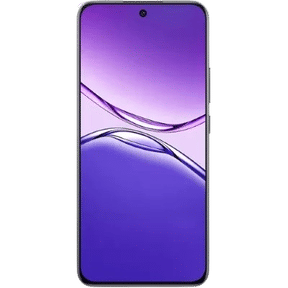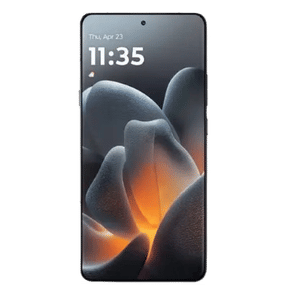
OriginOS7 is officially launched in India. It is Android 17-based software for Vivo and iQOO phones. OriginOS 7 features include Jovi AI, Fluid Motion animations, a translucent “liquid glass” look, Origin Workbench multitasking, new lock-screen themes, Battery Life Estimate and Apple-device connectivity. In India, stable rollout is scheduled from late October 2026 to February 2027.
In this guide, we have put together the most complete breakdown of OriginOS 7 features, covering performance, AI, UI design, security, battery, camera, and more. Read on to learn more about it.
Also Read: Samsung Galaxy S27 Pro Leaks And Rumours: Everything We Know So Far
Here Is Everything You Need To Expect About The OriginOS 7 Features
OriginOS 7 is based on Android 17. Google released the stable version of Android 17 to Pixel devices on June 16, 2026. Vivo officially unveiled OriginOS 7 in China on September 16, 2026, and the global announcement was done on September 21, 2026.
Here is the OriginOS 7 rollout schedule in India.
OriginOS 7 Rollout Schedule In India
Vivo shared its India schedule on October 6, 2026. The update arrives in batches, and flagships go first.
| Stable rollout | vivo phones | iQOO phones |
| End of Oct 2026 | X Fold5, X300 Ultra, X300 Pro, X300, X300 FE | iQOO 15 |
| Mid-Nov 2026 | X200 Pro, X200, X200 FE, X200T | iQOO 15R, iQOO 13 |
| Mid-Dec 2026 | X Fold3 Pro, X100 Pro, X100, V70 Elite, V70, V70 FE, V60, V60e | iQOO 12, Neo 10, Neo 10R |
| End of Dec 2026 | V50, V50e | – |
| End of Jan 2027 | V40 Pro, V40, S2, S2 FE, T5 Pro 5G, T5 5G, T5x 5G, T4 Ultra, T4 Pro, T4 5G, T4R 5G, T3 Ultra, Y51 Pro 5G | Neo 9 Pro, Z11 5G, Z11x 5G, Z11xa 5G, Z10 5G, Z10R 5G |
| End of Feb 2027 | V40e, V30 Pro, V30, V30e, Y400 Pro 5G, Y400 5G, Y31 Pro 5G, T4x 5G | Z10x 5G |
In China, the first devices to receive the stable update starting October 9 include the Vivo X300 series, Vivo X Fold5, Vivo X Fold6, iQOO 15 series, and related models. Global devices typically follow a few weeks later.
Devices unlikely to receive OriginOS 7: Older series such as the Vivo X90 series, Vivo V30 series, Vivo T3 series, iQOO 11 series, and iQOO Z9 series are generally outside the current major update window.
Note: The final global eligibility list may vary slightly by region. Always check official Vivo/iQOO channels for confirmation on your specific model.
Origin Smooth Engine Brings Performance Improvements
One of the biggest upgrades in the OriginOS 7 features list is in system performance. OriginOS 7 is built on Vivo’s “Origin Smooth Engine,” improving app launch speed, RAM management, and animation stability.
Earlier versions already showed gains like faster loading and smoother frame rates, and the new version pushes this further with better background task handling and reduced system lag under heavy usage.
UI Enhancements: Liquid Glass and Light-and-Shadow Design
OriginOS 7 introduces a major visual overhaul built around translucent materials, dynamic lighting, and refined depth. Vivo calls this its light-and-shadow aesthetic (often compared to liquid glass effects). Users can choose between different blur and material styles (such as Realistic, Natural, and Soft). Animations feel more natural and physics-based, with improved transitions, folder lighting effects, and overall visual consistency across the system.
Lock Screen & Home Screen Get Major Personalisation Upgrades
Lock screen customisation is one of the standout areas in OriginOS 7. Key additions include:
- Liquid Theme – Interactive fluid effects that respond to movement and touch.
- Flash Card Theme – Stacked, glanceable cards with light and motion effects.
- AI Pet / AI Pampering Theme – Upload a photo of your pet and the system generates an interactive digital companion that reacts to battery level, music, weather, charging, and other real-time conditions.
- Expanded sticker library (Atomic Stickers) that can be placed on the lock screen, home screen, and always-on display.
Home screen improvements include better grid flexibility, smoother app transitions, refined icons, and deeper customisation options.
Origin Workbench: Multitasking On Your Phone
Origin Workbench lets you run more than one app at once. Vivo says it supports up to five active apps. You can resize the main window and switch between horizontal and vertical layouts.
Two limits matter. Workbench is available only on certain models with 12GB RAM or more. It also depends on the app, so not every app will work.
AI Cross-App Drag helps too. You can drag text or an image into another app. A pop-up wheel then offers actions like text extraction, translation and contact creation.
Minor Widgets Upgrade With Animations And Toggles
Widgets in OriginOS 7 are more interactive and animated than before. Expect improved real-time updates and tighter integration with system features, making them more useful for quick glances and actions directly from the home or lock screen.
Better Security Enhancements
On the security side, improvements in app permissions, privacy dashboards, and background activity monitoring are expected. Vivo may also refine its system-level app cloning and secure folder features to provide better data protection.
Battery, Gaming And Speed: What Vivo Claims
These are vivo’s own numbers. Real-world results may differ.
Speed
- App cold start is up to 10% shorter.
- Page switching is up to 11% faster.
- Memory reclamation is up to 60% faster.
- A 256GB phone can free up to 25GB of extra space.
Battery
- Battery Life Estimate shows remaining use time and charging time.
- Extended Connected Standby adds up to 26% more standby time.
- Bypass Charging 3.0 switches to trickle charging when the phone heats up.
- BlueVolt Smart Engine, built with Microsoft, cuts power use by up to 25% in high-resolution Teams video calls.
Gaming
- Ultra Game Mode puts performance, controls, audio and network settings in one panel.
- Glare Protection tones down overly bright areas.
- 4D Game Vibration gives feedback based on in-game actions.
- Audio Redirect plays one stream on the speaker and another on a Bluetooth device.
Jovi And The New AI Tools In OriginOS 7

Jovi is the star of OriginOS 7. It is vivo’s AI assistant, and it works on compatible vivo phones and PCs. Jovi can find information, read several files at once and pull out the key points. It can also run scheduled tasks, such as collecting news you follow and saving a report to Notes.
You can give Jovi a command on your phone and let it finish the job on a connected PC. For safety, Jovi Security shows each action and asks you to confirm sensitive ones.
Vivo has added smaller AI tools too:
- Snap Note turns photos of whiteboards, handwritten notes and slides into editable documents.
- AI Recorder separates speakers, cleans up the transcript and marks highlights.
- Smart Call Assistant can answer a call, convert the chat into text and add a summary to your call log.
- AI Reader Mode reshapes PDF text to fit your screen.
- AI Search finds files and notes from a short description.
- Snap & Go reads flight, train, bus and event-ticket screenshots and suggests adding them to Google Calendar.
OriginOS 7 bring a better context-aware AI Assistant which seamlessly executes complex, cross-app tasks and enjoys fluid, natural voice conversations that understand your intent.
Cross-Platform Sharing Support
One of the most practically useful additions with OriginOS 7 is cross-platform Quick Share support with AirDrop compatibility. Google introduced this at the Android Show 2026, confirming that Vivo phones will be among the devices gaining the ability to share files directly with iPhone users via Quick Share and AirDrop – no app or cable required. For users who work across both Android and iOS devices or frequently share files with iPhone users, this is a genuinely useful upgrade.
OriginOS 7 And Apple Devices: What Works
OriginOS 7 adds several links to Apple products:
- Camera Sharing turns a compatible Vivo phone into a camera for video calls on a compatible MacBook.
- Task Handoff sends supported screenshots or photos to a compatible iPad.
- A compatible Apple Watch can show notifications and messages. Fitness data can sync to Origin Health.
- AirPods battery and connection status show on Origin Island.
- iCloud for web opens inside vivo File Manager.
File sharing is separate. AirDrop access comes through Android’s Quick Share, and it already works on phones like the vivo X300 Ultra. It is not new to OriginOS 7. Set AirDrop to “Everyone” on the iPhone first.
New Emojis And Custom Icon Pack Support
OriginOS 7 is also expected to finally bring support for third-party custom icon packs, allowing users to import icon sets from the Vivo theme store or external sources – something Vivo users have been asking for since OriginOS launched. Additionally, Android 17 is revamping over 4,000 emojis with 3D-style redesigns, and Vivo phones running OriginOS 7 are expected to receive this update as well. Custom widgets and further home screen personalisation tools are also on the expected features list.
Also Read: OriginOS 7 Release Date: When Is Vivo’s Master OS Upgrade Coming?
How To Get Ready For The OriginOS 7 Update
Vivo ran a limited Preview Program for the X300 Pro and iQOO 15 before the stable launch. Now check your phone directly:
- Open Settings and look for the new version under System Update.
- Back up your photos, chats and files.
- Charge to at least 50%.
- Free up 7–8GB of space.
If your phone is not on the list yet, wait a while. Vivo’s schedule runs to February 2027.
FAQs Around OriginOS 7 Features
When will OriginOS 7 roll out in India?
Vivo’s India schedule runs from the end of October 2026 to the end of February 2027. The vivo X300 series, X Fold5 and iQOO 15 come first. Timing can shift by model, so check System Update on your phone.
What is OriginOS 7 based on?
OriginOS 7 is expected to be based on Android 17, bringing new system improvements, AI tools, privacy updates, and UI changes to eligible Vivo and iQOO phones.
When will OriginOS 7 release?
Vivo is expected to start the wider OriginOS 7 rollout in late 2026, beginning with select flagship phones before reaching other eligible models.
Which Vivo phones will get OriginOS 7 in India?
The X300 series and X Fold5 get it first. X200 series phones follow in mid-November. V70, V60 and X100 phones arrive in mid-December. Older models like the V30 series come by the end of February 2027.
Which iQOO phones will get OriginOS 7?
iQOO has confirmed 13 phones in India. The iQOO 15 comes first, then the iQOO 15R and iQOO 13 in mid-November. Neo and Z series phones follow from mid-December to February 2027.
What are the main OriginOS 7 features?
Key OriginOS 7 features are expected to include smoother performance, Living Lock Screen, smarter widgets, AI tools, better privacy controls, battery optimisation, and improved camera processing.
What is the Living Lock Screen in OriginOS 7?
Living Lock Screen is expected to add animated layouts, interactive clock styles, smart widgets, and deeper lock screen customisation.
Will OriginOS 7 improve AI features?
Yes, OriginOS 7 is expected to add more context-aware AI tools, natural voice interactions, and natural-language search across photos, files, chats, and system settings.
Does OriginOS 7 improve battery life?
OriginOS 7 is expected to improve battery management through smarter power allocation, tighter background activity controls, and charging optimisations.
Will OriginOS 7 bring new emojis?
Yes, Vivo phones running OriginOS 7 are expected to receive the new emoji updates introduced as part of Android 17.
Will OriginOS 7 support custom icon packs?
OriginOS 7 is expected to add third-party custom icon pack support, along with additional home screen and widget customisation options.
Will older Vivo phones get OriginOS 7?
Some older Vivo models may receive OriginOS 7, but the exact eligibility will depend on Vivo’s final update schedule and software support policy.
What is Jovi in OriginOS 7?
Jovi is vivo’s AI assistant. It can find information, read several files, summarise key points and run scheduled tasks. On compatible setups, it can also finish tasks on a connected PC.
Does OriginOS 7 support AirDrop?
OriginOS 7 does not support AirDrop as a built-in OriginOS 7 feature. Some Vivo phones, like the X300 Ultra, can share with iPhones through Android Quick Share’s AirDrop support. OriginOS 7 also adds Apple Watch, AirPods, iCloud for web, MacBook camera and iPad handoff links.
How do I update my vivo phone to OriginOS 7?
Open Settings, go to System Update and check for the new version. Back up your data first and charge to at least 50%. Keep 7–8GB of free space, since the download is large.
In A Nutshell
That’s it from this guide on OriginOS 7 features. OriginOS 7 looks set to make your phones feel noticeably smarter, smoother, and safer. Whether you’re after snappier performance, richer visuals, longer battery life, or smarter AI features, this update promises real-world improvements that enhance everyday use. Keep an eye on official Vivo announcements for rollout dates and device eligibility, and get ready to personalise the new Living Lock Screen, explore smarter widgets, and enjoy faster, more reliable camera and system performance. Stay tuned till we bring more upgrades around this OS.
Also Read: Infinix Note 60 Pro Pininfarina Launches At Rs. 35,999
Are you still browsing through your broken screen? Don’t worry! Book at-home mobile phone screen repair with Cashify—an affordable and one-stop destination for all your mobile phone needs. In case you break your screen within 1 month of repair, we will replace your screen again—for FREE.