

GTA 6 is finally here, but a hardcore gamer knows that a few more frames per second would have made a crazy deal! Yes, GTA 6 has officially been released as a 30FPS-playable game, but still many of us want to accelerate the graphics and want to know how to play GTA 6 at 60 FPS. So, for all such hardcore gamers and experimental fans, we have brought this blog! Let us tell you what all you need to do to figure out how to play GTA 6 at 60 FPS. Check it out right here.
GTA 6 Is Not Available At 60 FPS Officially: Here Is What You Need To Know
“Grand Theft Auto VI has been fully developed from the ground up to provide the best possible experience for the current generation of consoles, targeting 30 frames per second while pushing both platforms to their absolute limits to bring the vast and rich world of Leonida to life — while maintaining the density and visual fidelity of all its environments and inhabitants.” - This is what Rockstar Games stated in its official Press Release On GTA 6 Game Settings.
This clearly means that by default, you won’t be able to play GTA 6 at 60 FPS. And as per the officials from Rockstar Games, this has been deliberately done to ensure that gamers get the best graphics. The game, if not potentially developed for higher FPS, can become slower and technically not look good when you yourself increase FPS through different settings.
But how does one know if GTA 6 is still working at 60 FPS or not? Well, for that, you need to play the game at those FPS settings. So, for that, what all do you need? What will be the key hardware changes you should make? Come, let us tell you all of that here.
Also Read: How To Recover Free Fire ID Hack? Quick Guide 2026
How to Play GTA 6 at 60 FPS on PlayStation?
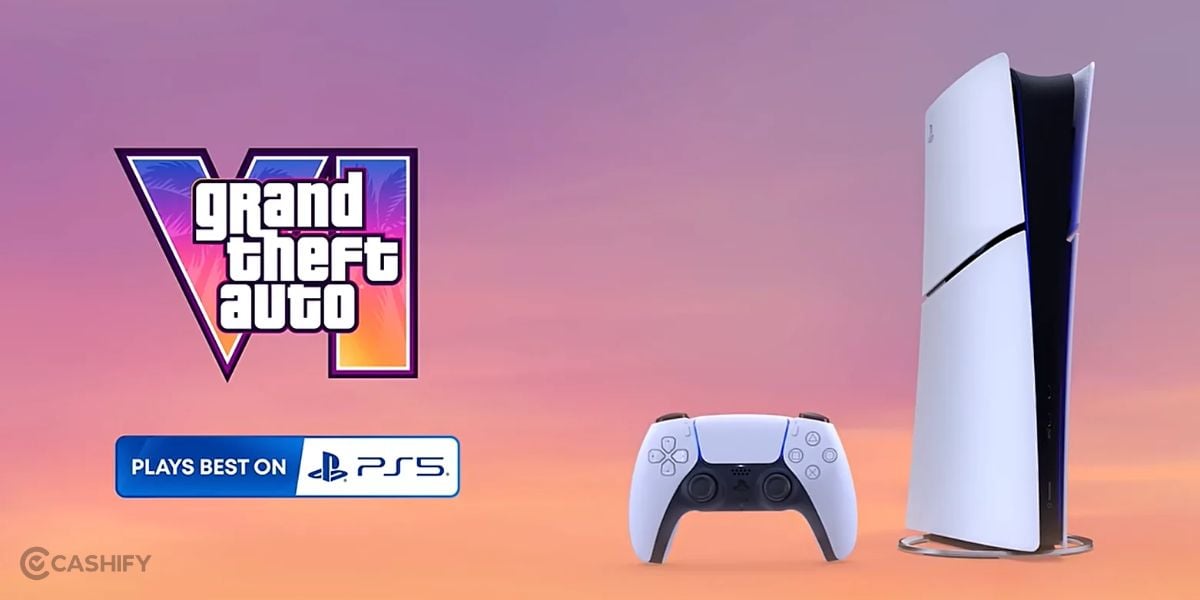
Now, the first console which comes into play in this debate on how to play GTA 6 at 60 FPS is PlayStation! PS4 is not eligible for GTA 6, at any FPS. And the latest variants, the PS5 and PS5 Pro, do not offer an official system-level method to unlock GTA 6's frame rate.
However, you can use a Windows PC to capture the console's 30 FPS video output and generate additional frames for smoother 60 FPS playback. Here is the guide for that.
Requirements: What All Do You Need?
- Console: PlayStation 5 or PS5 Pro.
- Capture Card: A compatible HDMI capture card supporting at least 1080p at 60 FPS, such as Elgato 4K X.
- Windows PC: Windows 10 or 11 with a compatible dedicated GPU.
- Monitor: A 60 Hz or higher refresh-rate display.
- Alternative: PS Remote Play can stream gameplay to your PC without a capture card, although image quality may be compressed.
How to Set It Up?
Before learning how to play GTA 6 at 60 FPS using frame generation, configure your console:
- Disable HDCP: Go to Settings > System > HDMI and turn off Enable HDCP if your capture setup requires it. Re-enable it for protected streaming applications.
- Adjust Video Output: Set 120 Hz Output and VRR to Off for a consistent capture signal.
- Configure Audio: Select Linear PCM under Settings > Sound > Audio Output to avoid compatibility issues with captured audio.
- Connect the Capture Card: Connect your PS5's HDMI output to the capture card's HDMI input, then connect the card to your PC through USB.
Run Frame-Generation Software: The Final Nail
Once the console feed appears on your PC, use compatible frame-generation software:
- Veyra: If using a compatible version, select your capture device, configure the input frame rate and enable 2X frame generation.
- Lossless Scaling + OBS: Capture the console feed through OBS, open its fullscreen projector and select the capture window in Lossless Scaling. Enable LSFG with a 2X multiplier.
That’s it, you now know how to play GTA 6 at 60 FPS on PlayStation. The visuals and graphics may look unfamiliar at the beginning, and even the performance of the game may lag at times, but using it after a while once all the set-ups sync in, the gameplay will feel normal.
Also Read: Best GTA 6 Settings for PS5 and Xbox Series X/S
How to Play GTA 6 at 60 FPS on Xbox?
Xbox Series X and Series S users can use the same PC capture-card method. However, Xbox Series X owners may also experiment with a Quick Resume workaround that reportedly changes the game's frame-rate behaviour.
What Hardware Will You Need?
- Console-only method: Xbox Series X and a 120 Hz TV or monitor.
- PC method: Xbox Series X|S, compatible capture card or streaming setup, Windows PC and a 60 Hz or higher monitor.
PC Frame-Generation Setup
For capture-card gameplay, configure Xbox through Settings > General > TV & display options. Select a 60 Hz output and disable VRR if necessary. Under Volume & audio output, choose Stereo uncompressed for HDMI audio compatibility.
Connect your console to the PC and follow the OBS, Veyra or Lossless Scaling instructions explained above. Xbox gameplay generally does not require the same HDCP adjustment used in some PlayStation capture setups.
Another Method For Xbox - Quick Resume
Another reported method involves switching refresh rates while using Quick Resume. Here is how it works:
- Set your Xbox refresh rate to 60 Hz.
- Launch GTA 6 and load into the open world.
- Open TV & display options and switch the refresh rate to 120 Hz.
- Launch another game to suspend GTA 6 through Quick Resume.
- Return to GTA 6 and check whether its frame rate has changed.
Also Read: Xbox Helix Release Date And Specifications
GTA 6 In 30 FPS vs In 60 FPS: What's the Difference?
Feature | Standard 30 FPS | PC Frame Generation | Xbox Workaround |
Visual smoothness | Standard | Smoother generated motion | Variable |
Responsiveness | Native game response | May introduce extra latency | Depends on actual performance |
Image quality | Original output | Possible motion artefacts | Original console output |
Game speed | Normal | Normal | Must be tested; not guaranteed |
Extra hardware | None | PC and capture setup | 120 Hz display |
Which Option Should You Choose?
If you're exploring how to play GTA 6 at 60 FPS, your best option depends on your hardware and expectations.
- Stick to 30 FPS: Best for players who prefer the intended console experience, original image quality and minimal setup.
- Choose PC Frame Generation: Suitable if you already own a capable Windows PC and want smoother-looking gameplay without intentionally changing game speed.
- Experiment with Quick Resume: Worth investigating for Xbox Series X owners, but remember that the workaround is unofficial and may stop working after updates.
Ultimately, there is no officially supported native 60 FPS console mode established by these methods. Until Rockstar introduces a dedicated performance option, PC-based frame generation is an alternative for smoother-looking gameplay, not a true console FPS unlock.
In A Nutshell
That’s it from this guide on how to play GTA 6 at 60 FPS. We have mentioned both PlayStation and Xbox tricks. However, as per official guidelines, we also suggest that playing the game at 30FPS settings is the best way to go forward. However, if you wish to increase FPS, these methods are the best! So, go through this guide and choose your method!
Also Read: BGMI Air Minimum Requirements For Both Android And iOS: Check RAM, Storage And More
Are you still browsing through your broken screen? Don’t worry! Book at-home mobile phone screen repair with Cashify—an affordable and one-stop destination for all your mobile phone needs. In case you break your screen within 1 month of repair, we will replace your screen again—for FREE.