Charging problems on the Samsung Galaxy S25 Plus 5G do not always start suddenly. Sometimes the cable feels loose, charging stops if the phone moves slightly, or the device takes longer than usual to charge. Small signs like these often point towards a charging port issue. Over time, the problem can get worse and start affecting daily use. Let’s look at what could be causing the Samsung Galaxy S25 Plus 5G charging jack problem. We’ll also go over the repair and replacement options available.
Also read: Pixel 6A Detected Water In USB Port? Get Your Best Fix Today!
Why Samsung Galaxy S25 Plus 5G Charging Jack Problems Happen?
Let’s start with some situations that usually lead to the Samsung Galaxy S25 Plus 5G charging jack problem:
Frequent Use Of Super Fast Charging Adapters
The Samsung Galaxy S25 Plus 5G supports fast charging, which generates more heat around the charging port during regular use. Over long periods, repeated heat buildup can affect the charging connector and make the port connection less stable.
Keeping The Cable Plugged In For Long Hours
Leaving the phone connected to the charger overnight every day can slowly increase wear on the charging port. The connector remains under pressure for extended periods, especially if the cable shifts while the phone rests on a bed or sofa.
Using the Phone While Charging With A Bent Cable
The charging jack can weaken when the cable remains bent sideways during use. This usually happens while gaming, watching videos, or scrolling in bed. Over time, the pressure can affect how firmly the cable connects inside the port.
Tiny Metal Particles Around The Port Area
Phones carried in pockets or bags sometimes collect very small metal particles near the charging port. Since the USB-C connector has exposed contact points, these particles can interfere with charging stability or data connection.
Repeated Exposure To Humid Environments
Even without direct water contact, repeated exposure to humidity can slowly affect the charging port area. Moisture buildup around the connector may lead to charging interruptions or repeated moisture detection alerts later.
Also Read:What Is The Difference Between Screen Repair And Screen Replacement?
Easy Things You Can Try Before Repairing the Charging Port
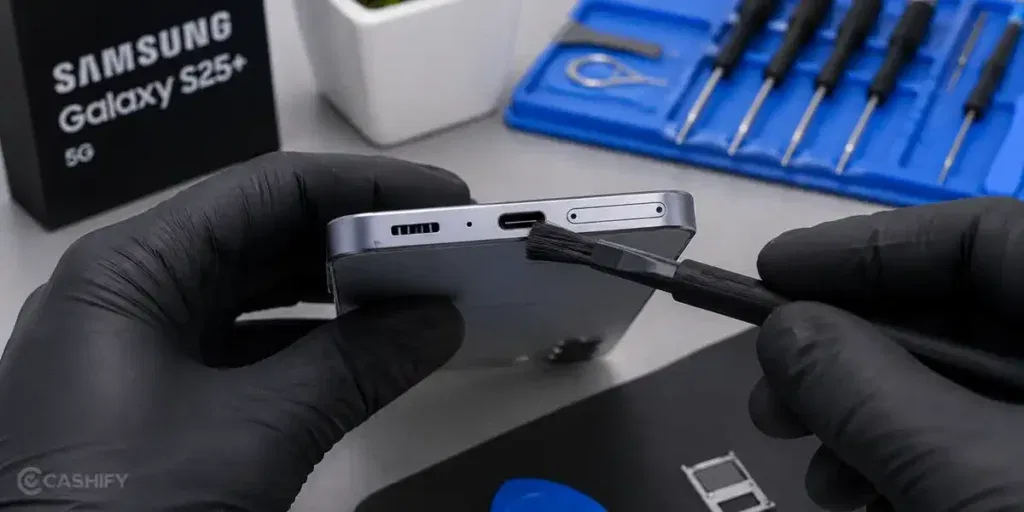
Now, here are some simple fixes you can try at home for the Samsung Galaxy S25 Plus 5G charging jack problem:
Switch To A Properly Fitted Charging Cable
Use a cable that fits firmly inside the charging port without movement. A proper connection helps maintain stable charging and reduces frequent charging interruptions.
Clean The Port And Remove Packed Dirt
Carefully clean the charging port to remove dirt that has accumulated deep inside the connector area. Once the blockage is removed, the cable usually fits better, and charging becomes more stable.
Stop Using The Phone While Charging
Keep the phone still during charging for a few days, especially if the cable disconnects easily. This reduces additional pressure on the charging port and prevents the connection from loosening.
Use Wireless Charging Temporarily
If wired charging keeps disconnecting, switch to wireless charging for some time instead of repeatedly forcing the cable into the port. This helps avoid additional strain on the charging connector.
Get The Charging Port Checked Early
If the charging connection only works at certain angles, it is better to have the port inspected early rather than waiting for it to stop charging completely. Early repair can sometimes prevent more serious internal damage.
Also Read: Do You Lose Data When Replacing LCD Screen?
When It’s Time to Visit a Professional Repair Centre?
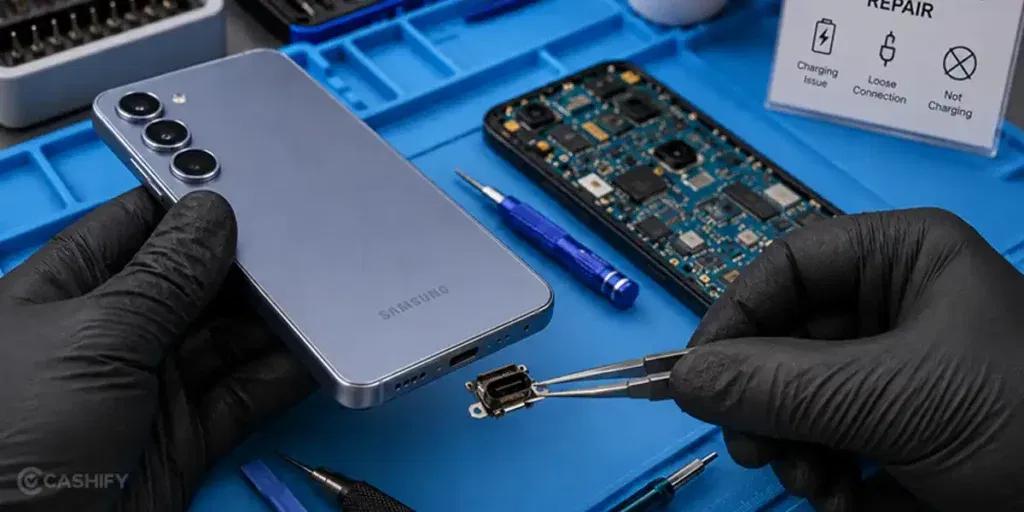
If the charging problem keeps coming back even after trying basic fixes, the charging port may need proper repair. A loose connection can slowly become worse and may eventually stop charging completely. In such cases, getting the phone checked by a professional mobile repair service is usually the better option.
Cashify offers an easy way to get the Samsung Galaxy S25 Plus 5G charging jack problem repaired without visiting multiple repair shops. You can book the Samsung mobile repair online in just a few steps:
- Visit the Cashify website or open the app
- Go to the Mobile Repair section
- Select Samsung as the brand
- Choose Samsung Galaxy S25 Plus 5G
- Select Charging Jack as the issue
- Enter your address
- Choose a suitable date and time
- Confirm the booking
Once the booking is confirmed, a technician visits your location and carries out the phone repair. Along with convenience, the service also comes with several benefits:
| Service Feature | What You Get |
| Doorstep Repair Support | You can get the phone repaired at home without carrying the device to different service centres. |
| Skilled Repair Technicians | The mobile phone repair is handled by trained professionals who inspect the charging port carefully and fix the issue properly. |
| Upfront Repair Cost | The expected repair price is shown before the repair begins, so you know the cost in advance. |
| High-Quality Compatible Parts | High-quality compatible parts are used during the repair to maintain proper charging connection and fitting. |
Also read: 8 Signs That Your Android Phone Motherboard Needs Repair!
Final Thoughts On Samsung Galaxy S25 Plus 5G Charging Jack Problem
To sum up, charging port issues on the Samsung Galaxy S25 Plus 5G can start with small signs like loose charging or random disconnections. We shared some simple things you can try at home to improve the charging connection and avoid further damage.
If the problem still continues, getting the charging port repaired becomes the better option. In such cases, choosing a reliable repair service helps ensure the phone is handled properly. Cashify can help you get the Samsung Galaxy S25 Plus 5G charging jack problem fixed in a simple and convenient way.
Use code: TECH25 to avail of a discount of up to Rs. 300 by using the (on the minimum order value of Rs. 2499).
Use code: RPR50 to avail up to 50 per cent off on a minimum spend value of Rs. 1000 (limited offer).
Are you still browsing through your broken screen? Don’t worry! Book at-home mobile phone screen repair with Cashify, an affordable and one-stop destination for all your mobile phone needs. In case you break your screen within 1 month of repair, we will replace your screen again for FREE.