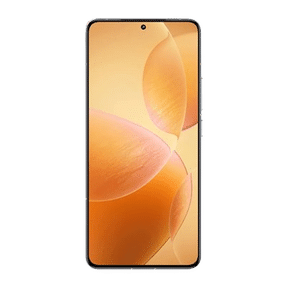
If you own the latest OPPO Reno 16, then congratulations, you currently have one of the best mid-range camera phones with you! At around a 50-60K budget, standing next to phones like the OnePlus 13, Samsung S24, and other such popular flagships, the OPPO Reno 16 stands as one of the newest and the most funky choices for Gen-Z audiences and camera lovers. Hence, in this article, we make this solid camera phone a better option for you with some more solid camera settings and tricks. We are bringing you the best camera settings for the OPPO Reno 16 and helping you take some ultimate photography tasks! So, without further ado, let us begin this article.
All Camera Modes And Settings Of OPPO Reno 16
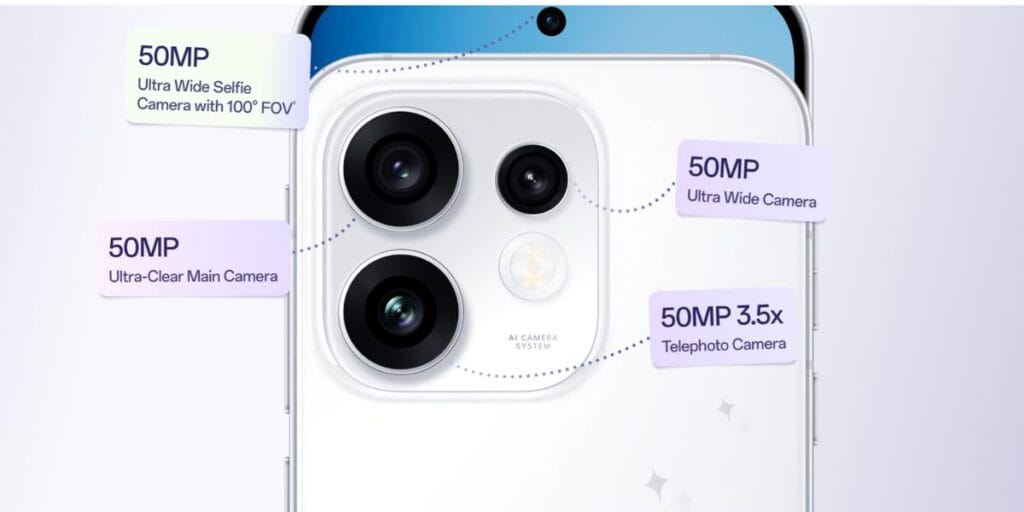
Before we give you the best camera settings for OPPO Reno 16 and some solid hidden tricks to improve your photos and videos, it is important that you first know what is the complete camera setup of this phone. Sometimes we don’t even recognise some hidden features of our phone’s camera, and then you think your phone’s camera is not worthy. Here is the complete guide to all the camera features of the OPPO Reo 16 at a glance:
| Category | Details |
| Rear Cameras | Triple camera setup: 50MP main (f/1.8, PDAF, 2-axis OIS), 50MP telephoto (f/2.8, PDAF, 2-axis OIS, 3.5x optical zoom), 50MP ultra-wide (f/2.0, 116° FOV, autofocus). |
| Front Camera | 50MP selfie camera with f/2.0 aperture, 100° FOV and autofocus. |
| Camera Features | LED flash, PDAF autofocus, OIS + EIS stabilisation, up to 18x rear digital zoom and 2x front video zoom. |
| Rear Camera Modes | Photo, Video, Portrait, Night, Panorama, Pro Video, Hi-Res, Slow Motion, Time-Lapse, Sticker, Google Lens, Underwater, Document Scanner, HyperText and POP Mode. |
| Front Camera Modes | Photo, Video, Portrait, Night, Panorama, Time-Lapse, Hi-Res, Sticker, Beauty, Fill Light and POP Mode. |
| Video Recording | Rear: 4K 60/30fps, 1080p 60/30fps, 720p 30fps, HDR, stabilized recording, slow motion (1080p 120fps, 720p 240fps), time-lapse, Dual-View and Pro Video. Front: 4K 60/30fps, 1080p 60/30fps, 720p 30fps, HDR, EIS, time-lapse and Dual-View. |
Also Read: Apple iPhone Ultra Foldable Design And Rumours: All You Need To Know
Now, it’s time to give you the best tricks and improvement tips to get the best pics out of your OPPO Reno 16. So, here is the guide.
Best Camera Settings For OPPO Reno 16
- 3.5X Mode For Powerful Portraits: Shoot using the 50MP telephoto lens at 3.5x optical zoom. It compresses the background beautifully and ensures highly natural, undistorted facial proportions.
- Soft Light Bloom: Turn on the “Soft Light” option in standard or Pop mode. It acts as a digital mist filter, softening skin textures and adding a subtle glow to highlights.
- Natural Night Clicks: OPPO Reno 16’s primary Sony LYT-600 sensor in low light gives good clicks. Drop the engineered flash setting down to “Soft” to retain an authentic nighttime atmosphere.
- Vintage Vibe With Pop Cam: Open Pop Cam mode to directly apply retro styles like Digicam or Instant Film without needing heavy editing apps.
- Crisp Macro: Swap over to the ultra-wide lens for close-ups; its integrated autofocus handles tight macro details effectively.
- Dual Vlogging: Engage Dual-View Video at 4K 60fps to seamlessly capture both your reaction and the scene simultaneously.
Best Camera Settings For OPPO Reno 16 In AI Modes
If you talk of the best camera settings for OPPO Reno 16, you should not miss out on the number of AI modes and features this phone has. It has got the support of ColorOS and some solid AI specs. The OPPO Reno 16 is one of the best camera phones under 60K if you are searching for AI specs in the camera department.
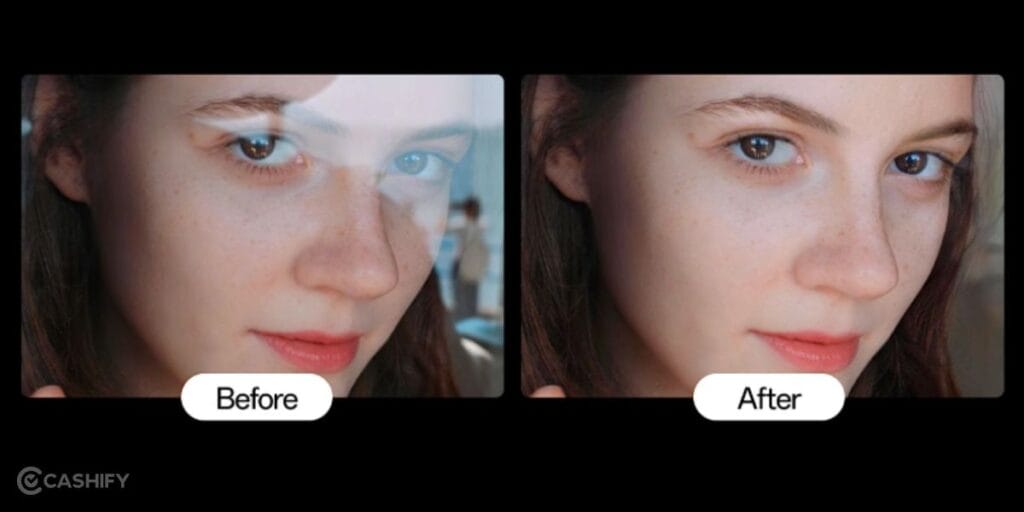
Here are all the key AI camera settings and modes of the OPPO Reno 16:
| Feature | Description |
| AI Flash Photography 3.0 | Improves brightness and colour accuracy in low light. |
| Colour Natural 2.0 | Delivers natural skin tones and realistic colours. |
| POP Cam | Creative vintage-style photo effects. |
| AI Remix Collage | Creates layered artistic collages automatically. |
| AI Eraser | Removes unwanted objects from photos. |
| AI Reflection Remover | Minimises reflections on glass surfaces. |
| AI Scene Optimisation | Automatically adjusts settings based on the scene. |
In A Nutshell
That’s it from this guide on the best camera settings for the OPPO Reno 16. We have mentioned all the key settings. Use portrait mode for the best focus results. Use zoom shots for outdoor modes. And use soft lighting and similar features for different aesthetics. Keep coming for such information and top guides of the phone’s camera.
Also Read: Vivo X300 Best Camera Settings For Best Quality: Full Guide
Are you still browsing through your broken screen? Don’t worry! Book at-home mobile phone screen repair with Cashify—an affordable and one-stop destination for all your mobile phone needs. In case you break your screen within 1 month of repair, we will replace your screen again—for FREE.