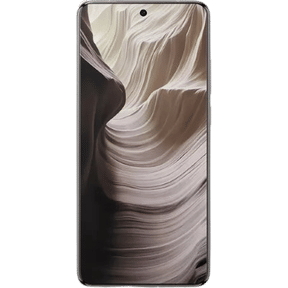
The Android smartphone experience is nowadays much more than just a matter of hardware, since software also plays an equally important role and both OPPO and OnePlus have been improving their custom Android skins over the years; with ColorOS 17 and OxygenOS 16, these brands are placing a strong emphasis on AI, smoother animations, personalisation and cross-device connectivity.
Although ColorOS 17 represents the newer generation, OxygenOS 16 has already earned a solid reputation for its focus on performance and ecosystem features. The following is a comparison of the two.
Also Read: Google Pixel 11 Quick Review: Better Specs, Same Pixel DNA?
ColorOS 17 vs OxygenOS 16: At a Glance
| Feature | ColorOS 17 | OxygenOS 16 |
| Android base | Android 17 | Android 16 |
| Design | Fluid design | Rounded UI with Gaussian Blur |
| AI | AI agents, AI editing, AI notes | Gemini, Mind Space, AI Scan |
| Performance | Tide Engine, fluid rendering | Flow Motion, Parallel Processing |
| Cross-device | Phone, PC, tablet, car | Mac, Windows PC, iPhone, Pad |
| Lock Screen | Personalised options | Motion Photo and video wallpapers |
| Multitasking | Improved system-level multitasking | Up to five apps on tablets |
| Security | Anti-fraud and senior-friendly mode | Private Computing Cloud |
ColorOS 17: More Focus on AI
So, ColorOS 17 is OPPO’s most recent attempt to create a smartphone experience centred on artificial intelligence. According to OPPO, the software features a new fluid design together with its Tide Engine in order to enhance system responsiveness and animations. The company is also concentrating on AI which is able to understand context rather than just responding to individual commands.
A major new feature is the improved Xiaobu AI assistant, capable of understanding longer contexts and of actively bringing relevant information to the user’s attention. It can detect things like pickup codes, contacts, events, and forthcoming activities and convert them into useful reminders or actions.
ColorOS 17 includes AI-powered image editing and an AI notes feature. OPPO states that its on-device AI model supports up to 128K context while reducing memory usage compared to the previous generation.
ColorOS 17 includes, for those concerned about security, an anti-fraud system, a senior-friendly mode, and intelligent screen reading.
Also Read: Samsung Galaxy Z Flip8 Quick Review: The Flip Phone Gets Better
OxygenOS 16: Clean Experience With Strong Connectivity
OxygenOS 16 adopts a rather different strategy. Rather than focusing on smooth animations, personalisation and ecosystem connectivity, OnePlus has done so.
The software now features Flow Motion and an enhanced Parallel Processing function in order to speed up the processes of opening and closing apps as well as multitasking. OnePlus points out that the device can maintain smooth performance during activities such as gaming, scrolling through social media, and quickly switching between apps.
Personalisation has also been looked at, since users can resize the icons on the home screen, customise the text, use Motion Photo or video lock screens and make better use of the widgets. The interface features softer corners and Gaussian blur to achieve a more refined look.
OnePlus has likewise extended its connectivity options beyond its own ecosystem, with OxygenOS 16 supporting features for Macs, Windows PCs, iPhones, and OnePlus tablets, such as file sharing, screen mirroring, and device-to-device interactions.
AI is also a significant feature of OxygenOS 16, with AI Scan, AI Portrait Glow, and AI Perfect Shot, and the integration of Mind Space with Google Gemini is intended to convert saved information into useful actions and suggestions. Availability depends on the device and region.
Also Read: Vivo X300 Pro Review: The Phone That Changed Camera Standards
ColorOS 17 vs OxygenOS 16: How Are They Different?
The main difference lies in their approach to software. With ColorOS 17, the company is taking a more proactive stance on AI, with the phone trying to understand the context and automatically displaying relevant information. On the other hand, OxygenOS 16 places a greater focus on a simple and smooth interface, personalisation and the ability of the devices to connect with each other.
Yet the difference does not seem as great as it might. Both operating systems now have AI-powered tools, smoother animations, and the possibility of customisation and functionality across devices.
Verdict
Both ColorOS 17 vs OxygenOS 16 are Android skins packed with features, although they aim to provide slightly different user experiences. While ColorOS 17 emphasises proactive AI and contextual assistance, OxygenOS 16 focuses on smooth performance, personalisation, and seamless connectivity.
It will eventually come down to whether you favour AI-powered features and more extensive system support or a simple, smooth interface that has good cross-device capabilities. Moreover, as features can vary by smartphone model and region, the experience may vary from device to device.
Are you still browsing through your broken screen? Don’t worry! Book an at-home mobile phone screen repair with Cashify—an affordable and one-stop destination for all your mobile phone needs. In case you break your screen within 1 month of repair, we will replace your screen again—for FREE.