A damaged screen on the Samsung Galaxy S25 can quickly affect how the phone feels in daily use. Sometimes it starts with small cracks, while in other cases the display may stop responding properly after a drop. Since the screen is one of the most important parts of the phone, even minor damage can become hard to ignore. Repair costs can also vary depending on the condition of the display. Let’s look at how to fix Samsung Galaxy S25 screen, the possible replacement cost, and the repair options available.
Also read: Vivo Y83 Pro Aux Jack Not Working? Repair It Fast With Cashify
Common Signs Of Samsung Galaxy S25 Screen Damage
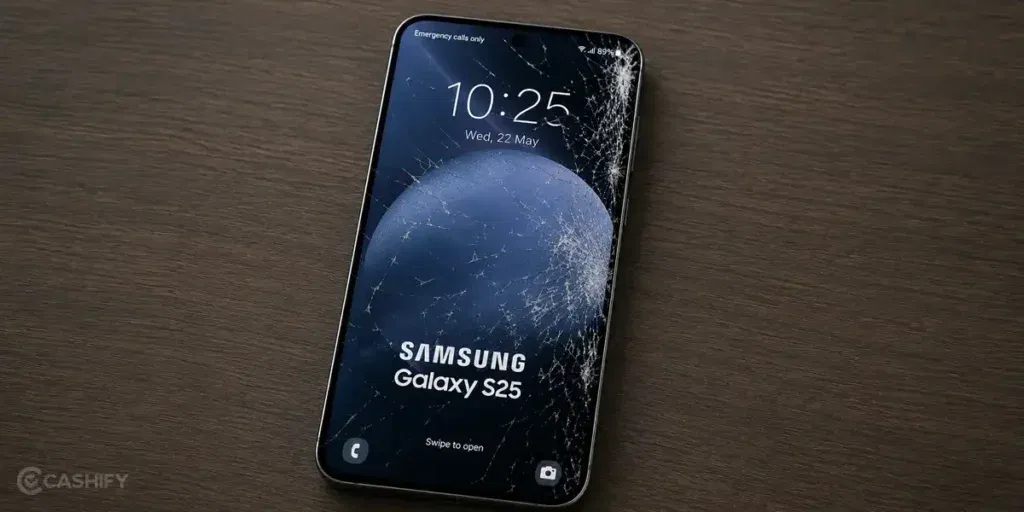
Let’s begin with some common display issues that usually appear when you need to fix Samsung Galaxy S25 screen:
Touch Works In Some Areas But Not Others
A damaged screen does not always stop working completely. Sometimes one part of the display responds normally while another section ignores taps or swipes. This usually happens after impact damage or pressure on the screen.
Small Black Spots Start Spreading
After a drop, you may notice a tiny black spot near the edge of the screen. At first, it looks harmless, but over time, the spot can grow larger and start covering more of the display. This is often a sign of internal display damage.
Screen Flickers At Low Brightness
Some damaged Samsung Galaxy S25 screens begin flickering when the brightness is reduced. The display may look stable at full brightness, but start flashing or dimming in darker settings. This can point towards damage inside the OLED panel.
Green Or Pink Lines Suddenly Appear
Thin vertical lines can appear even when the outer glass looks fine. These lines usually show up after pressure damage or accidental drops and often stay visible all the time.
Delayed Response While Typing
The screen may still work, but typing starts feeling slower than usual. Letters may appear late, missed touches become common, or the keyboard reacts after a short delay. This often happens when the touch layer under the display gets affected.
Also read: 8 Signs That Your Android Phone Motherboard Needs Repair!
Easy Things To Try Before You Fix Samsung Galaxy S25 Screen
Now that the signs are clear, here are some easy ways to fix Samsung Galaxy S25 screen before going for a mobile repair:
Restart The Phone Once Properly
A simple restart can sometimes fix temporary screen freezing or delayed touch response. Instead of just locking the phone, fully restart it and check if the screen behaves normally again.
Remove The Screen Protector For A Few Minutes
Some tempered glass protectors can affect touch sensitivity, especially if they are cracked or not fitted properly. Removing it briefly can help you check if the issue improves.
Update The Phone Software
Samsung regularly releases updates that fix display bugs and touch response issues. Check for pending software updates and install them if available.
Free Up Storage Space
When storage becomes almost full, the phone may start lagging and the screen can feel less responsive. Clearing unused files or apps may improve overall performance.
Test The Screen Using Samsung Diagnostics
Samsung’s built-in diagnostic tool can help you check touch response and display behaviour. It’s a useful way to see whether the issue is related to the screen hardware or not.
Also read: How Do I Check My Android Hardware Health?
Best Repair Options To Fix Samsung Galaxy S25 Screen
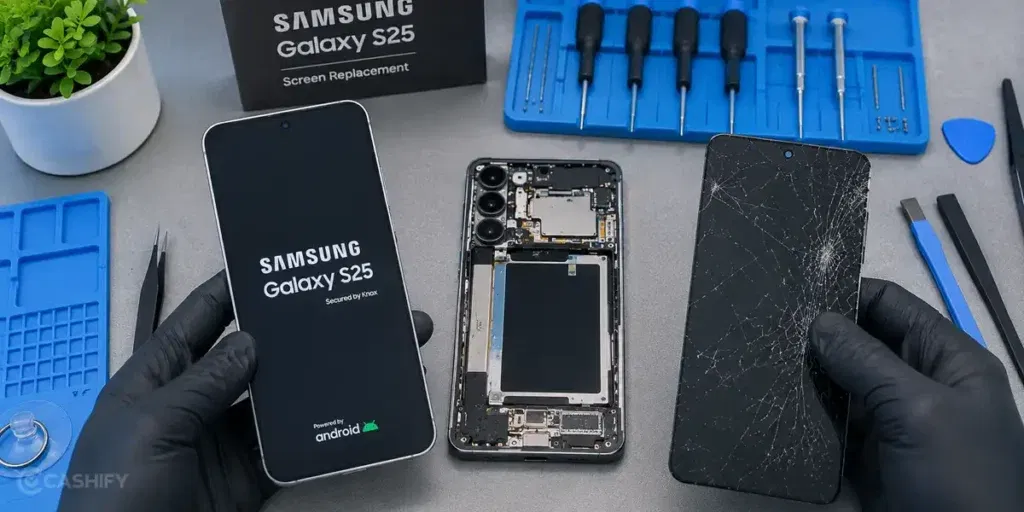
Sometimes these basic fixes can improve the problem for a while, especially if the issue is linked to software or touch sensitivity. But if the screen is cracked, showing lines, flickering, or not responding properly, a repair may still be necessary.
In such cases, repair quality and pricing both matter because the display is one of the most expensive parts of the phone.
If you are unsure where to get it repaired, Cashify can be a reliable option to fix Samsung Galaxy S25 screen. The screen repair costs around Rs. 18,999, and the service also comes with several added benefits.
Easy Process To Schedule The Repair
You can book the phone repair online in just a few steps without visiting multiple repair shops or waiting in long queues. The process is simple and can be completed from home:
- Visit the Cashify website or open the Cashify app.
- Go to the Mobile Repair section.
- Select Samsung as your phone brand.
- Choose Samsung Galaxy S25 from the list of models.
- Select Screen as the issue.
- Enter your address for doorstep repair service.
- Pick a date and time that suits you.
- Confirm the booking. A technician will visit your location and complete the repair.
Your Samsung Galaxy S25 Is Repaired With Care
Premium phones like the Samsung Galaxy S25 need careful handling during screen repair. The device is checked by trained technicians who work on different smartphone models regularly. They inspect the screen issue properly and carry out the Samsung mobile repair carefully to avoid affecting other parts of the phone.
No Surprise Costs After The Repair
The expected repair cost is shared before the work starts, so there are no unexpected charges later. This gives you enough clarity to decide if you want to continue with the repair. Payment is made only after the repair is completed.
Your Phone Gets High-Quality Compatible Parts
High-quality compatible parts are used during the mobile phone repair process. This helps the screen respond properly to touch and keeps the display clear during daily use. The screen also fits correctly with the phone, which helps avoid issues like loose fitting or touch delay after the repair.
Use code: TECH25 to avail of a discount of up to Rs. 300 by using the (on the minimum order value of Rs. 2499).
Use code: RPR50 to avail up to 50 per cent off on a minimum spend value of Rs. 1000 (limited offer).
Also read: How To Fix Vivo V11 Pro Screen Issues? Replace It Affordably!
Final Thoughts
To sum up, Samsung Galaxy S25 screen problems can start small but become worse over time. We shared some easy ways to fix Samsung Galaxy S25 screen and improve common display issues. If the problem still does not go away, getting it repaired by professionals can be a better option. Cashify can help with screen repair through trained technicians, doorstep service, and clear pricing.
If you still have any questions, feel free to leave a comment below.
Are you still browsing through your broken screen? Don’t worry! Book at-home mobile phone screen repair with Cashify, an affordable and one-stop destination for all your mobile phone needs. In case you break your screen within 1 month of repair, we will replace your screen again for FREE.