The Nothing Phone 2a battery problem is something quite a few users have been talking about. You buy a phone with a big 5,000mAh battery expecting solid all-day backup. Instead, the battery starts dropping faster than expected. charging feels slow, or the phone gets warmer than it should, even during basic tasks.
Sounds familiar?
Getting a weird battery percentage jump, overheating while scrolling social media, or the phone struggling to last a full day. Yeah, that’s so not normal. And honestly, features like the Glyph Interface, Always On Display, 120Hz refresh rate, and background apps can quietly drain battery without you even realizing it.
But before suspecting your battery is dying or rushing for a mobile phone repair, there are plenty of simple things you can try first.
Most Nothing Phone 2a battery problems improve a lot with a few settings adjustments, charging habit changes, and basic maintenance.
Let’s get into the fixes.
Also read: Nothing Phone 2a Speaker Issue: Low Sound, Crackling And Solutions!
1. Find Out What’s Actually Draining the Battery
Before fixing anything, figure out what’s causing the issue.
Go here first:
Settings > Battery
Check:
- Battery usage graph
- Screen-on time
- App battery consumption
You might spot one or two apps draining way more battery than expected.
Common battery drain culprits on Nothing Phone 2a:
- Glyph Interface is always active
- Always On Display running full-time
- 120Hz refresh rate enabled
- 5G is constantly active
- Social media apps are refreshing in the background
You can also check battery health:
Settings > System > Device Diagnostics > Component Health > Battery Status
This helps you see battery health percentage and charge cycles.
You can also use apps like:
- AccuBattery
- Ampere
These give more detailed battery stats after a few charging cycles.
If battery health is under 80–85 percent, battery aging could be a major reason behind your Nothing Phone 2a battery problem.
Also read: Nothing Phone 2 Screen Acting Weird? Here’s The Fix You Can Rely On!
2. Start With Quick Software Fixes
Sometimes the phone just needs a small refresh.
Try these first:
- Restart the phone Yes, the classic fix still works more often than people expect.
- Update Nothing OS Go to: Settings > System > Software Update
Software updates often include battery optimization improvements.
- Enable Battery Saver mode Pull down Quick Settings and tap Battery Saver.
This helps immediately reduce background drain.
- Force restart if needed Hold Power + Volume Down for 10 to 15 seconds until the device restarts.
It’s quick, harmless, and often clears temporary battery bugs.
Also Read: How Can Cashify Smart Repair Service Enhance Your Mobile Repair Experience?
3. Optimise Settings for Better Battery Life
This is where most users see the biggest improvement. A few tweaks can easily add 1 to 2 extra hours of battery life.
Reduce Always On Display Usage
AOD looks cool, but it quietly drains battery.
Go to Display settings and:
- Turn it off completely, or
- Set it to Tap to show
That alone can make a noticeable difference.
Limit Glyph Interface
Let’s be honest, the Glyph lights are fun, but they’re not exactly battery-friendly.
Go to Glyph settings and:
- Reduce notification lights
- Disable unnecessary charging animations
Small change, surprisingly helpful.
Adjust Display Settings
Try these:
- Lower brightness or enable adaptive brightness
- Change refresh rate from 120Hz to 60Hz
- Reduce screen timeout to 15 to 30 seconds
High refresh rate feels smoother, but battery pays the price.
Also Read: POCO F5 Overheating: 5 Troubleshoots To Try Before Hardware Fix!
4. Manage Connectivity Better
Your network settings can drain battery more than expected.
A few smart changes:
- Switch to 4G instead of 5G if you don’t really need 5G
- Turn off:
- Bluetooth
- Wi-Fi
- Location when not in use
These background services love sipping battery all day.
5. Restrict Background Apps
Some apps are battery vampires.
To control them:
Settings > Apps > [Select App] > Battery > Restricted
Do this for apps you don’t need running all the time.
Also:
- Uninstall unused apps
- Check Digital Wellbeing for screen and app activity
Sometimes the problem is less “bad battery” and more “too many apps doing drama in the background.”
Also read: Nothing Phone 2a Screen Repair Cost In India: Price, Repair Options And Tips!
6. Improve Charging Habits
Battery health is heavily affected by charging habits.
A few important tips:
- Use a proper 45W USB-PD PPS charger
- Avoid cheap chargers or damaged cables
Nothing Phone 2a supports fast charging, but only with compatible accessories.
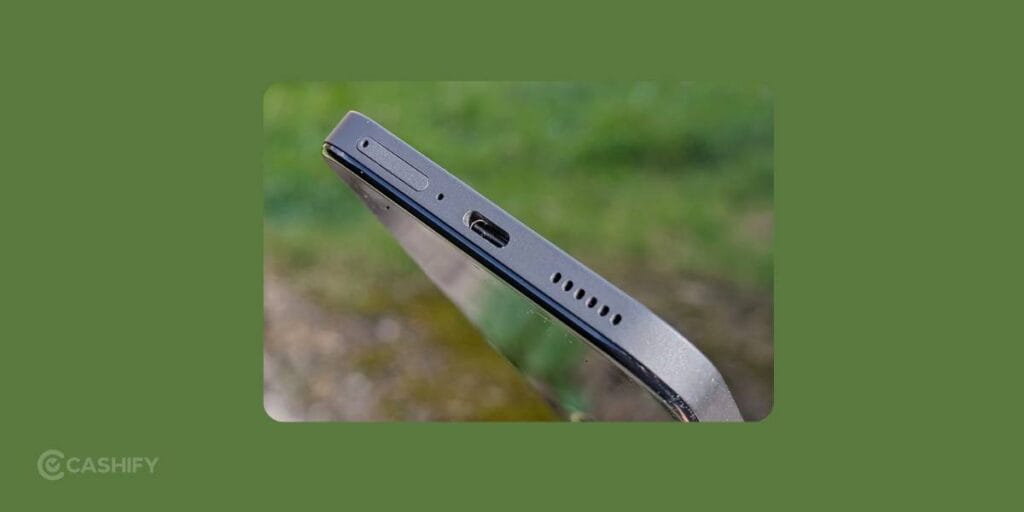
Clean the Charging Port
Dust buildup can cause slow or inconsistent charging.
Safely clean using:
- Compressed air
- Soft wooden toothpick
Avoid metal pins or aggressive poking.
Charge Smarter
Try not to:
- Let the battery hit 0 percent regularly
- Keep the phone plugged in at 100 percent for hours
Best charging range: 20 percent to 80 percent. Not always practical, but healthier long-term.
7. Try Battery Calibration
If the battery percentage feels inaccurate, calibration can help.
Do this occasionally:
- Drain battery to 5 to 10 percent
- Charge uninterrupted to 100 percent
- Leave plugged in for 1 to 2 extra hours
- Use normally
This can improve battery percentage accuracy.
Also Read: 3 Quickest Ways To Fix Nothing Phone (1) Heating Issue!
8. Advanced But Safe Fixes
If the drain continues:
Wipe Cache Partition
This clears temporary system junk without deleting data.
Steps:
- Turn off the phone
- Enter recovery mode
- Select Wipe Cache Partition
- Reboot
When to Replace the Battery
If you’ve tried everything and still face:
- Fast battery drain
- Overheating
- Random shutdowns at 20–30 percent
- Poor battery health
…then battery replacement may be needed.
Cashify Can Solve Your Nothing Phone 2a Battery Problem
Cashify has an established system for conducting high quality mobile repair. If your Nothing Phone service center is too far or expensive, Cashify is your best alternative. You can simply schedule a home visit and get the phone repair done from the comfort of your place. You decide the time and date too. A skilled technician arrived and fixes your Nothing Phone 2a battery problem for good.
You don’t have to worry about quality of parts or warranty. Cashify uses highly compatible replacement battery that works exactly like the original one. Also, you get 3 months warranty on the battery repair/replacement.
Want to make it affordable? Use discount coupons and increase your savings!
Use code: TECH25 to avail of a discount of up to Rs. 300 by using the (on the minimum order value of Rs. 2499).
Use code: RPR50 to avail up to 50 per cent off on a minimum spend value of Rs. 1000. (Limited Offer)
Lastly,
A Nothing Phone 2a battery problem can definitely be annoying, especially when you expected better battery life from a large battery phone. But in many cases, the issue isn’t serious. Simple changes that are mentioned above can make a surprisingly big difference. And if battery health is genuinely declining, getting a replacement or Nothing Phone repair is often the quickest way to restore proper performance.
Have you been facing battery drain on your Nothing Phone 2a too? Let us know which fix worked best for you.
Are you still browsing through your broken screen? Don’t worry! Book at-home mobile phone screen repair with Cashify, an affordable and one-stop destination for all your mobile phone needs. In case you break your screen within 1 month of repair, we will replace your screen again for FREE.