Not every update improves battery life. Sometimes, your Samsung Galaxy Note 10 Lite may start losing charge faster right after installing a new version. The phone still works normally, but the battery does not last as long as before. These changes are often linked to how the system and apps adjust after an update. Let’s look at what leads to Samsung Galaxy Note 10 Lite battery draining and how you can fix it.
Also read: 8 Signs That Your Android Phone Motherboard Needs Repair!
Why Is Your Samsung Galaxy Note 10 Lite Battery Draining After Update?
Here are some common reasons behind Samsung Galaxy Note 10 Lite battery draining after an update:
Apps Running Extra Processes After Update
After an update, many apps start re-syncing data in the background. Apps like WhatsApp, Gmail, and Google Photos may keep running to update messages, emails, and backups. This increases battery use for a few days, even when you are not actively using the phone.
Old App Versions Not Fully Compatible
Some apps may not be updated for the new Android version. They may not work properly in the background. This can cause higher battery usage without any clear sign on the screen. The phone feels normal, but the charge drops faster.
System Rebuilding Cache and Files
The phone rebuilds system data after an update. It adjusts app data, storage, and settings in the background. This process can take time and use more battery than usual. The drain is often higher during the first few days after the update.
Display and Brightness Settings Reset
Updates can change display settings without notice. Brightness may be higher than before or auto-brightness may not adjust properly. A brighter screen uses more battery throughout the day, especially during outdoor use.
Increased Background Activity from New Features
New updates often add features that run in the background. These can include improved location tracking, sync services, or system checks. Even if you do not use them directly, they can still consume battery in the background.
Also read: Vivo Y83 Pro Aux Jack Not Working? Repair It Fast With Cashify
What To Try Before Fixing The Battery Drain Issue?
So you’ve seen the reasons behind the Samsung Galaxy Note 10 Lite battery draining issue. Here are a few things you can try before going for a Samsung mobile repair:
Let the Phone Settle After Update
Give your Samsung Galaxy Note 10 Lite some time after the update. Use it normally for a day or two. Battery use often comes down once background activity finishes. Keep an eye on battery usage during this time.
Update All Apps from Play Store
Open the Play Store and update all apps. New updates fix issues with the latest Android version. This helps reduce extra battery use from older app versions.
Check Battery Usage in Settings
Go to battery settings and check which apps are using more power. Look for apps that are running in the background for long hours. Limit or uninstall the ones you do not need.
Turn Off Unused Features
Switch off features like Bluetooth, location, or hotspot when not in use. These features keep running in the background and use battery even when you are not using them.
Lower Screen Brightness and Timeout
Reduce brightness to a comfortable level. Set screen timeout to a shorter time. The display uses a large part of the battery, so small changes here can help a lot.
Restart the Phone
Restart your phone once after the update. This clears small system issues and refreshes background processes. It can help improve battery performance.
Also Read: Do You Lose Data When Replacing LCD Screen?
Why Choose Cashify For Samsung Galaxy Note 10 Lite Battery Replacement?
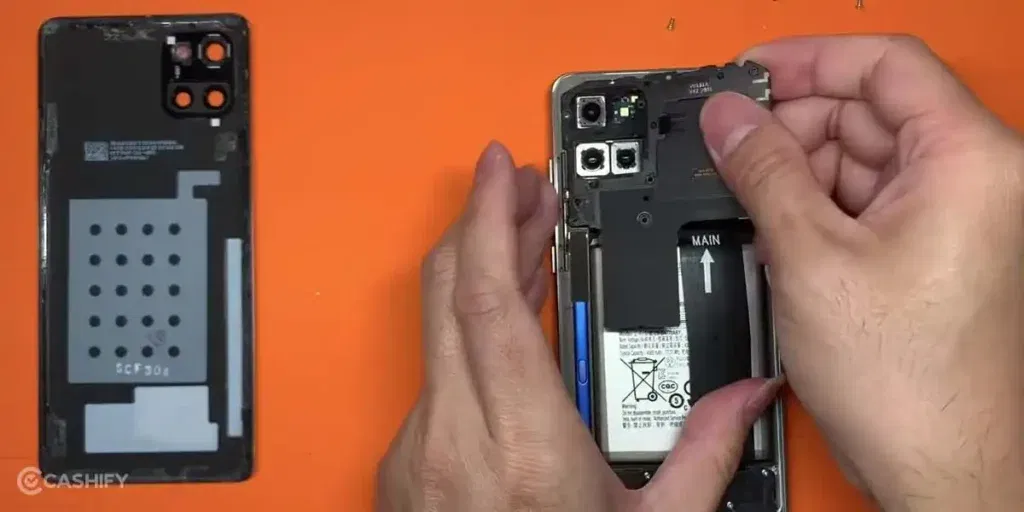
If the Samsung Galaxy Note 10 Lite battery draining issue is still there even after trying the fixes, it is a clear sign that the battery needs attention. At this point, getting it checked by a professional is the safer option. Cashify makes this process simple, so you don’t have to deal with confusion or delays.
Booking the phone repair is quick and straightforward. You can follow these steps to get started:
- Visit the Cashify website or open the app
- Go to the Mobile Repair section
- Select Samsung as your phone brand
- Choose Samsung Galaxy Note 10 Lite from the list
- Select Battery as the issue
- Enter your address for doorstep service
- Pick a date and time
- Confirm the booking
Once the booking is done, a technician visits your location and completes the repair. This saves time and avoids the need to search for a nearby shop.
Along with easy booking, you also get a few benefits that make the service more reliable:
- High-quality compatible batteries: Cashify uses high-quality compatible batteries that are tested before installation and support normal daily use.
- Doorstep repair option: A technician visits your home or office at your chosen time. The battery is replaced in front of you. You pay only after the mobile phone repair is done.
- Service centres across India: If you prefer visiting a store, you can choose from 200+ Cashify service centres across India.
- Warranty support: Every battery replacement comes with a 3-month warranty. If any issue comes up during this time, you can contact support for help.
(*Repair warranties are subject to discretion based on Cashify’s terms and conditions. Please refer to our warranty policy for detailed information.)
Also Read:What Is The Difference Between Screen Repair And Screen Replacement?
Final Thoughts
The Samsung Galaxy Note 10 Lite battery draining issue can happen after an update due to changes in system and app activity. In many cases, simple steps and small changes can help improve battery life. If the issue still continues, it may be time to consider a battery replacement. In that case, Cashify can help you get the mobile repair done in an easy way.
If you still have questions about your phone battery or the repair process, feel free to leave a comment below. I’ll be happy to help.
Use code: TECH25 to avail of a discount of up to Rs. 300 by using the (on the minimum order value of Rs. 2499).
Use code: RPR50 to avail up to 50 per cent off on a minimum spend value of Rs. 1000. (Limited Offer)
Are you still browsing through your broken screen? Don’t worry! Book at-home mobile phone screen repair with Cashify, an affordable and one-stop destination for all your mobile phone needs. In case you break your screen within 1 month of repair, we will replace your screen again for FREE.