When it comes to getting the most out of your smartphone camera, using the right Vivo V70 FE camera settings for best quality makes all the difference. You might already be clicking a lot of photos. But if you have ever felt like something’s missing. Maybe sharpness, colour, or clarity, you might want to chase a better quality.
Honestly, this phone packs some seriously powerful camera hardware. However, the default settings don’t always show their full potential. Once you adjust a few options and understand when to use what, you will notice a huge jump in quality almost instantly. And the best part? You don’t need to be a pro to get it right. So let’s explore all these settings and make the most out of them.
Also read: Google Pixel 10 Pro Best Camera Settings!
Vivo V70 FE Camera Overview
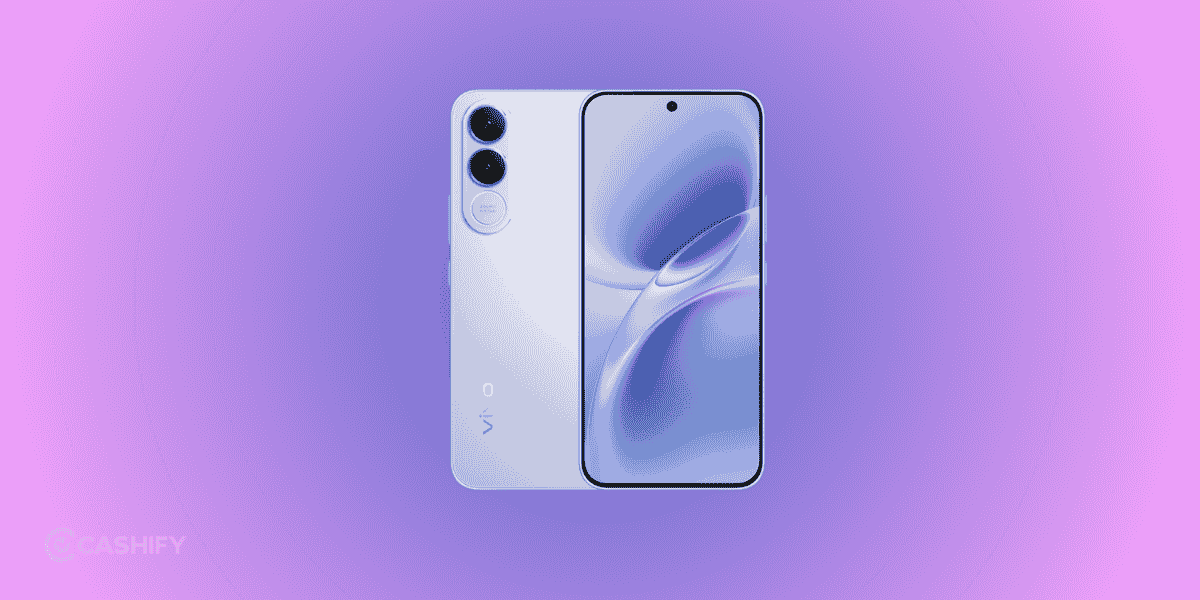
Before we jump into the settings, it helps to know what you’re working with. The Vivo V70 FE comes with a 200-megapixel main camera. It captures an insane amount of detail, along with an 8-megapixel ultrawide lens for broader shots. On the front, you get a high-resolution selfie camera, which is more than enough for social media and video calls.
On top of that, it supports 4K video recording with both OIS and gyro-EIS stabilization, which basically means smoother and more stable videos even when you’re shooting handheld. So yeah, the hardware is more than capable. It just needs the right settings to shine.
Also read: OnePlus 15: Best Camera Settings for Night Mode, Portrait & Zoom!
Enable 200-Megapixel Mode for Maximum Detail
If you are wondering where the real magic happens, this is it. The 200-Megapixel mode is easily the most powerful feature on this phone, but it’s not turned on by default. Instead, the camera uses pixel binning to combine pixels and produce smaller, more balanced images. That’s great for everyday shots, but if you want maximum detail, switching to full resolution is the way to go.
Once you enable 200-megapixel mode from the camera interface, you will immediately notice how much sharper your images look. This is especially useful when you are shooting landscapes or detailed scenes where you might want to crop later. You can zoom into the image afterward and still retain clarity, which feels pretty impressive.
That said, this mode works best in good lighting. In low light, it can introduce noise and make images look grainy. Also, the file sizes are quite large, so it’s better to use it selectively rather than keep it on all the time.
Also read: Change These Camera Settings On Your iPhone 16 Pro Today!
General Vivo V70 FE Camera Settings

Now, let’s talk about the everyday settings that quietly make a big difference. These are the things most people ignore. But once you adjust them, your photos start looking much more balanced and natural.
Neutral Colour Profile
For starters, keeping the colour profile on a natural or neutral mode helps avoid overly saturated images. You know those photos that look too bright or unrealistic? That usually happens because of vivid colour modes. If you prefer a more true-to-life look, sticking to natural tones is the better choice.
HDR Settings
HDR is another setting you shouldn’t overlook. Keeping it on auto allows the camera to handle tricky lighting situations, like when the sky is too bright and the foreground is too dark. The phone blends multiple exposures to create a well-balanced image, and honestly, it does a pretty good job most of the time.
Put AI Features To Use
Then there are AI features, which can be surprisingly useful. Features like AI landscape or weather enhancements can improve the overall look of your photos. It doesn’t require any manual effort. You will notice better skies, improved lighting, and slightly more refined colours. It’s subtle, but it adds up.
And if you are into portraits, the AI Aura Light can really help in low-light conditions. It works like a soft fill light, making faces look brighter without that harsh flash effect.
Also read: Master The OnePlus 13 Camera: 5 Pro Tips for Stunning Photos!
Best Vivo V70 FE Camera Settings For Best Quality Daylight Photography
Daylight photography doesn’t require much adjustements to make good quality photos. If you use the right settings, the results can look almost DSLR-like. In well-lit conditions, switching to 200-megapixel mode gives you the highest level of detail. You will see sharper textures, better dynamic range, and more room to edit or crop later.
At the same time, keeping HDR enabled ensures that both bright and dark areas are properly exposed. You won’t end up with blown-out skies or overly dark shadows, which is something that often ruins otherwise good shots.
One thing you will notice over time is that avoiding digital zoom helps maintain quality. Instead of zooming in while shooting, it’s better to click in full resolution and crop later. This way, you retain more detail and avoid that soft, pixelated look.
Also read: Samsung Galaxy S26 Ultra Vs iPhone 17 Pro Max Camera: Getting Killer Shots!
Best Vivo V70 FE Camera Settings For Best Quality Low Light & Night Shots
Low-light photography is where most smartphones struggle a bit. But the Vivo V70 FE manages it quite well if you use the right approach. Instead of forcing the camera to capture everything instantly, switching to Night mode allows it to take multiple frames and combine them into a brighter, cleaner image.
You will need to hold your phone steady for a couple of seconds while it processes the shot, but the results are worth it. Images come out brighter, with reduced noise and better colour accuracy.
Using the Aura Light can also help when you are taking portraits at night. It adds just enough light to improve skin tones without making the image look artificial. And as mentioned earlier, it’s best to avoid the 200-megapixel mode here, since it doesn’t perform well in darker conditions.
Also read: Vivo Y400 5G Vs Vivo T4: Which Smartphone Should You Buy?
Best Settings for Portrait Photography
Portrait photography is more than just turning on portrait mode! It’s about choosing the right focal length and lighting. The Vivo V70 FE gives you multiple focal options like 85mm, 50mm, and wider angles, each offering a different look.
For example, 85mm is great for close-up shots with a nicely blurred background, while 50mm gives a more natural perspective. If you’re shooting environmental portraits, wider focal lengths can include more of the background and tell a better story.
Keeping the beauty filters minimal is also important. It’s tempting to crank them up, but that often makes photos look unnatural. A slight touch is more than enough to enhance the image without overdoing it.
Selfie Camera Tips
The front camera on this phone is actually quite capable, and if you use it right, you can get some really crisp results. Shooting in 4K is great for vlogging or recording videos, while portrait mode helps create that soft background blur for selfies.
One thing that makes a noticeable difference is lighting. Facing a natural light source, like a window, instantly improves the quality of your selfies. It’s a simple trick, but it works every time.
Also, features like Eye AF can help keep your face in sharp focus, especially in group shots. It’s one of those small details that make your photos look more polished.
Also read: 5 Mobile Phones With The Same Camera As iPhone 15!
Extra Tips to Improve Vivo V70 FE Camera Settings For Best Quality
If you really want to get the best out of your camera, a few simple habits can go a long way.
- Clean your lens regularly
- Shoot in bright, even lighting
- Use Night Mode instead of flash
- Keep your phone updated
- Explore hidden modes (Astro, Supermoon, Document)
Exploring additional camera modes like panorama, astro, or document scanning can also open up new creative possibilities. And if you enjoy editing, shooting in high resolution gives you more flexibility to tweak your images later.
Common Mistakes to Avoid
A lot of people don’t realize that small mistakes can ruin an otherwise great photo. Using 200-megapixel mode in low light, for example, often leads to noisy images. Similarly, overusing filters or ignoring HDR can make photos look unnatural.
Another common issue is forgetting to clean the lens. It sounds basic, but even a slight smudge can reduce sharpness and clarity. Once you start paying attention to these details, you will see a clear improvement in your results.
Also read: 11 Best Camera Phones In The World!
FAQs
1. What is the best Vivo V70 FE camera setting for daily use?
For everyday use, keep HDR on auto, use natural colours, and switch to 200MP only when needed.
2. Does 200MP mode improve quality?
Yes, but mainly in good lighting. It captures more detail and allows better cropping.
3. What is the best video resolution?
The best video resolution can be 4K at 30fps. While 1080p 60fps is smoother for motion.
4. How to take better night photos?
Use Night mode, keep the phone steady, and avoid using flash unless necessary.
5. Are AI camera features useful?
Yes, they help improve lighting, colours, and overall scene quality automatically.
Also read: Vivo X300 FE Expected Launch Date, Price And Specs- All Revealed!
In The End
At the end of the day, using the right Vivo V70 FE camera settings for best quality isn’t complicated! It’s just about knowing what to use and when. Once you get comfortable with these settings, you will start noticing sharper photos, better colours, and more consistent results.
So go ahead, experiment a bit, try different modes, and find what works best for your style. That’s where the real fun begins.
If you’ve just bought a new phone and don’t know what to do with your old phone, then here’s your answer. Sell old mobile to Cashify and get the best price for it. If you are planning to buy a new phone, check out Cashify’s refurbished mobile phones. You can get your favourite phone at almost half price with six-month warranty, 15 days refund and free delivery.