

Is Windows 12 coming in 2027? Microsoft hasn't confirmed its next operating system yet. But rumours suggest some big changes could be on the way. Here's what we know about the expected release date, AI features, system requirements and how it could compare with Windows 11.
Also Read: Snapdragon 8 Elite Gen 5 Vs A19 Pro: Performance & Gaming Battle
Why Windows 12? What Happened to Windows 9?
You might be thinking, ‘Why did we skip Windows 8 and go straight to Windows 10?’ And, now we are jumping to Windows 12? What happened to Windows 9?
Microsoft skipped Windows 9 and moved directly to Windows 10 in 2015. However, the company never gave one definitive public explanation for skipping the number. One popular theory is that it was done to avoid compatibility issues with older software that checked for Windows 9 versions.
Here is the complete version history.
Windows Version | Year Passed |
Windows 7 | 2009 |
Windows 8/8.1 | 2012/2013 |
Windows 10 | 2015 (Skipped 9!) |
Windows 11 | 2021 |
Windows 12 | Not announced |
What’s The Windows 12 Release Date?
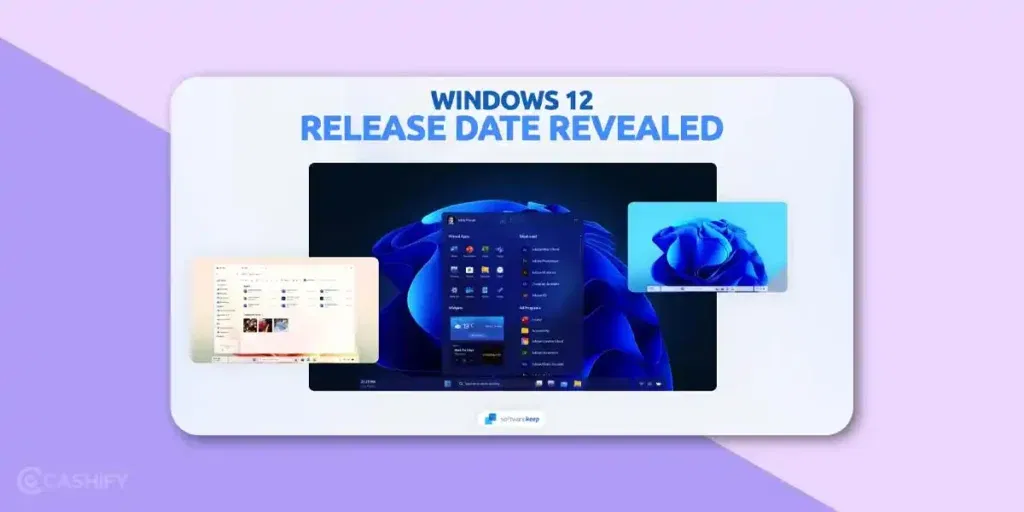
Let's get straight to the point. Microsoft has not announced Windows 12 or confirmed a release date. Windows 11 remains its current Windows platform.
Earlier reports suggested a 2026 or 2027 launch, but newer developments have made that prediction less certain.
Recent reports suggest Microsoft could release a major Windows 11 27H2 update in 2027 instead of introducing Windows 12. This update will have bigger changes to the operating system than the smaller yearly updates we've seen recently. However, Microsoft hasn't confirmed the 27H2 details either.
Should we expect Windows 12 in 2027? I wouldn't count on it just yet. There is no confirmed launch window, and the next major Windows release could still carry the Windows 11 name.
Quick Summary of the Milestones of Windows 12 Release
The table below summarizes the current status of Windows 12 and Windows 11, as well as key Microsoft Windows milestones for 2026.
Key Milestone | Current Status |
|---|---|
Windows 12 announcement | Not announced |
Windows 12 release date | Not confirmed |
Windows 11 26H2 | Released in September 2026 |
Windows 11 27H2 | Reported for 2027, not confirmed |
AI features in Windows | Already available on supported Windows 11 devices |
Windows 10 support ended | October 14, 2025 |
We will talk about the Windows 12 features but let us first understand why there is a delay in the release date.
Why The delay?
There are two main reasons:
- Focus on AI Integration in Windows 11:
Microsoft has been pouring energy into transforming Windows 11 into a smarter, AI-powered OS. They have introduced features like Copilot, improved productivity tools, and tighter integration with Microsoft 365. This focus on upgrading Windows 11 might have shifted the Windows 12 timeline a bit further out. - Windows 10’s End of Support: Windows 10 support officially ends in October 2025. This timing makes late 2025 a logical launch window for Windows 12- perfectly aligning with the phase-out of the older version.
Current Status Of Windows 12 Release: Will Windows 12 Come Out In 2026 Or Not?
A Windows 12 launch in 2026 is not supported by any official announcement. Recent reports instead point towards a major Windows 11 update in 2027.
The Verge has reported that Windows 11 27H2 could bring a more substantial operating system upgrade. Whether Microsoft eventually calls this Windows 12 is yet to be known.
Also Read: Accessories For iPhone 17 Series: Best Chargers, Cases & Add-Ons
When Does Windows 11 Support End?
Before you start worrying about upgrading, it is important to know that Windows 11 will continue to be supported for years after Windows 12’s release.
Microsoft typically provides:
- 5 years of mainstream support (updates and features)
- Followed by extended support (security patches only)
Given that Windows 11 was officially released in October 2021, you can safely expect it to remain supported until at least 2030.
So even when Windows 12 launches, you won’t be forced to upgrade immediately. Users and businesses can transition gradually- which is good news for those who prefer stability over experimenting with new tech right away.
End of Support for Windows 10
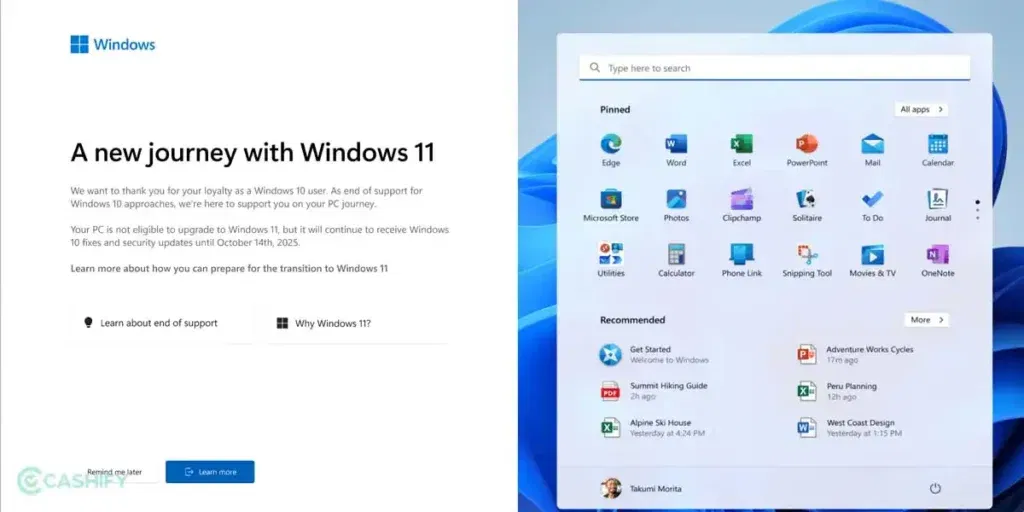
Microsoft has officially ended support for Windows 12 on October 14, 2025. Therefore, if you’re still using Windows 10, it means you’re not eligible for any new feature updates or security updates. So, over time, your device will become slower. It also becomes more susceptible to cybersecurity and malware attacks.
Eligible users can enrol in Microsoft's Extended Security Updates (ESU) programme for additional security updates. If you're still using Windows 10, I'd recommend moving to a supported Windows version rather than waiting for Windows 12.
What Are The Windows 12 New Features?
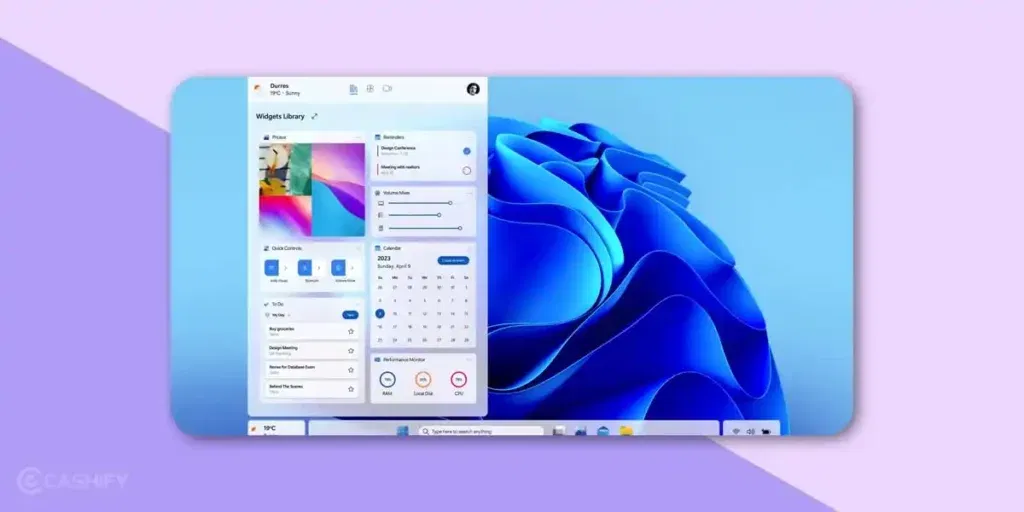
Here are some features I would like to see in the next Windows version.
AI Feature | What It Means | Example |
Smart Search | Search becomes more accurate | “Show my resume file.” |
Auto Task Suggestions | Windows suggests what you may need | Suggests calendar meeting |
AI Performance Control | Better RAM/CPU usage | Speeds up the laptop during gaming |
AI Battery Optimization | Saves battery smarter | It reduces background apps automatically. |
AI Security Alerts | Detects threat early | Warns about suspicious files |
Let us break down the key areas where big changes are expected.
1. Copilot Integration
You may have already seen Copilot in Windows 11. A future version could bring deeper Copilot integration. This makes it easier to manage settings, find files and handle everyday tasks. However, Microsoft hasn't confirmed any Windows 12-specific Copilot features.
2. Smart Recall
Recall is already available on supported Copilot+ PCs running Windows 11. It lets users search their activity using natural language. We don't know whether Microsoft will introduce an upgraded version of Recall with its next operating system.
3. NPU Acceleration
Windows 12 could put more focus on devices with Neural Processing Units (NPUs).
NPUs are designed to handle AI tasks such as:
- Real-time video background blur
- AI photo editing
- Voice processing
- On-device translation
This can take some workload away from the CPU and GPU, helping supported laptops handle AI tasks more efficiently.
4. Offline AI Features
Another possibility is better on-device AI processing. This could allow certain AI features to work without an internet connection. However, Microsoft hasn't confirmed which offline AI features will arrive with Windows 12.
5. Cloud Integration and Cross-Device Experience
Microsoft could also improve how Windows PCs work with smartphones, tablets and cloud services. Better clipboard sharing, file syncing and cross-device features would make everyday tasks easier.
What Is An NPU? Does Your Laptop Have One?
We've talked a lot about NPUs, but what exactly are they?
Your laptop generally has two main processors:
- CPU: Handles general computing tasks.
- GPU: Handles graphics and visual processing.
NPU stands for Neural Processing Unit. It is designed specifically to handle AI-related tasks efficiently.
Processors such as AMD Ryzen AI, Intel Core Ultra and Qualcomm Snapdragon X series include NPUs in select models.
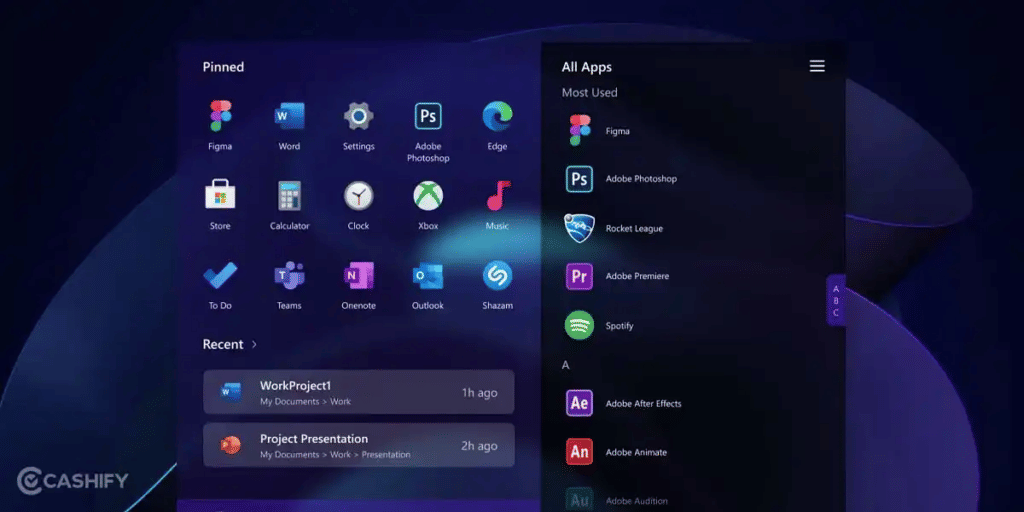
User Interface (UI) And Design Changes
Here are some design improvements that could be interesting:
1. Modular Design
A modular Windows architecture could allow Microsoft to update different parts of the operating system more independently. This could make updates easier to manage. But there is no confirmation that Windows 12 will use the older CorePC concept.
2. Revamped UI Layout
Rumours have previously pointed towards a redesigned Windows interface.
Some possibilities include:
- A floating taskbar
- More Start Menu customisation
- Improved quick settings
- Better touch controls for tablets and 2-in-1 laptops
These are still unconfirmed design ideas, not leaked final features.
3. Parallax Live Wallpapers
Interactive wallpapers that respond to cursor movements, time or device activity would be a nice addition. However, there is no reliable confirmation that Microsoft is developing this feature for Windows 12.
Performance, Gaming & Security
Aside from design and AI, Microsoft is also focusing on making Windows 12 faster, safer, and more efficient.
1. Enhanced Gaming Experience
Gamers can expect major performance gains, thanks to:
- DirectX 13, offering better graphics and lower latency
- DirectStorage technology, which drastically reduces loading times
- Smarter resource management, ensuring smoother gameplay
Essentially, Windows 12 aims to deliver console-level gaming performance right on your PC.
2. Improved System Performance
The new modular system will make installations lighter and more tailored to specific hardware. This will result in:
- Faster boot times
- Better battery optimization
- Fewer compatibility issues
Whether you are using a high-end gaming rig or an entry-level laptop, Windows 12 should feel more responsive than ever.
3. Stronger Security Measures
Security remains one of Microsoft’s top priorities. Windows 12 is expected to bring:
- AI-based threat detection that can identify unusual system behavior in real-time.
- Enhanced biometric authentication, combining facial recognition and fingerprint scanning.
- Improved Secure Boot, which ensures your device only runs trusted software.
With cyber threats becoming more advanced, these updates will be crucial for keeping your data safe.
Also Read: Oppo A6 Pro 5G To Debut Soon: Key Features & Expected Pricing
Windows 12 vs Windows 11: What’s New?
Feature | Windows 11 | Windows 12 |
|---|---|---|
AI Integration | Limited (Copilot) | Deep system-wide AI |
Offline AI | No | Yes |
NPU Support | Optional | Strongly Optimized |
UI Design | Static | Modular + Dynamic |
Performance | Good | Faster & lighter |
Security | TPM 2.0 | AI-based threat detection |
Cloud features | Basic integration | Deep cloud connectivity |
Windows 12 UI Features Vs Windows 11
Feature | Windows 11 | Expected in Windows 12 |
Start Menu | Basic customisation | More personalisation options |
Widgets | Limited usefulness | Smarter widgets with AI |
Taskbar | Fixed layout | More flexible taskbar design |
Virtual Desktops | Manual switching | Better workspace management |
Touch Support | Decent | Improved for tablets and 2-in-1 PCs |
Expected Security Features in Windows 12
Security Feature | What It Does | Benefit |
AI Threat Detection | Detects viruses faster | Less chance of hacking |
Improved Windows Defender | Stronger built-in antivirus | Better protection without extra apps |
Enhanced Encryption | Protects stored files | Data stays safe |
Stronger Account Security | Better Microsoft account login | Safer access |
Better Privacy Dashboard | Easy permission control | More user control |
What Are The Requirements For Upgrading To Windows 12?
So, now you know all about the Windows 12 release date and features. Microsoft has not released official system requirements yet, but based on the AI-heavy direction of the OS, the bar might be slightly higher than Windows 11.
Here’s what experts expect:
Component | Minimum Requirement | Recommended for AI Features |
Processor | 1 GHz or faster, 64-bit, 2 cores | NPU-enabled processor |
RAM | 8GB | 16GB or more |
Storage | 64GB | SSD preferred |
Graphics | DirectX 12 compatible | Dedicated GPU for gaming/AI tasks |
TPM (Trusted Platform Module) | Version 2.0 | Version 2.0 |
Display | 9-inch, 720p | Full HD or higher |
Internet | Required for setup | Required for updates & Copilot |
If your computer already supports Windows 11, chances are good that it will handle Windows 12- though AI-related features might require newer hardware.
Who Should Upgrade to Windows 12?
Windows 12 is not just a visual refresh — it’s designed for users who want speed, intelligence, and future-ready computing. While Windows 11 will remain supported for years, certain users will benefit the most from upgrading to Windows 12.
Creators (Designers, Video Editors, Developers)
If you work with design, video editing, coding, or creative software, Windows 12 will be a strong upgrade. AI acceleration through NPUs can improve photo editing, rendering, background effects, and multitasking, while better performance optimization ensures smoother workflows on powerful hardware.
Gamers
Gamers will find Windows 12 especially appealing thanks to DirectX 13, DirectStorage improvements, reduced latency, and smarter resource management. These upgrades promise faster load times, better graphics performance, and console-level gaming experiences on PCs.
Business Users & Professionals
For professionals and enterprises, Windows 12 offers AI-assisted productivity, stronger security, and improved system stability. Features like Smart Recall, Copilot automation, enhanced biometric security, and modular updates make it ideal for modern workplaces and hybrid work environments.
Students
Students can benefit from offline AI tools, smarter search, faster performance on mid-range laptops, and better battery optimization. Windows 12 helps with research, assignments, presentations, and multitasking — even without constant internet access.
AI Laptop Buyers
If you’re planning to buy a new laptop with an NPU (Neural Processing Unit), Windows 12 is built specifically for you. AI-ready devices will unlock the full potential of features like on-device AI processing, voice commands, live translation, and intelligent system automation.
How Can You Join the Windows Insider Program and Get Early Access
You need to follow the steps below to join the Windows Insider Program and get early access to the latest release.
- Go to Settings -> Click on “Windows Update.” Search for “Windows Insider Program.”
- Click on “Get Started.” Sign in with your Microsoft account. If you don’t have an account, create it.
- Select a channel. There are mainly three channels – Dev Channel, Beta Channel, and Release Preview.
- Restart your PC, and Windows will start downloading Insider builds automatically.
The issue with these Insider builds is that they are test versions. They can have bugs. So, don’t use it as your only PC if you do it for school or work. However, if you’re curious and want to try a new Windows feature before everyone else, it is completely free and easy to leave anytime.
What Is CorePC?
CorePC was the name used in older reports about Microsoft's modular Windows development plans. The idea was to build Windows in separate components, making it easier to create different versions for different devices.
However, Microsoft hasn't confirmed that CorePC will power Windows 12. It is better to treat it as an older Windows development concept rather than a confirmed upcoming feature.
Will Windows 12 Require a Paid Subscription? Let’s Find Out..
There have been rumours about Microsoft charging a subscription for some Windows 12 features, particularly AI tools. However, Microsoft hasn't announced Windows 12 pricing or a subscription plan.
I'd avoid believing claims that you'll need to pay a monthly fee just to use Windows 12. Some Microsoft AI and cloud services already have paid plans, but that doesn't mean the operating system itself will require a subscription.
Should You Buy a Laptop Now or Wait for Windows 12?
My advice is simple: don't delay buying a laptop just because Windows 12 might arrive in the future.
You should buy a laptop now if:
- Your current laptop is more than 4–5 years old and is slowing down.
- You need a laptop for college, work, or everyday use right now.
- You’re looking at mid-range options under ₹60,000.
A good Windows 11 laptop today will handle Windows 12 later especially if it comes with an Intel Core Ultra or AMD Ryzen AI chip. These already have NPUs built in, which means you’re future-proofed for Windows 12’s AI features.
You should wait if:
- You’re planning to spend ₹80,000 or more on a premium device.
- You’re specifically buying for AI-heavy tasks like content creation or coding.
- You can hold off for another 12–18 months without your current setup failing you.
In short, don’t hold off buying a budget or mid-range laptop just because Windows 12 is coming. But if you’re making a big investment, it’s worth waiting for devices officially certified as “Windows 12 Ready” which OEMs like Dell, HP, and Lenovo are already quietly preparing.
Final Thoughts – Windows 12 Release Date Features
Windows 12 sounds interesting, especially with the growing focus on AI-powered PCs. However, Microsoft hasn't officially announced its next operating system, release date or specifications.
The latest reports point towards a major Windows 11 update in 2027, so a Windows 12 launch is far from certain. I'd suggest sticking with Windows 11 for now rather than making buying decisions based on leaks.
We'll update this article when Microsoft shares something official about its next Windows release.
Also Read: Samsung Galaxy S24 Ultra Gets Massive Price Drop In Flipkart BBD Sale
Frequently Asked Questions
When will Windows 12 release?
Microsoft hasn't announced a Windows 12 release date. Reports have suggested 2027, but a launch in that year is not confirmed.
Is Windows 12 coming soon?
There is no official confirmation yet. Microsoft continues to improve Windows 11, and recent reports suggest a major Windows 11 update could arrive in 2027.
How much RAM will Windows 12 need?
Microsoft hasn't announced Windows 12 RAM requirements. Claims about 8GB or 16GB being mandatory are currently speculation.
Is Windows 12 better than 11?
We can't say yet because Windows 12 hasn't been announced. It could bring improvements to AI, performance and design, but there are no confirmed specifications to compare.
Which devices will support Windows 12?
There is no official compatibility list. Microsoft will need to announce the hardware requirements before we can know which PCs will support it.
What are the benefits of Windows 12?
Expected improvements could include better AI integration, performance, security and interface customisation. However, these features haven't been confirmed by Microsoft.
Will Windows 12 be a FREE Upgrade?
Microsoft hasn't announced Windows 12 pricing or upgrade policies. We will have to wait for an official announcement.
Are you still browsing through your broken screen? Don’t worry! Book at-home mobile phone screen repair with Cashify—an affordable and one-stop destination for all your mobile phone needs. In case you break your screen within 1 month of repair, we will replace your screen again—for FREE.