

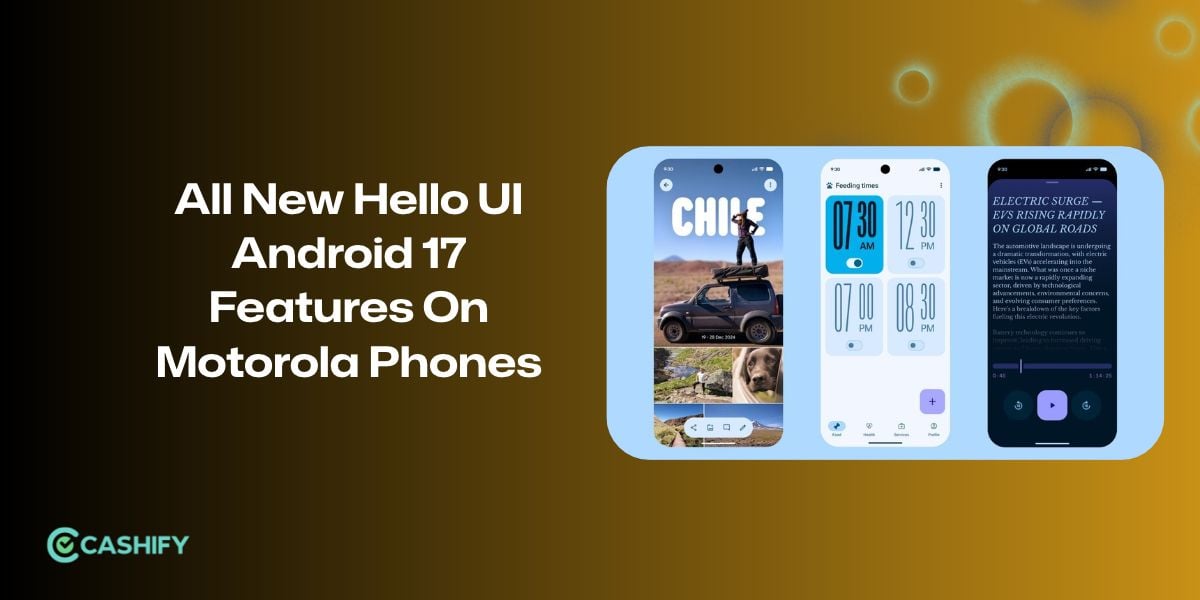
Motorola's software has not impressed in a while, but the Android 17 update for Hello UI changes that. Motorola didn't rebuild the interface from scratch. Instead, it added refinements and customisation options that make a real difference in daily use. The result feels livelier and more modern, and it keeps the clean look Moto fans like. Here are the best Hello UI on Android 17 features and changes you should know about.
A More Customizable Lock Screen
The lock screen is the first thing you see when you pick up your phone, and among all the Hello UI on Android 17 features, it gets the most visible upgrade. Long-press it and tap Customise to find a depth-effect clock that sits behind the subject of your wallpaper. You can change the clock style, tweak its colour to match your wallpaper, resize it, or switch the depth effect on or off.
Notifications can also be shown in three styles: list, chip and bubble. If you go to Settings > Personalise> Wallpaper and open the depth wallpaper options, there is one more clock style to choose from.
One thing is still missing. There is no smooth transition between the lock screen and the always-on display, which some other Android skins offer. It looks a little abrupt, and hopefully Motorola fixes it soon.
Also Read: OPPO Reno16 5G Long-Term Review: Pretty, Powerful Camera, Pricey
Smarter Home Screen Tweaks
Long-press an empty space on the home screen and open home settings to find the new themed icons toggle. The big improvement is consistency. Previously, many third-party apps were left out when you turned theming on. Now your icons get themed together, which gives a much more uniform look.
Under Personalise> Colours, Moto now offers a full colour picker instead of a few preset palettes. You can choose the exact colour and saturation you want, and that accent is applied across the whole UI.
The most practical addition is batch selection. You can now pick several apps and move them anywhere on the home screen at once, instead of dragging them one by one. Organising your layout becomes much faster.
Also Read: Samsung Galaxy S26 FE Review: A Better Fan Edition Phone?
A Fresher, Frosted Visual Style
The widget section is now neatly categorised, which makes it easier to find what you need. It also has a frosted blur background and matte, pill-shaped buttons at the bottom.
That frosted-glass look is used across the interface. You will see it on the lock screen customisation page, on the volume sliders and in the control centre. It adds a subtle depth that makes the UI feel more premium.
Revamped Quick Settings
Quick settings have been redesigned and now look a lot like the ones on Pixel phones. You get the same smooth background blur and a square brightness slider. The tiles are now fully resizable, so you can make them bigger or smaller to suit your layout. When you turn a toggle on, its shape changes from rounded to square. It is a polished look that suits Hello UI well.
Live Updates: Motorola's Take on Dynamic Island
Of all the Hello UI on Android 17 features, live updates are probably the one many people will like most. Alerts used to pop up awkwardly from the side. They now appear centred around the punch-hole camera, which feels more natural.
Live updates keep track of what is happening on your phone. You can control music playback, manage incoming calls and check quick system actions. Compatible third-party apps are supported too. You no longer need to pull down the control centre just to see what is going on in the background.
Better AI Features
On Moto phones with a dedicated AI button, a double press can now be mapped to any task you like, such as launching WhatsApp, Instagram or the camera. That makes the physical button far more useful.
Motorola's AI assistant has also been redesigned, with a fluid new overlay animation. From there you can ask questions, share your screen live or request a quick summary.
There is also a set of creative tools, and the standout is Creator Zone. It lets you:
- Generate custom images from text prompts
- Edit photos with AI tools
- Design personalised avatars
- Create custom stickers
Smoother, More Polished Animations
Opening and closing apps feels more fluid, and the stutter when swiping back to the home screen is gone. Animations have a natural, responsive bounce, and scrolling through menus feels effortless. Combined with a high refresh rate, the phone feels snappier and more refined than before.
Also Read: Motorola Edge 60 Pro Long-Term Review: Great Phone, But This Dirty Back Is a Problem
Final Thoughts
Motorola did not clutter the system with unnecessary extras, and the Hello UI on Android 17 features show a clear focus on the customisation options and refinements people were asking for. A smoother lock screen-to-AOD transition would be a welcome fix, but overall Android 17 is a strong update for Hello UI. Even if you don't own a Moto phone, it is worth a look.
Are you still browsing through your broken screen? Don’t worry! Book an at-home mobile phone screen repair with Cashify, an affordable and one-stop destination for all your mobile phone needs. In case you break your screen within 1 month of repair, we will replace your screen again, for FREE.