Apple has officially rolled out iOS 26.5, and if you use an iPhone every day, this update brings several useful changes that can improve your overall experience. From better messaging privacy to smarter Apple Maps features and new customization options, iOS 26.5 new features focus on making your iPhone more secure, smoother, and more helpful.
If you are wondering whether this update is worth installing, the answer is yes- especially because Apple has also included important security fixes alongside new features.
In this blog, we will talk about all the major iOS 26.5 new features, supported iPhones, improvements, and how you can update your device easily.
Also Read: Vivo X300 Ultra Vs Samsung Galaxy S26 Ultra: Which Is Better?
iOS 26.5 New Features
Here are the biggest changes you will notice after updating your iPhone.
1. End-To-End Encrypted RCS Messaging
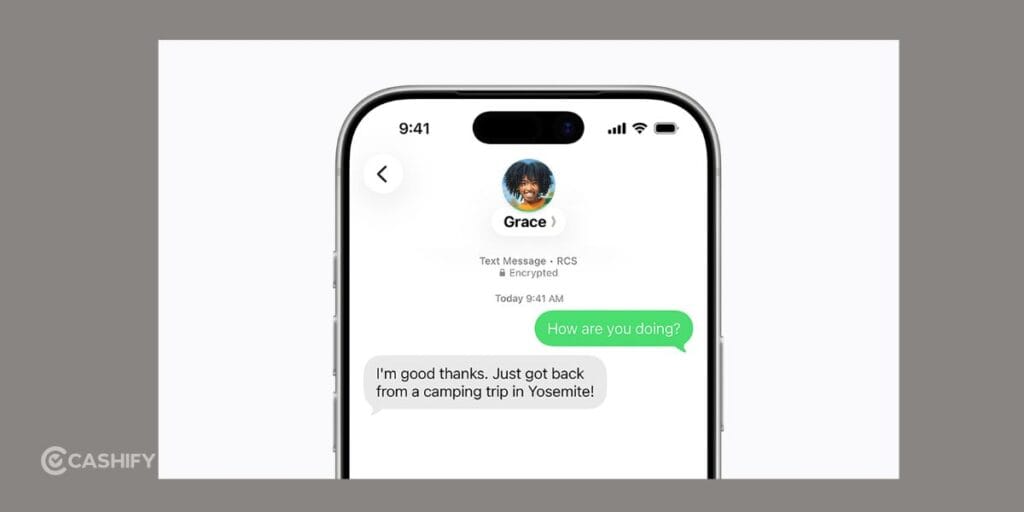
One of the biggest highlights of iOS 26.5 new features is improved RCS messaging support. If you regularly chat with Android users, this update makes a noticeable difference. Earlier, conversations between iPhone and Android users lacked proper encryption and modern messaging features. Now, Apple has added encrypted RCS messaging support, making chats more private and secure.
With this update, you get several improvements, including:
- Better photo and video sharing quality
- Read receipts
- Typing indicators
- Improved group chats
- More secure messaging between Android and iPhone users
This finally makes communication between Android and iPhone users feel smoother and more modern. If you often send media files, you will also notice fewer compression issues.
2. New Pride Luminance Wallpaper
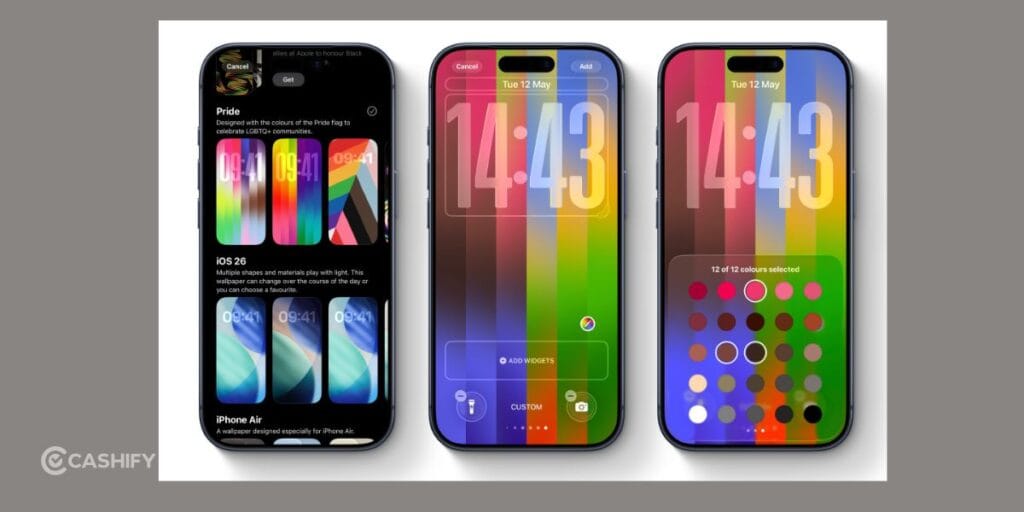
Apple has introduced a new dynamic wallpaper called Pride Luminance in iOS 26.5 new features. This wallpaper changes colors and lighting effects depending on how you move your iPhone, giving your lock screen a more interactive feel.
The wallpaper is mainly designed for personalization, but it also adds a fresh premium look to your device. Some highlights include:
- Dynamic movement effects
- Bright color transitions
- Better lock screen customization
- Smooth animation support
If you enjoy changing wallpapers and customizing your iPhone regularly, this feature is worth trying.
3. Smarter Apple Maps Suggestions
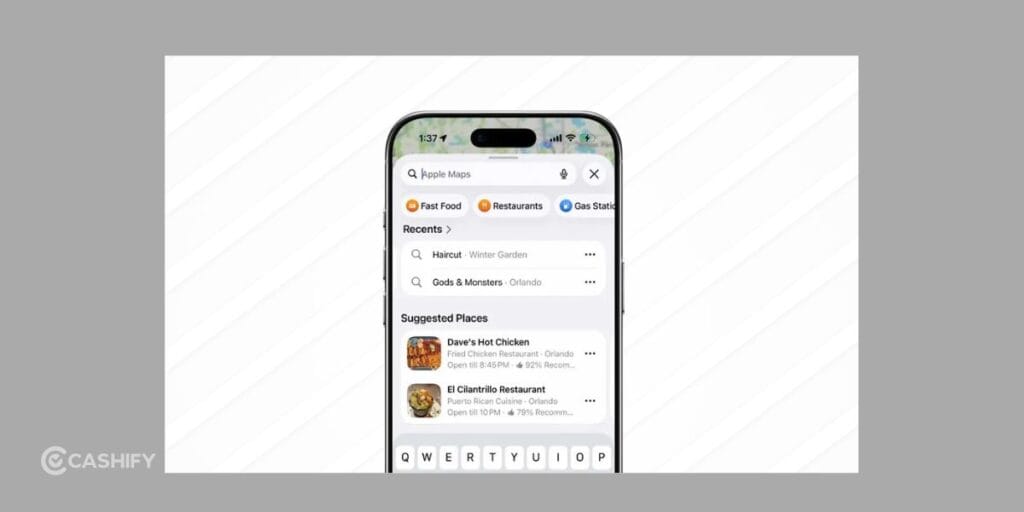
Apple Maps has become smarter with iOS 26.5 new features. The app can now suggest nearby places, trending locations, restaurants, and hidden local spots more intelligently based on your activity and searches.
Some of the major improvements include:
- Better nearby recommendations
- Personalized suggestions
- Improved local discovery
- Faster search results
- Smarter navigation assistance
For example, if you frequently search for cafes, shopping malls, or gyms, Apple Maps may start recommending similar nearby places automatically. This makes the app feel more useful in your daily routine.
4. Better Support For Switching To Android
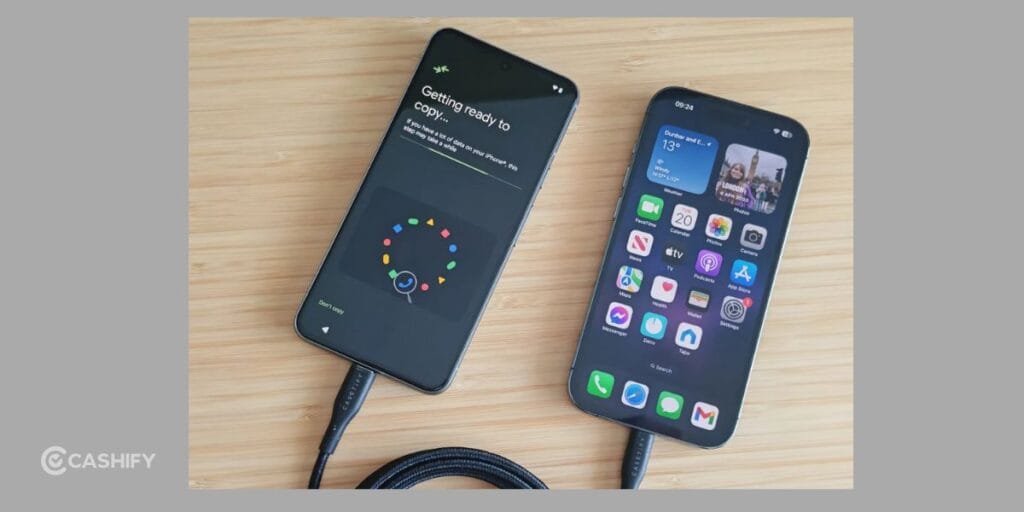
Apple has improved the device transfer process in iOS 26.5 new features. Therefore, if you ever plan to move from iPhone to Android, you now get more control over what data you want to transfer.
You can selectively move:
- Messages
- Attachments
- Media files
- Chat history
Instead of transferring everything automatically, you can now choose the content you actually want to keep. This makes switching devices more flexible and easier to manage.
Also Read: Motorola Razr 70 Ultra Vs Samsung Galaxy Flip7: Best Flip Phone 2026?
5. New App Store Subscription Options
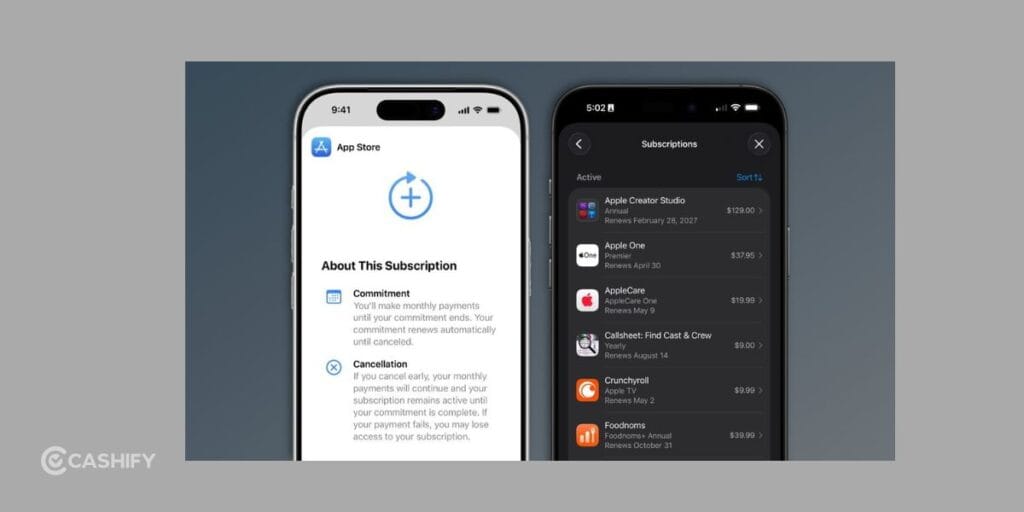
Apple has also improved subscription management in the App Store. Developers can now offer more flexible billing systems and pricing structures for apps and services.
Some of the new options include:
- Monthly billing plans
- Long-term subscriptions
- Better pricing flexibility
- Improved renewal systems
While this may not seem like a major feature immediately, it could help you save money on app subscriptions over time and give developers more ways to offer discounts.
6. Better Third-Party Accessory Support
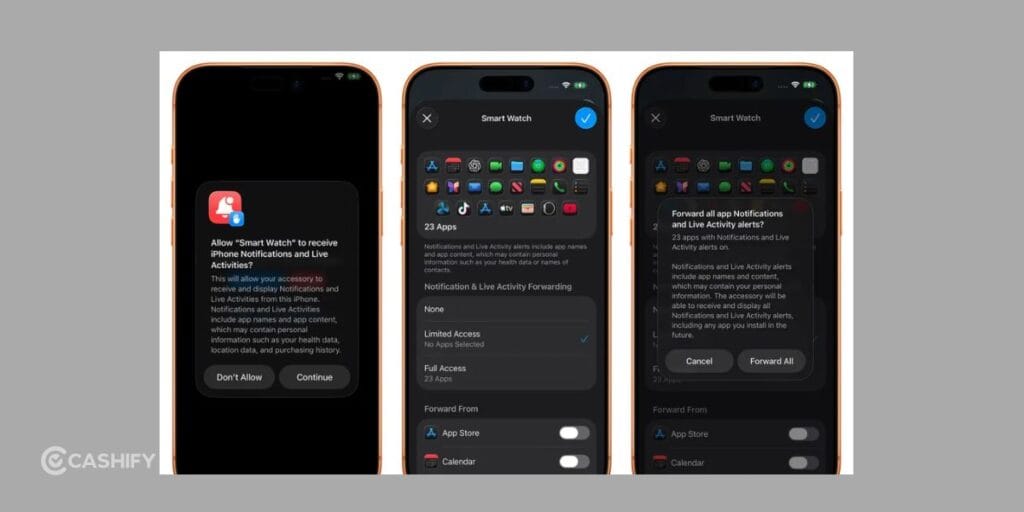
In some regions, especially Europe, Apple has improved support for third-party accessories in iOS 26.5 new features. This mainly benefits users who use non-Apple devices along with their iPhone.
Supported accessories include:
- Smartwatches
- Earbuds
- Fitness devices
- Smart trackers
Apple has also added several usability improvements, such as:
- Faster pairing
- Better notification support
- Improved connectivity
- Enhanced background syncing
If you use accessories outside the Apple ecosystem, this update can improve the overall experience.
7. Important Security Fixes
Even if you are not interested in new features, iOS 26.5 is still an important update because it includes multiple security fixes. Apple reportedly fixed dozens of vulnerabilities in this release.
These security improvements help protect your iPhone from:
- Malware
- App exploits
- Data theft
- Privacy leaks
- System vulnerabilities
Keeping your iPhone updated is one of the easiest ways to stay secure online and avoid potential security risks.
8. Performance Improvements
iOS 26.5 new features also improves overall system performance on supported iPhones. While the changes may not look dramatic visually, many users may notice smoother day-to-day usage after updating.
Some expected improvements include:
- Faster app opening times
- Smoother animations
- Better battery optimization
- Improved system stability
- Reduced random app crashes
Older supported iPhones may especially benefit from these optimizations, making the device feel more responsive during regular use.
Also Read: Google Pixel 11 Pro, Pro XL Launch Date, Price And Specs
Which iPhones Support iOS 26.5?
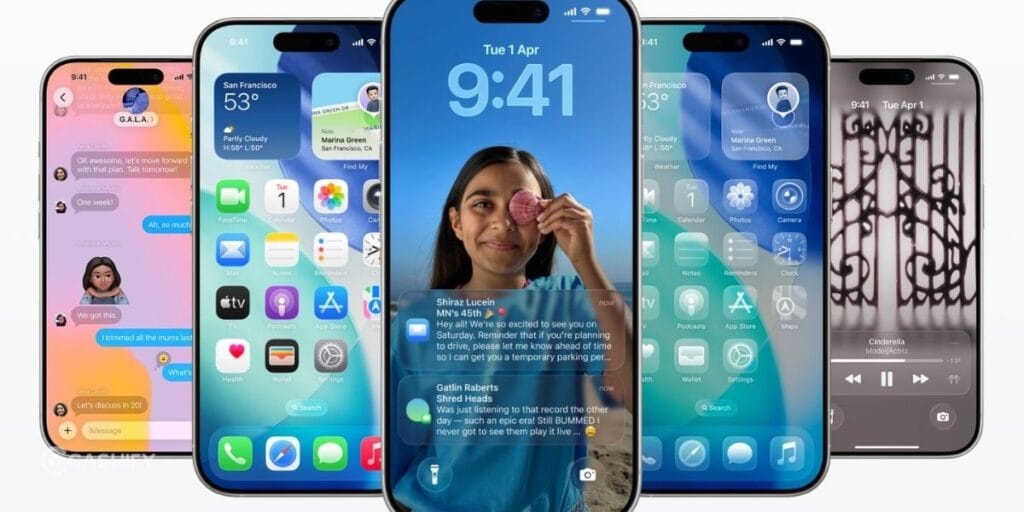
You can install iOS 26.5 on:
- iPhone 11 series
- iPhone 12 series
- iPhone 13 series
- iPhone 14 series
- iPhone 15 series
- iPhone 16 series
- iPhone 17 series
- iPhone SE (2nd generation and newer)
If your device already supports iOS 26, you will likely receive the iOS 26.5 new features update as well.
How To Update To iOS 26.5?
Updating your iPhone is very simple.
- Open Settings on your iPhone.
- Tap General and select Software Update.
- Tap Download and Install.
- Enter your passcode if asked.
- Wait for installation to complete.
Before updating, make sure:
- Your battery is above 50%
- You are connected to Wi-Fi
- You have enough storage space
Should You Update To iOS 26.5?
For most users, yes.
iOS 26.5 is not a massive redesign update, but it improves many small things that make your iPhone experience better every day.
You should especially update if you:
- Message Android users often
- Care about privacy and security
- Use Apple Maps regularly
- Want smoother performance
- Like new wallpapers and customization
- Use third-party accessories
The security improvements alone make this update worth installing.
Is iOS 26.5 Good For Gaming?
Yes, especially because of:
- Better stability
- Improved thermal management
- Reduced lag in some cases
- Smoother frame performance
If you play games like PUBG Mobile, BGMI, or Call of Duty Mobile, you may notice more stable performance after updating.
Also Read: Sony PS5 Pro Costs More Here? Full Country-Wise Price Comparison
Final Verdict
iOS 26.5 may not be Apple’s biggest update ever, but it adds several meaningful improvements that make your iPhone safer, smoother, and more useful.
The addition of encrypted RCS messaging is one of the most important updates because it finally improves communication between iPhone and Android users.
Alongside that, smarter Apple Maps suggestions, better accessory support, performance improvements, and important security fixes make this a solid update overall.
If your iPhone supports iOS 26.5 new features, updating is definitely recommended.
Frequently Asked Questions
Is iOS 26.5 available now?
Yes, Apple has officially released iOS 26.5 for supported iPhones. You can download it directly from the Software Update section in your iPhone settings. The update is rolling out globally and includes new features, performance improvements, and important security fixes for eligible devices.
Does iOS 26.5 improve battery life?
iOS 26.5 may improve battery optimization for some users, especially on newer iPhones. However, battery performance can vary depending on your device model, app usage, battery health, and background activity. Initial battery drain after updating is normal for the first couple of days.
Is iOS 26.5 safe to install?
Yes, iOS 26.5 is safe to install and includes several important security updates. Apple has fixed multiple vulnerabilities and system issues in this release. Updating your iPhone helps improve privacy, protects against security threats, and keeps your device running more smoothly and securely.
Does iOS 26.5 support encrypted RCS messaging?
Yes, iOS 26.5 improves RCS messaging support with better security and functionality. You now get improved messaging features between iPhone and Android users, including better media sharing, typing indicators, read receipts, and more secure communication compared to older SMS-based conversations.
Which iPhones support iOS 26.5?
iOS 26.5 supports iPhone 11 series and newer models, including newer iPhone SE variants. If your iPhone already supports iOS 26, you should also be eligible for the iOS 26.5 update. Older unsupported devices will not receive this software version from Apple.
Should you update immediately?
Yes, updating to iOS 26.5 is recommended because it includes security patches, bug fixes, and performance improvements. If you use your iPhone daily for banking, messaging, or work, installing the latest update helps keep your device secure, stable, and optimized for better overall performance.
If you’ve just bought a new phone and don’t know what to do with your old phone, then here’s your answer. Sell old mobile to Cashify and get the best price for it. If you are planning to buy a new phone, check out Cashify’s refurbished mobile phones. You can get your favourite phone at almost half price with six-month warranty, 15 days refund and free delivery.